


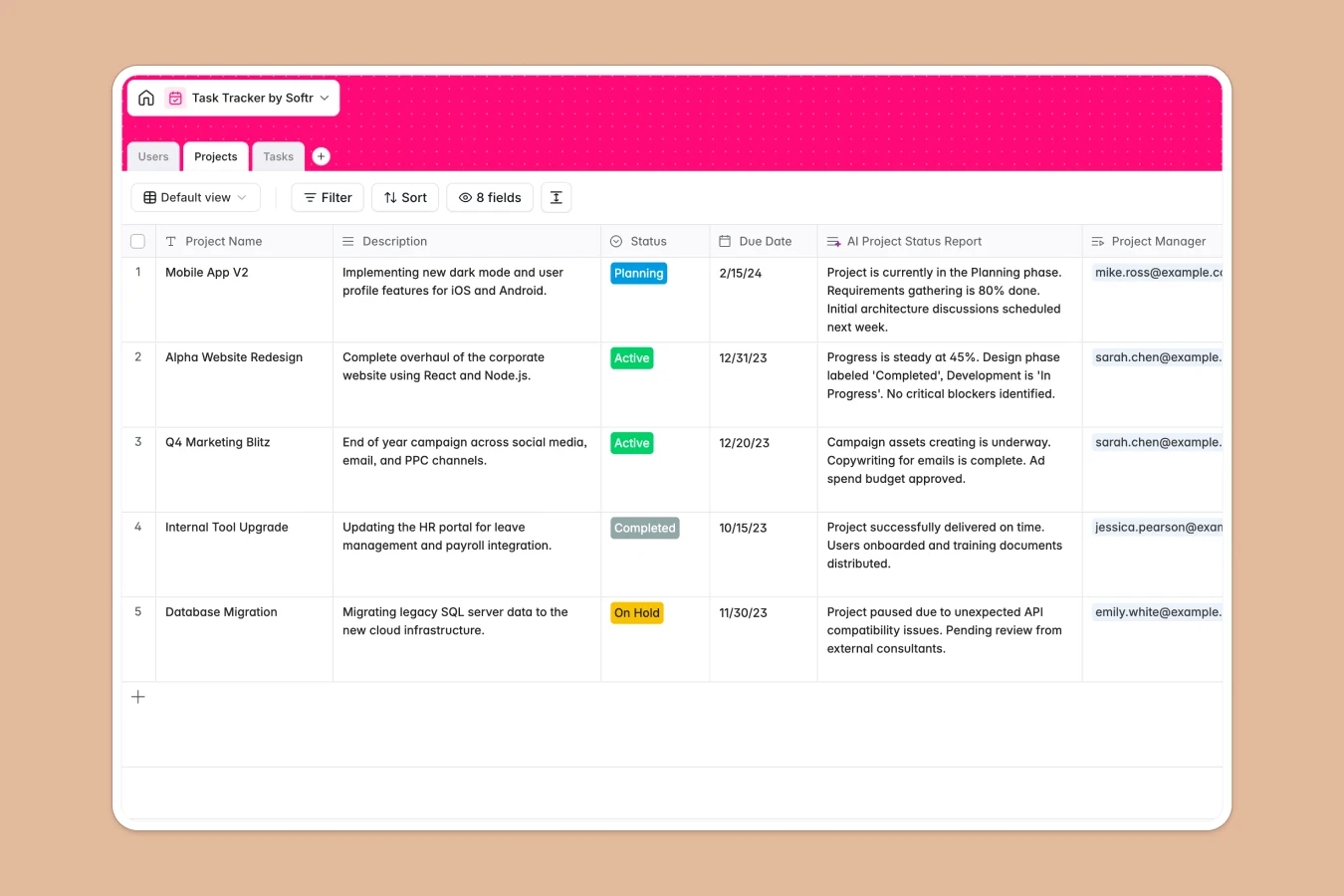
Your Task Tracker Database at a glance
Keep team projects organized, assign tasks clearly, and maintain complete alignment from a single structured layout.
This template connects three essential logs—Projects, Tasks, and Users—together natively, meaning every task links directly to its parent project and designated teammate.
It also includes smart automation fields like automatic task naming and AI-generated status updates to keep status reports running automatically.
Where task tracking outgrows Airtable
While choosing a high-quality database is the right move for team coordination, building a task tracker in Airtable can quickly reveal unexpected ceilings.
As soon as multiple operators need access to update their task progress, per-seat licensing turns standard collaboration into an expensive monthly line item.
What changes with a database built for apps
Opting for Softr Databases gives you the same solid relational foundation but with unlimited collaborators included on every single plan.
Every column has strict types—ensuring dates, attachments, and assignments never break—plus you get much higher database records and API caps out of the box.
Instead of stitching together form tools or paying for external interfaces, you get a clean path to full interface customization.
What you can do with this template
With this template, you can assign work directly to teammates, organize records by high-level projects, and watch dependencies update automatically.
You can also leverage built-in Database AI agents to summarize project updates or auto-generate status reports from individual assignee notes.
It is completely visual, instantly customizable, and ready to adopt without complex onboarding.
-
Projects
Organize initiatives with team members, timelines, and AI status reports
-
Users
Manage team roles and track assignments across projects and activities
-
Tasks
Track items with custom deadlines and AI-generated task naming fields
Who is this Task Tracker Database for
This flexible template is built for teams that require transparent coordinates without complex user licensing.
- Project Managers: Get bird's-eye visibility into project timelines, assign workloads quickly, and generate status reports.
- Operations Leads: Keep departmental priorities organized, standardise data entries, and monitor deadlines securely.
- Product Teams: Link clear specifications to task details, track sprints from planning to completion, and align everyone.
How to take it further
Customize the database
You can modify task stages (like adding "Backlog" or "QA Review") or easily introduce fields like project budgets or priority levels. Adjust everything visually inside your workspace within seconds.
Import your existing data
If you already have projects tracked elsewhere, you can upload them instantly via CSV or plug in an API to sync live tools directly. Your structured columns transition over without losing their types.
Build a full app around it
When your team expands beyond simple data tables, you can easily build an app on top of this exact structure.
With the Softr Co-Builder, you can describe your ideal tracker in plain words, and the AI will assemble beautiful task boards and custom dashboards.
This lets you specify granular users and permissions to control who can edit records, ensuring your task workflows remain secure.
-
1
-
2
-
3
-
4
Frequently asked questions
-
What is a task tracker database?
-
Why use a no-code database to build a task tracker system?
-
How can AI help managing data for task tracker?
-
Can I build an app with task tracker database?
-
Is this Task Tracker Database template free?
-
How is this task tracker different from an Airtable template?
Start building today. It's free!
Build and launch your first app in under 30 minutes.