


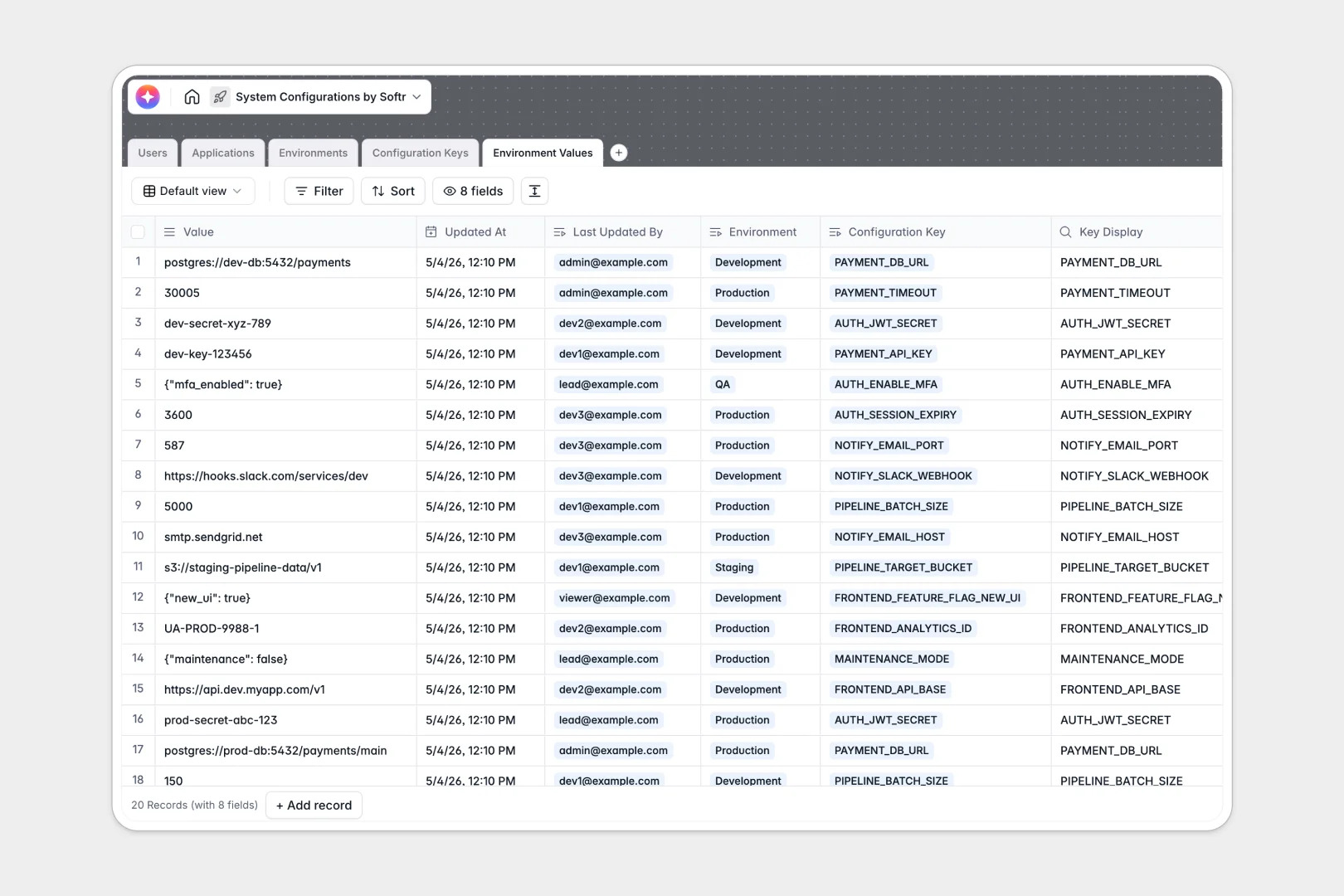
Your System Configurations Database at a glance
This template lets you centralize all software variables, secret flags, and API endpoints across multiple deployment environments in one secure place. Eliminate configuration drift and align your development team immediately.
Five relational tables—Users, Applications, Environments, Configuration Keys, and Environment Values—work together natively to map owners to applications and keys to specific environments without duplicate entries.
Built-in AI fields automatically generate technical summaries for your apps and write precise descriptions for newly added configuration keys in real time.
What to check before building your system configurations base in Airtable
When managing sensitive system variables, choosing the right platform determines how easily your team can access and update their keys without exposing critical architecture.
What changes with a database built for apps
Managing system configurations directly in a raw database like Airtable can quickly block your developers. Because Airtable charges per-collaborator, giving your entire engineering and DevOps team access to edit variables gets expensive fast.
Softr Databases are built for scale and cost-efficiency. You get unlimited collaborators on all plans, up to 200,000 records per database, and a highly responsive API capable of 50 requests per second—10x faster than competitive limits.
This means you can connect your operational workflows, deployment pipelines, and developer portals directly to your configuration data without hitting performance ceilings or per-seat pricing penalties.
What you can do with this template
Track keys and specific values across Dev, Staging, and Production environments while enforcing strict data hygiene. Quickly identify which application owns a secret, who last updated a database URL, and whether a variable requires restricted access.
Leverage built-in Database AI agents to automatically summarize complex API parameters and categorize keys, keeping your technical documentation updated without manual developer effort.
-
Users
Track system administrators and developers with access privileges and roles
-
Applications
Manage software services and components with AI-powered technical summaries
-
Environments
Define deployment targets like Staging or Production and access levels
-
Configuration Keys
Define application system variables using AI to generate key descriptions
-
Environment Values
Store specific system configuration values linked to active environments
Who is this System Configurations database for
- DevOps Engineers: Standardize variable naming conventions and track live environment configurations in one central register.
- Software Architects: Map application dependencies, system keys, and data types across complex multi-service projects.
- Engineering Managers: Control access security and maintain an audit log of who updated specific deployment variables and when.
- Product Owners: View high-level summaries of all managed active applications and structural changes in development pipelines.
How to take it further
Customize the database
Define your own environment tags (like Testing or UAT) or add new value types to the standard configuration options. You can easily modify fields, add validation rules, or adjust access levels directly inside the native interface.
Import your existing data
Avoid manual typing by uploading your current configuration secrets and keys via a CSV file. For CI/CD automation, use our robust API to push or pull configuration changes automatically during your build steps.
Build a full app around it
When your team is ready, you can easily turn this database into a secure developer portal. The fastest path is the Softr AI app generator, which generates a visual interface on top of this exact database from a single prompt.
You can configure granular users and permissions so that developers can update Staging values, but only DevOps leads can view or modify restricted Production secrets. A structured database ensures your generated portal remains organized, secure, and fast.
-
1
-
2
-
3
-
4
Frequently asked questions
-
What is a system configurations database?
-
Why use a no-code database to build a system configurations tool?
-
How can AI help managing data for system configurations?
-
Can I build an app with this system configurations database?
-
Is this system configurations template free?
-
How is this template different from an Airtable template?
Start building today. It's free!
Build and launch your first app in under 30 minutes.