


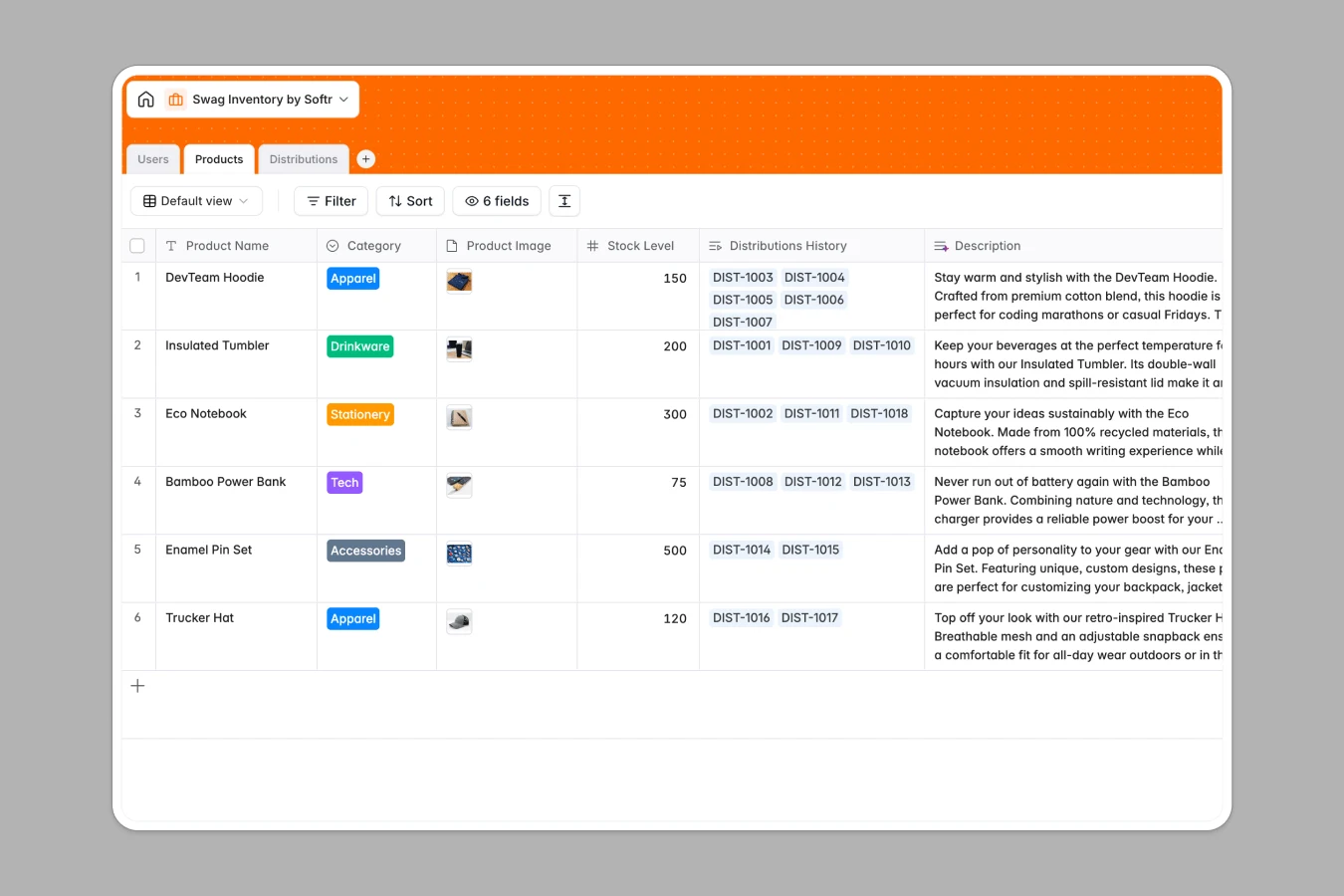
Your Swag Inventory Database at a glance
This template lets you manage inventory items and track shipments in one centralized place. It ensures you never run out of team merchandise or event giveaways.
Everything is organized across three connected tables: Products, Users, and Distributions. Updates in one table automatically reflect across your other logs, keeping your stock counts highly accurate.
What to check before building your swag inventory base in Airtable
While databases are great for managing stock, sharing your workspace with a large team in Airtable can get expensive quickly due to strict per-seat pricing models.
Softr Databases remove this barrier by offering unlimited database collaborators, allowing your entire team to update inventory and shipments without extra costs.
What changes with a database built for apps
Unlike standalone bases that require external tools for user-friendly portals, this template serves as a complete foundation. You can build internal forms, client access portals, or admin dashboards on top of your live data seamlessly.
This structure enforces specific field rules for product images, categories, and stock numbers. It ensures your data remains clean and organized without the clutter of traditional spreadsheets.
What you can do with this template
With tables for Products, Users, and Distributions, you can log every swag order, check apparel sizes, and update shipping statuses from a single source of truth.
It is ready to use immediately, but can also be automated with Database AI agents to generate shipping summaries, flag low-stock items, or auto-categorize incoming requests.
-
Users
Track system administrators and customers receiving swag with profile details
-
Products
Manage catalog items with stock levels, categories, and image assets
-
Distributions
Track fulfillment orders, dispatch statuses, and details on sent items
Who is this Swag Inventory database for
- Office Managers: Oversee corporate merchandise, monitor stock levels, and supply new hires with welcome kits.
- Marketing Teams: Manage event giveaways, track promotional items, and distribute swag to brand advocates.
- HR Departments: Coordinate employee rewards, distribute company apparel, and track gift distributions easily.
How to take it further
Customize the database
You can easily tailor this database by adding custom sizes, updating select fields like apparel colors, or linking new supplier details. Its flexible structure adapts to your specific organizational needs.
Import your existing data
If you are currently tracking goods in spreadsheet files, you can upload them instantly via CSV import. This allows you to centralize your operations and begin tracking distributions without losing previous history.
Build a full app around it
Once your data is set up, you can build an app on top of this exact database. This allows team members to request merchandise through a secure portal while managing user permissions to control who can approve distributions or view stock budgets.
-
1
-
2
-
3
-
4
Frequently asked questions
-
What is a swag inventory database?
-
Why use a no-code database to build a swag inventory system?
-
How can AI help managing data for swag inventory?
-
Can I build an app with this swag inventory database?
-
Is this swag inventory template free?
-
How is this template different from an Airtable template?
Start building today. It's free!
Build and launch your first app in under 30 minutes.