


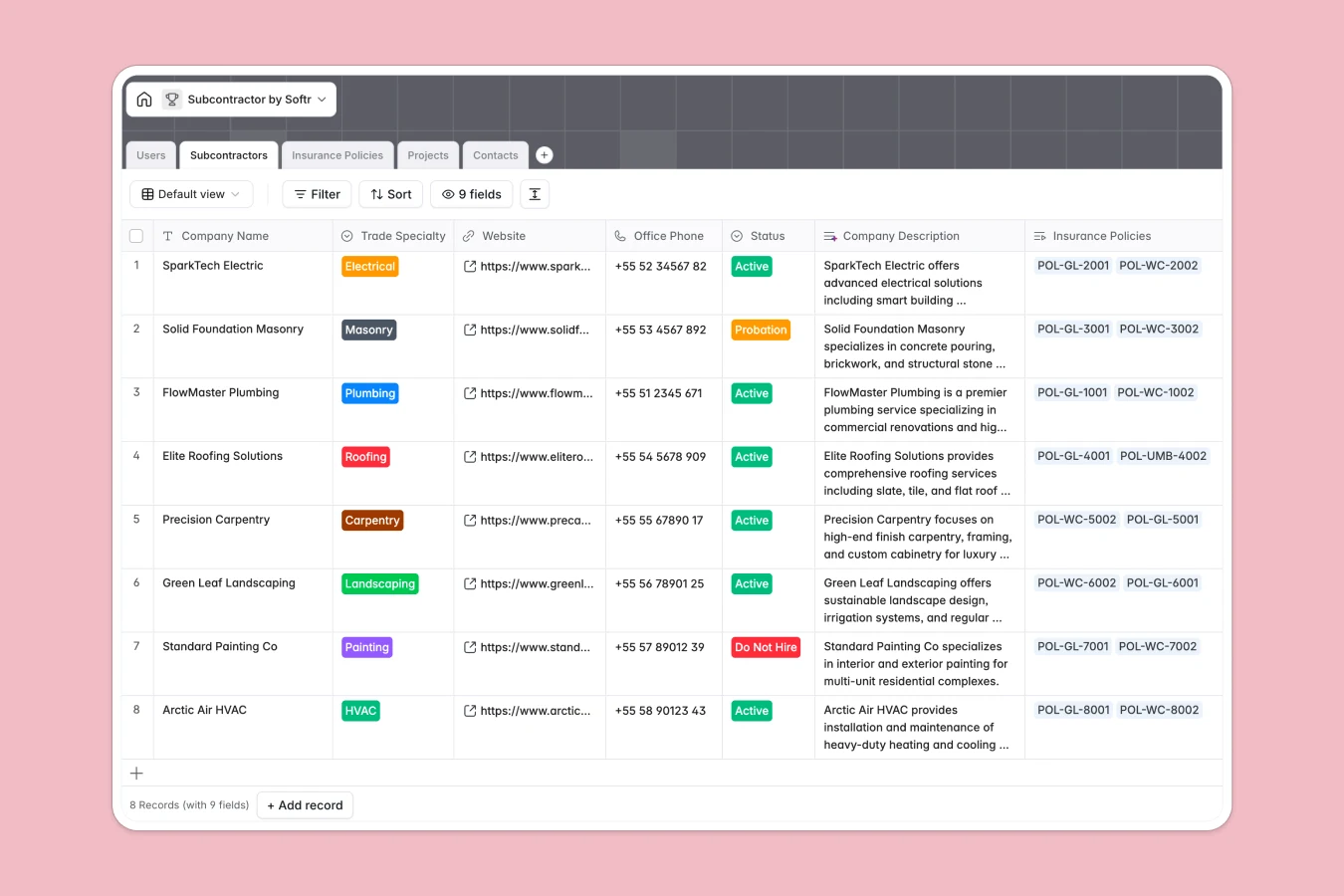
Your Subcontractor Database at a glance
This template gives you a central place to manage your trade partners, monitor active job sites, and keep compliance documents up to date.
It connects five distinct tables—Subcontractors, Contacts, Projects, Insurance Policies, and Users—keeping your field operations and project managers aligned without manual double-entry.
Built-in intelligent fields automatically generate professional subcontractor descriptions from their websites, analyze policy coverage notes for potential risk gaps, and structure unique project codes.
What to check before building your subcontractor base in Airtable
If you are tracking subcontractor trades, contacts, and compliance certificates, you already know spreadsheets won't cut it. A relational database is the right choice, but planning this in Airtable can introduce unneeded friction as your project team grows.
What changes with a database built for apps
Unlike platforms that charge per collaborator, a Softr Databases structure is designed to support your entire ecosystem of project managers, admins, and external trade partners without compounding seat costs.
This means you can easily store up to 200,000 subcontractor records, policy documents, and field contacts while maintaining smooth programmatic API access for integrations.
Because the database and your front-end access controls live natively in one platform, you can skip the complex workflows required to link separate portal tools to your data tables.
What you can do with this template
Use this template to instantly track trade specialties like electrical, plumbing, and carpentry along with key contact details. You can link each partner directly to their active projects and monitor general liability or workers' compensation policies before they expire.
Additionally, integrated Database AI agents run inside your tables to analyze risk assessments and summarize policy limitations, helping your team work smarter without manual compliance audits.
-
Users
Track team members with access levels and assigned project management roles
-
Subcontractors
Manage external trade partners with contact records and AI-written profiles
-
Insurance Policies
Track coverage compliance with automated AI-powered risk assessment insights
-
Projects
Coordinate active construction jobs with AI-generated unique identifiers
-
Contacts
Store individual trade representative details linked to subcontractors
Who is this Subcontractor Database for
- Project Managers: Keep track of assigned subcontractors, review start dates, and coordinate task distribution across multiple active projects.
- Operations Admins: Monitor crucial business compliance, keep insurance documents organized, and review active/probation statuses.
- General Contractors: Maintain a clean directory of trade specialties, active phone numbers, and primary mobile contacts on site.
How to take it further
Customize the database
Modify the trade specialty dropdown choices, add unique insurance coverage types, or introduce new custom columns to match your construction firm's specific field workflows and taxonomies.
Import your existing data
Avoid manual typing by uploading your current vendor lists, historical project files, and contact spreadsheets instantly via a clean CSV import or an automated API sync.
Build a full app around it
When you are ready to scale, you can easily use our AI app generator to turn this subcontractor data into a functional portal.
This lets you configure secure users and permissions so external subcontractors can log in, upload their own updated insurance certificates, and review their assigned project details without seeing internal financial data.
-
1
-
2
-
3
-
4
Frequently asked questions
-
What is a subcontractor database?
-
Why use a no-code database to build a subcontractor tracking tool?
-
How can AI help managing subcontractor data?
-
Can I build an app with this subcontractor database?
-
Is this subcontractor template free?
-
How is this template different from an Airtable subcontractor template?
Start building today. It's free!
Build and launch your first app in under 30 minutes.