


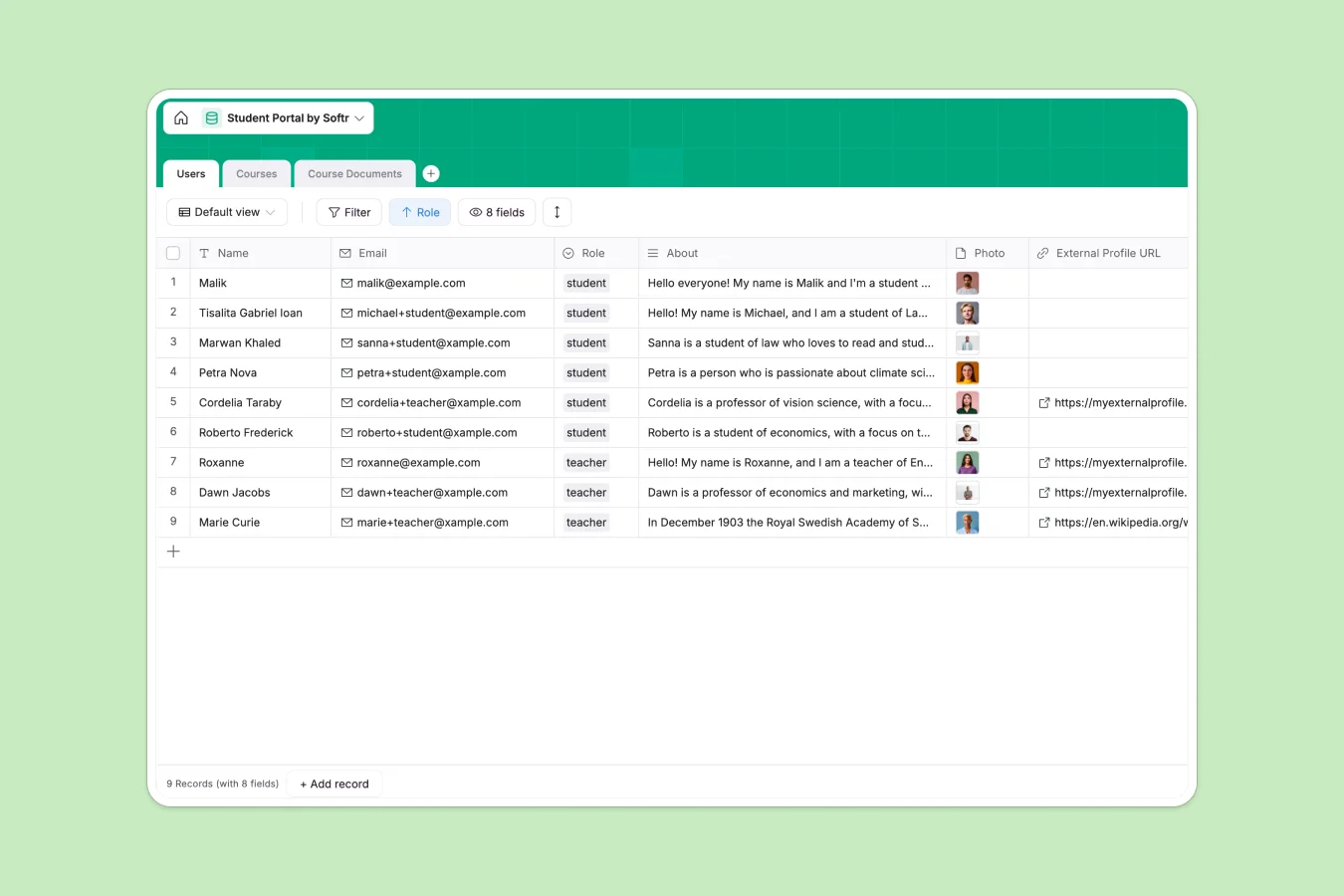
Your Student Portal database at a glance
This template keeps your courses, class documents, and roster organized inside a unified system. It replaces chaotic communication channels with one reliable source of truth for students and faculty.
Everything connects naturally. Students and teachers are linked to their specific Courses, while lecture syllabi and assignments reside in the Course Documents table, keeping all materials in context.
What to check before building your student portal base in Airtable
Starting your portal project on a spreadsheet alternatives path like Airtable is a smart approach because you need a real relational structure. However, there are a few scale and pricing limits to consider before you commit.
What changes with a database built for apps
Airtable functions brilliantly as a helper, but it charges expensive per-seat fees the moment academic coordinators, teachers, or student admins need to modify records. This means managing a growing school directory or course list quickly becomes a major budget challenge.
This is exactly what Softr Databases are designed to solve. You get unlimited collaborators on all plans so your whole faculty can edit rosters and update course schedules without per-seat punishment.
What you can do with this template
With this database, you can link teachers directly to their respective course catalogs while organizing student assignments, grading materials, and syllabi within the linked Course Documents table.
As your school evolves, you do not need to stitch together separate form tools or user portals. The data is already formatted to run seamlessly on a unified platform that secures access based on student or faculty status.
-
Users
Manage student and teacher profiles with academic roles and contact details
-
Courses
Track academic programs, course schedules, faculties, and assigned teachers
-
Course Documents
Store and organize syllabus and educational attachments linked to courses
Who is this Student Portal database for
- Academic Coordinators: Organize diverse course catalogs, assign teaching faculty, and manage semester start and end dates in one clean table.
- Teachers and Instructors: Upload syllabi, link custom study guides to specific courses, and view student rosters anytime.
- Students: Access organized course materials, check faculty details, and stay aligned with current semesters.
-
1
-
2
-
3
-
4
Frequently asked questions
-
What is a Student Portal database?
-
Why use a no-code database to build a student portal system?
-
How can AI help managing data for student portals?
-
Can I build an app with this student portal database?
-
Is this student portal database template free?
-
How is this template different from an Airtable template?
Start building today. It's free!
Build and launch your first app in under 30 minutes.