


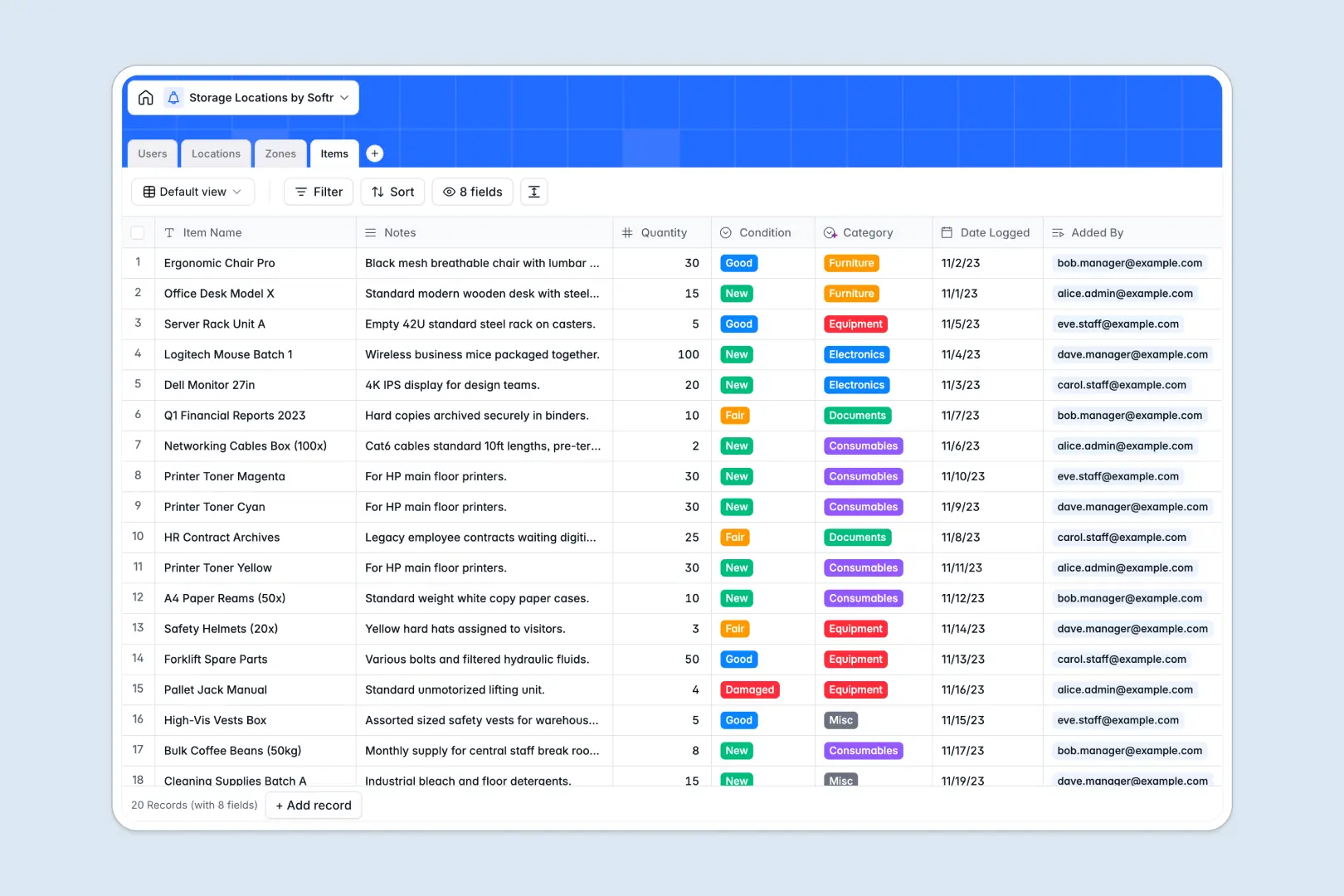
Your Storage Locations database at a glance
This template lets you organize physical assets, warehouses, and inventory zones in one structured space. It eliminates guesswork by mapping exactly where every item is stored, down to the specific aisle or shelf.
Your data is organized across four connected tables: Locations, Zones, Items, and Users. Each physical facility is linked to its sub-divided zones, which in turn connect directly to the underlying stored items and assigned team managers.
Built-in Database AI agents automatically research local logistical contexts for your facilities and classify new inventory items into categories based on their names and notes.
What to check before building your storage locations base in Airtable
If you are managing physical inventory across multiple facilities, Airtable's relational database structure is an excellent foundation. However, building your tracking system there comes with trade-offs as your operations grow.
What changes with a database built for apps
While Airtable is great for structuring data, sharing that data with warehouse staff, dynamic teams, and external vendor partners gets expensive quickly due to per-seat pricing. With Softr Databases, you get the same relational architecture with unlimited collaborators on all plans, meaning your entire onsite team can log updates without driving up software costs.
Additionally, you don't need to stitch multiple tool stacks together to get your information into the hands of floor workers. Instead of exposing raw tables, you can run your database and build clean, secure mobile interfaces on top of it within one unified platform.
What you can do with this template
With this pre-built structure, you immediately map physical locations and associate them with specific zone types like aisles, shelves, or pallets. Team members can record item quantities, conditions, and ownership in real time.
With integrated Database AI agents, the system automatically categorizes incoming inventory assets and writes detailed area descriptions for new warehouses as soon as you type in their physical address.
-
Users
Track system users, staff members, and managers with access roles
-
Locations
Manage facility logistics using AI to generate regional profiles
-
Zones
Define layout subdivisions like rooms, aisles, and shelves
-
Items
Track stored assets utilizing AI to automate category classification
Who is this Storage Locations database for
- Warehouse Operations Managers: Keep accurate tabs on facility capacity, assigned staff, and overall stock distribution.
- Inventory & Logistics Specialists: Quick lookup of exact item zones, condition states, and quantities across multiple sites.
- Facilities Managers: Monitor physical building spaces, manage zone allocations, and map structural properties.
How to take it further
Customize the database
You can easily tailor this database to match your physical footprint. Add custom warehouse fields, customize the predefined "Zone Type" or "Condition" options, or introduce new columns to track barcodes, serial numbers, and dimensions.
Import your existing data
Transitioning your facility maps and parts lists into your new system is straightforward. Upload your existing logs in bulk using a CSV import, or connect to external software through the API to synchronize live records instantly.
Build a full app around it
When your team is ready to ditch back-office admin layouts, you can build an app on top of this data. Use the built-in AI app generator to describe the portal you need, and let it draft a secure mobile interface.
With granular users and permissions, you can ensure that warehouse managers oversee all facilities, while floor staff only view and update items within their assigned zones. Designing a custom internal inventory tool becomes incredibly straightforward because your database is already perfectly structured.
-
1
-
2
-
3
-
4
Frequently asked questions
-
What is a storage locations database?
-
Why use a no-code database to build a storage locations tracker?
-
How can AI help managing data for storage locations?
-
Can I build an app with this storage locations database?
-
Is this Storage Locations template free?
-
How is this storage locations template different from an Airtable template?
Start building today. It's free!
Build and launch your first app in under 30 minutes.