


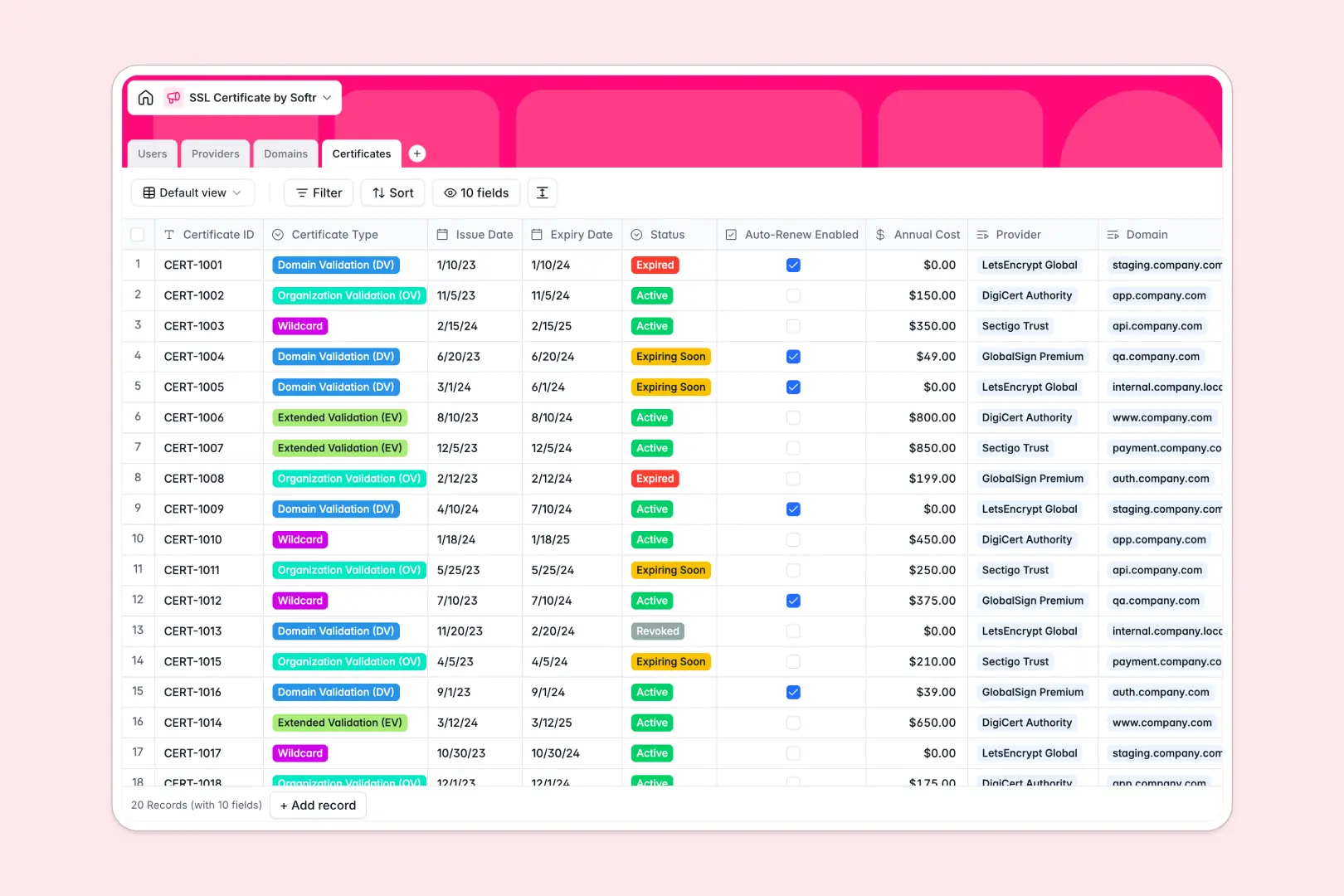
Your SSL Certificate Database at a glance
This template provides a central, structured system to monitor your active SSL certificates, track provider details, and prevent unexpected web outages.
It connects your web Domains to specific Certificates, while tracking Providers and matching each environment to a dedicated User responsible for renewals.
Built-in intelligent fields automatically generate bespoke renewal action plans and pull live domain purpose information straight into your database.
What to check before building your SSL certificate base in Airtable
If you have a growing IT footprint, managing critical security infrastructure requires a scalable system where everyone can log issues and check certificate health.
Airtable is a capable relational database, but charging per-seat for baseline collaborator access means keeping your entire team aligned on certificate health gets expensive quickly. In addition, when you need to present renewal statuses to your engineering team or external clients, you are forced to stitch together third-party interface tools.
What changes with a database built for apps
Instead of paying for ever-escalating collaborator seats, you can run your database on a platform that scales smoothly.
This is exactly what Softr Databases are designed for, giving you native relational capabilities with unlimited collaborators on all plans.
You get higher performance scaling heights and a robust platform ready to handle up to 200,000 records per database seamlessly.
What you can do with this template
Directly protect your web properties from downtime by automatically sorting certificates by active, expired, or expiring statuses.
With integrated Database AI agents, the database itself can instantly research unknown provider metrics or construct custom renewal plans based on the validation type of each certificate.
-
Users
Track system administrators, managers, roles and their managed domains
-
Providers
Manage certificate authorities with AI-generated website descriptions
-
Domains
Monitor protected websites powered by AI domain purpose analysis
-
Certificates
Track SSL security status with AI-generated renewal action plans
Who is this SSL Certificate Database for
This database is designed to keep dynamic technical teams and administrators in sync.
- IT Managers: Easily track upcoming expirations and avoid costly certificate-related downtime.
- Security Teams: Keep tabs on providers and mandate standardized renewal action plans.
- Systems Administrators: Manage domain ownership and environments across staging, development, and production.
How to take it further
Customize the database
You can easily adapt tables and drop-down lists without write permissions or complex setups. Relabel your server environments, add customized renewal types, or append files containing backup private keys.
Import your existing data
Quickly drag-and-drop a CSV file with your legacy domains or connect external registry APIs to populate your database in seconds.
Build a full app around it
Transitioning from raw records to user action is straightforward when your database has interface capabilities natively built-in.
Using Softr's AI app generator, you can describe the internal portal you require in one prompt, spinning up an interface with secure users and permissions to control who edits live records. Well-structured data is the strongest foundation for secure web applications.
-
1
-
2
-
3
-
4
Frequently asked questions
-
What is an SSL certificate database?
-
Why use a no-code database to build an SSL certificate tracker?
-
How can AI help managing data for SSL certificates?
-
Can I build an app with my SSL certificate database?
-
Is this SSL certificate database free?
-
How is this template different from an Airtable template?
Start building today. It's free!
Build and launch your first app in under 30 minutes.