


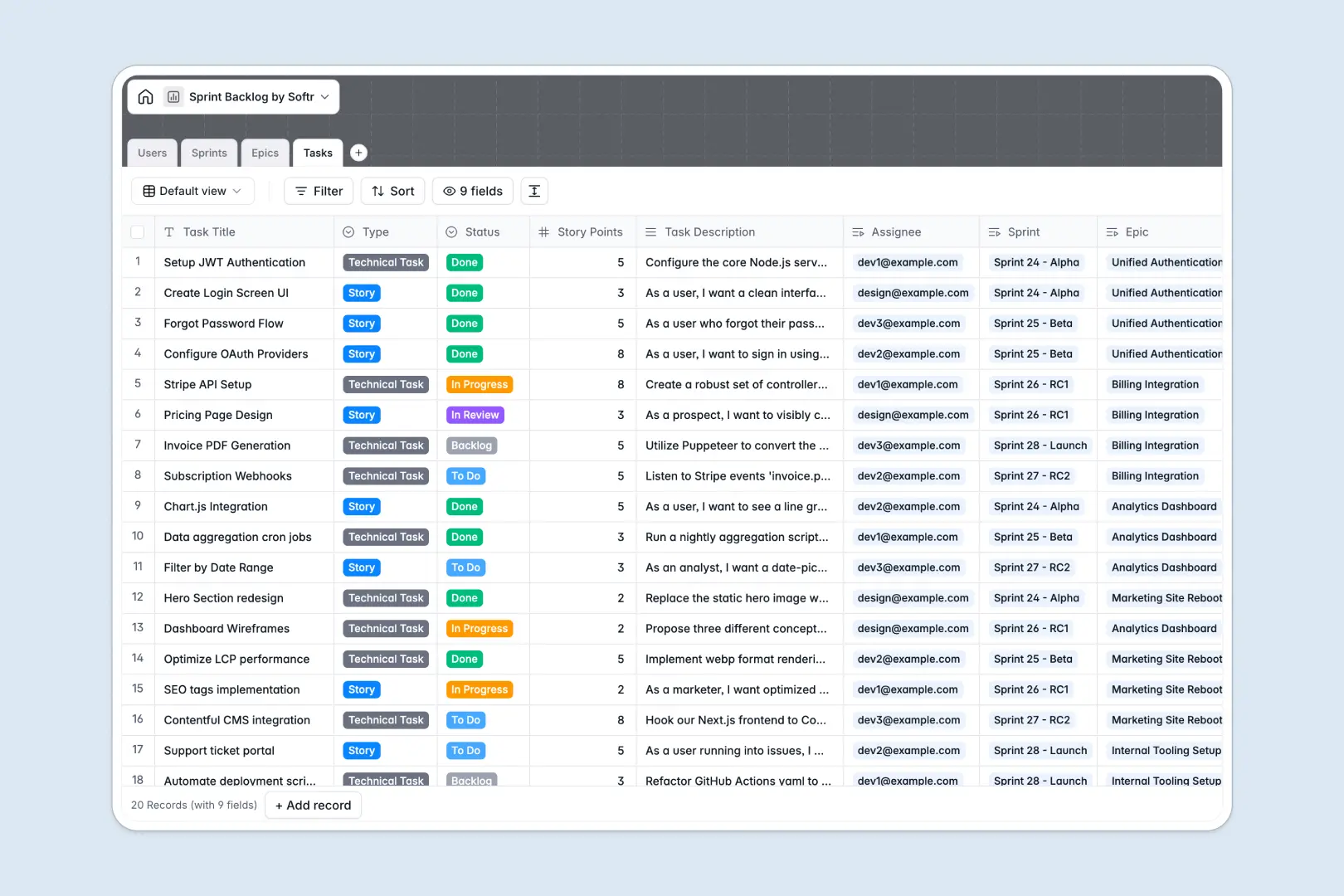
Your Sprint Backlog database at a glance
This template helps engineering teams plan, execute, and track sprint goals without losing focus on long-term product objectives. It organizes daily tasks, connects them directly to epics, and keeps everyone aligned on delivery timelines.
With four connected tables—Users, Sprints, Epics, and Tasks—you can trace every single ticket back to an overarching business initiative.
The database includes built-in AI fields that automatically draft sprint reports, summarize epic statuses, and write testing criteria as tasks are developed.
Where your sprint backlog outgrows Airtable
When coordinating software releases, your entire product and engineering team needs to stay aligned on what to build next. While Airtable provides a strong relational database structure, managing your product lifecycle there quickly runs into platform boundaries.
What changes with a database built for apps
To give everyone edit access to tasks and priorities in Airtable, you have to buy a seat for every engineer, designer, and stakeholder. With Softr Databases, you get unlimited collaborators on all plans so your whole team can manage the backlog together without escalating costs.
Furthermore, managing growing backlogs often hits Airtable's record limits and slow API caps. This database environment scales effortlessly, supporting up to 200,000 records per database and 50 API requests per second to handle any product scale.
What you can do with this template
This backlog template is ready to run, letting you manage users, stories, and sprint goals out of the box.
You can run built-in Database AI agents to generate acceptance criteria, summarize epics, and draft post-sprint reports instantly.
Because everything is fully customizable, you can easily rename status fields, adjust story point ranges, or add custom fields to match your exact agile workflow.
-
Users
Manage agile team members, their assigned roles, and task responsibilities
-
Sprints
Track sprint iterations with goals, timelines, and automated AI summary reports
-
Epics
Organize large initiatives with related tasks and an AI-generated scope summary
-
Tasks
Manage development tasks and generate AI acceptance criteria from descriptions
Who is this Sprint Backlog database for
This database is built for product and engineering teams looking for a clean, scalable backlog structure.
- Product Managers: Outline high-level epics, set sprint goals, and keep backlog tasks organized in one place.
- Engineering Leads: Route bugs and stories to developers while tracking team capacity through relational fields.
- Agile Teams: Update development tasks, log blockers, and collaborate on sprints without complex tool setups.
How to take it further
Customize the database
Adjust this template to align with your team's specific version of Scrum or Kanban. You can add new task types like Spike or Design, add database columns for QA checklists, or adjust the story point sizing scales.
Import your existing data
If you are currently tracking tasks in another tool, import them in seconds. You can upload any CSV directly into the Tasks table or connect an API to sync live development data.
Build a full app around it
When you are ready, you can easily connect an interface layer to your data. Describe the type of developer portal or sprint tracker you want, and Softr's AI Co-Builder will generate the dashboard, custom view permissions, and workflows on top of this exact database.
Using the visual interface builder, you can determine exactly what tasks developers can write and edit, and set granular permissions so client-facing teams see deadlines without altering your actual database.
-
1
-
2
-
3
-
4
Frequently asked questions
-
What is a sprint backlog database?
-
Why use a no-code database to build a sprint backlog system?
-
How can AI help managing data for sprint backlogs?
-
Can I build an app with this sprint backlog database?
-
Is this sprint backlog template free?
-
How is this sprint backlog different from an Airtable template?
Start building today. It's free!
Build and launch your first app in under 30 minutes.