


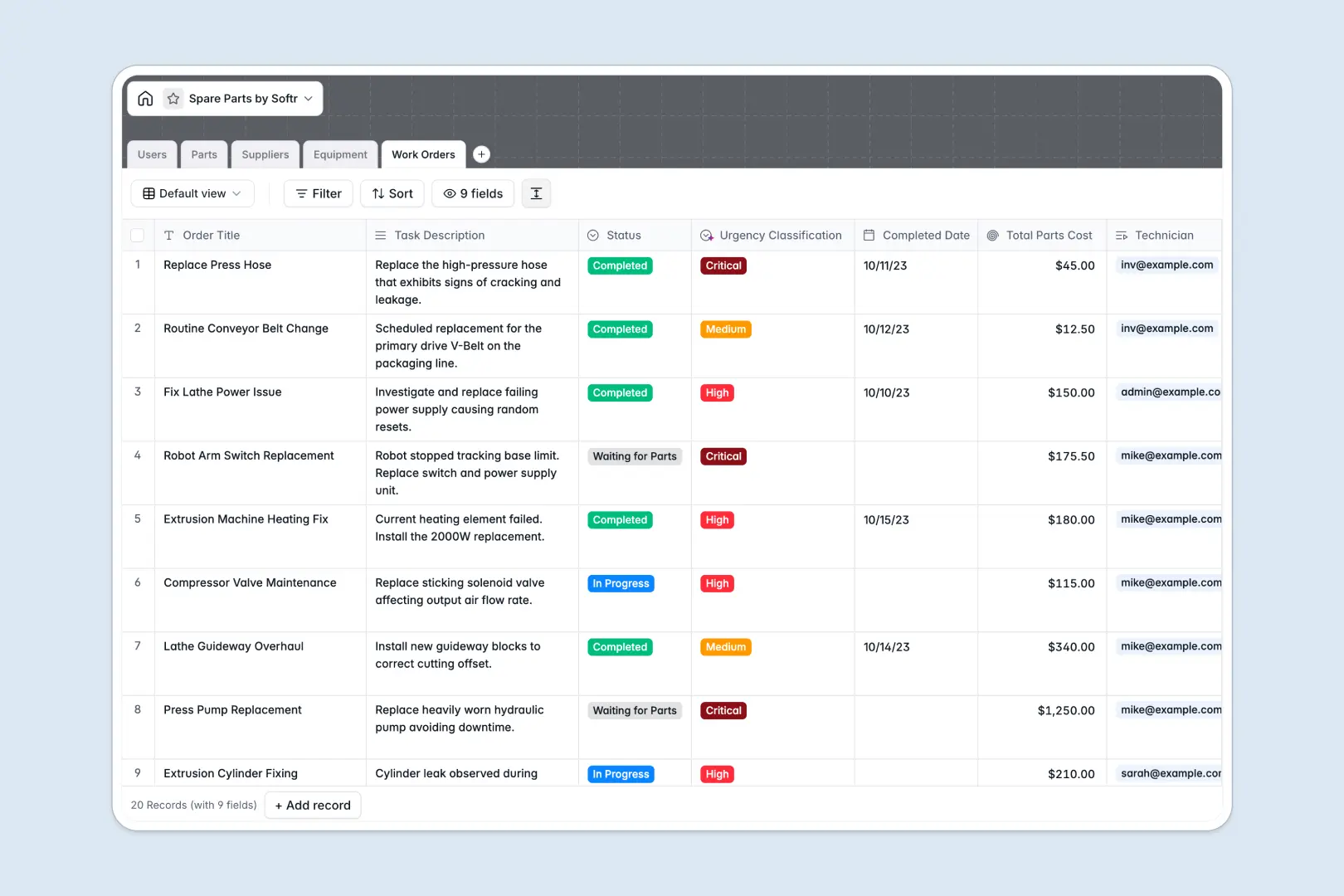
Your Spare Parts database at a glance
This template helps you organize and track your spare parts inventory, equipment status, and maintenance schedules in a single system. It keeps your operations running smoothly by preventing unexpected stock shortages.
It connects five essential tables—Parts, Suppliers, Equipment, Work Orders, and Users—to link every consumed part back to its specific machine and technician.
With native AI capabilities, the database actively works for you: it auto-generates part descriptions, pulls supplier insights directly from websites, and automatically classifies the urgency of new work orders.
What to check before building your spare parts base in Airtable
When managing active operations with maintenance crews and inventory handlers, how you structure your database and share data with your team matters.
While databases offer the ideal relational foundation, keeping a team aligned requires a software platform that operates beyond simple spreadsheets.
What changes with a database built for apps
If you use Airtable, adding technicians and inventory managers to edit records immediately triggers per-seat pricing fees. Those costs scale quickly for teams who only need to update stock counts or complete work orders.
This is exactly what Softr Databases help prevent by supporting unlimited collaborators with different permissions, allowing everyone to contribute without extra per-seat fees.
Furthermore, having your database live on the same platform as your interface and automated workflows means you get a complete system without stitching together external tools. Your data remains secure with strict control over who can modify stock levels or close work orders.
What you can do with this template
Instead of manual research and categorization, this template utilizes built-in Database AI agents to automate administrative work. The database can write technical summaries for new parts, research supplier websites, and analyze work order text to flag critical breakdowns instantly.
You can track real-time stock levels, quickly associate spare parts with compatible equipment, and monitor total parts costs per work order for precise budgeting.
-
Users
Track system users and technicians with roles and assigned work orders
-
Parts
Manage spare parts inventory utilizing AI to write technical descriptions
-
Suppliers
Directory of part vendors including AI-generated company overviews
-
Equipment
Track corporate machinery assets, operational status, and locations
-
Work Orders
Manage repair tasks with AI-powered urgency assessment and cost rollups
Who is this Spare Parts database for
- Inventory Managers: Keep accurate track of parts stock, avoid shortages, and manage supplier details easily.
- Maintenance Technicians: View equipment locations, access compatible spare parts, and update work orders in real time.
- Operations Leads: Monitor equipment downtime, control overall parts costs, and analyze maintenance workflows.
- Support Teams: Report equipment failures quickly and log active maintenance requests directly into the system.
How to take it further
Customize the database
You can easily tailor this database to fit your exact machinery and parts specifications. Expand select menus, add storage bin locations, or attach technical manuals directly to your parts records in just a few clicks.
Import your existing data
Bring your inventory list over without starting from scratch. You can import existing parts lists or supplier directories instantly via CSV upload or keep records updated through API connections.
Build a full app around it
When your team is ready, convert this database into a robust operational portal. Use Softr's AI Co-Builder to generate user-friendly interfaces, workflows, and portals in minutes.
This lets you create a dedicated technician mobile app or an inventory manager dashboard. It ensures that staff only see the data they need by leveraging custom users and permissions to control viewing and editing rights. Design tailored workflows using the visual interface builder to trigger email alerts for low-stock items automatically.
-
1
-
2
-
3
-
4
Frequently asked questions
-
What is a spare parts database?
-
Why use a no-code database to build a spare parts system?
-
How can AI help managing data for spare parts?
-
Can I build an app with this spare parts database?
-
Is this spare parts database free?
-
How is this template different from an Airtable template?
Start building today. It's free!
Build and launch your first app in under 30 minutes.