


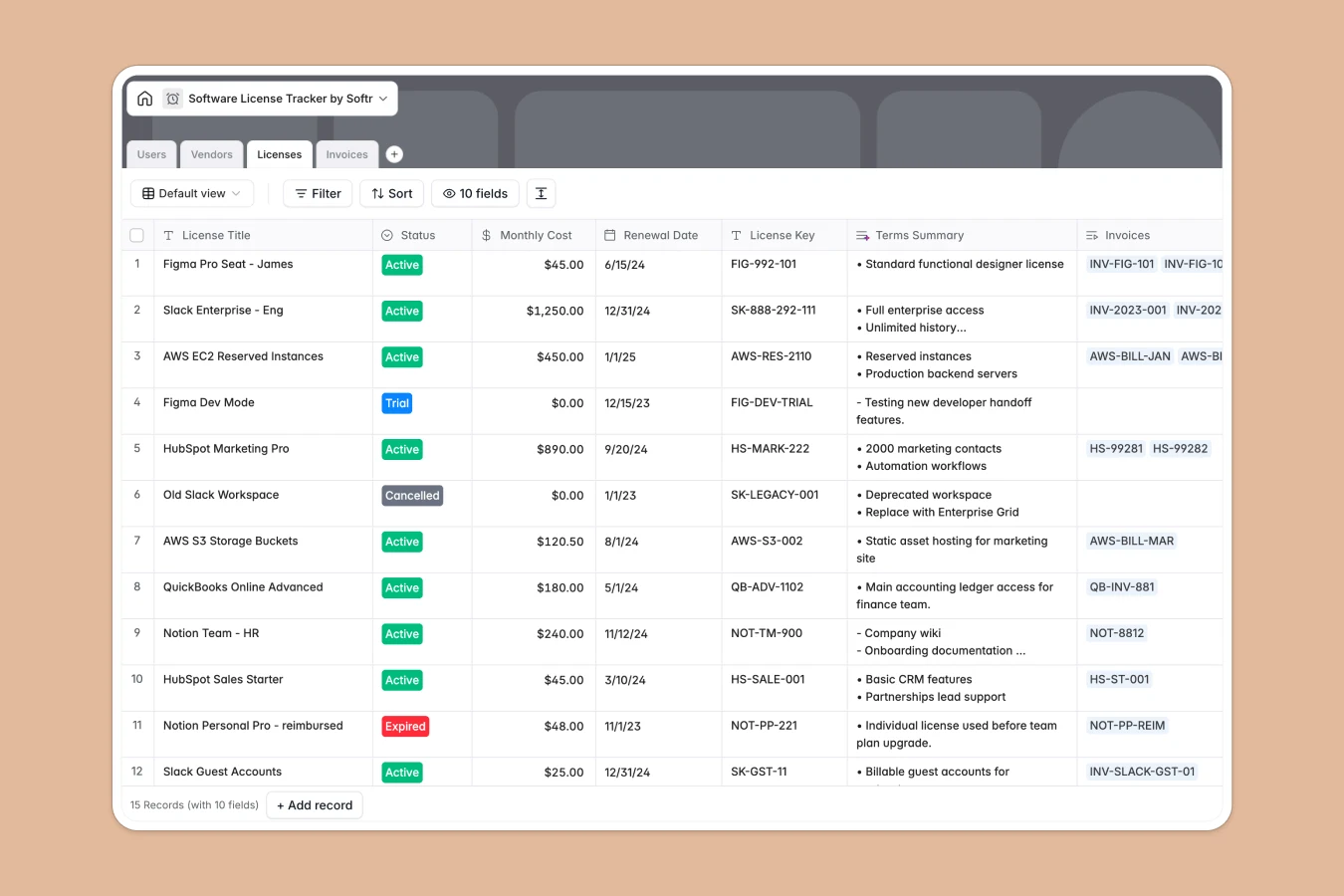
Your Software License Tracker database at a glance
Keep complete control over your team's software budget and seat assignments. Pinpoint exactly which licenses are active, who is using them, and how much you are spending on SaaS each month without the manual runaround.
This template links your Users, Vendors, Licenses, and Invoices in one clean relational system. Instead of duplicating data, you assign exact license seats to employees, roll up monthly costs automatically, and track invoices directly against specific software tools.
Built-in Database AI agents automatically streamline your catalog. The database will research vendor details based on their website, classify tools into correct categories, and summarize usage notes into clear, actionable bullet points.
What to check before building your software license tracker in Airtable
When managing company-wide software licenses, teams often start in Airtable because they need structured tables, linked records, and automated rollups. But before you lock your workflows into Airtable, it is important to consider how your team will actually update and access this data.
What changes with a database built for apps
Airtable charges per collaborator as soon as team members need edit access, which means letting department heads manage their own licenses or allowing employees to request software seats gets expensive quickly. In contrast, Softr Databases feature unlimited collaborators, allowing your entire company to view or edit their assigned tools without mounting subscription fees.
While Airtable forces you to buy additional tools or build complex interfaces for external access, this template is natively built on a platform that lets you deploy a secure internal portal instantly. You can set up custom access permissions so managers can edit budgets while employees only see their assigned license keys.
What you can create with this tracker
Use this template to connect invoices directly to active subscriptions. This ensures you never pay for zombie accounts or duplicate seats, as every single license key is mapped back to an active user and department.
With our built-in Database AI agents, you can instantly audit and categorize new vendors. Let the database browse the web to fetch vendor logos, write accurate descriptions, and tag tools automatically so your tech stack stays perfectly organized.
-
Users
Manage system users, job roles, department info and assigned licenses
-
Vendors
Catalog software providers with AI-powered business profiles and categories
-
Licenses
Track active subscriptions, renewal dates and AI-generated usage summaries
-
Invoices
Store financial transaction records, payment statuses and billing documents
Who is this Software License Tracker database for
- IT & Operations Managers: Keep accurate tabs on seat allocations, license keys, and upcoming subscription renewal dates.
- Finance & Procurement Teams: Roll up monthly software spend across departments and reconcile payment invoices in one portal.
- Department Heads: Monitor software budgets, track tool adoption, and approve seat request licenses efficiently.
- People & HR Ops: Seamlessly assign required software tools to new hires during onboarding and reclaim licenses during offboarding.
How to take it further
Customize the database
Add custom categories, adjust department lists, or add custom fields to track variables like contract end dates and negotiation terms. Because this is a native Softr Database, expanding your schema with new columns or select options takes only a few clicks.
Import your existing data
Skip the manual entry. Import your current software tracking lists instantly via CSV, or connect external payment processors and procurement systems using our API to sync live subscription dates and invoice records.
Build a full app around it
When you are ready to scale access, you can build an app on top of this database. Use the built-in users and permissions to design an onboarding application or an IT checkout portal where employees request seats and view their software keys—all pulling from this single database source.
-
1
-
2
-
3
-
4
Frequently asked questions
-
What is a software license tracker?
-
Why use a no-code database to build a software license tracker?
-
How can AI help managing data for software licensing?
-
Can I build an app with this software license tracker database?
-
Is this software license tracker template free?
-
How is this software license tracker different from an Airtable template?
Start building today. It's free!
Build and launch your first app in under 30 minutes.