


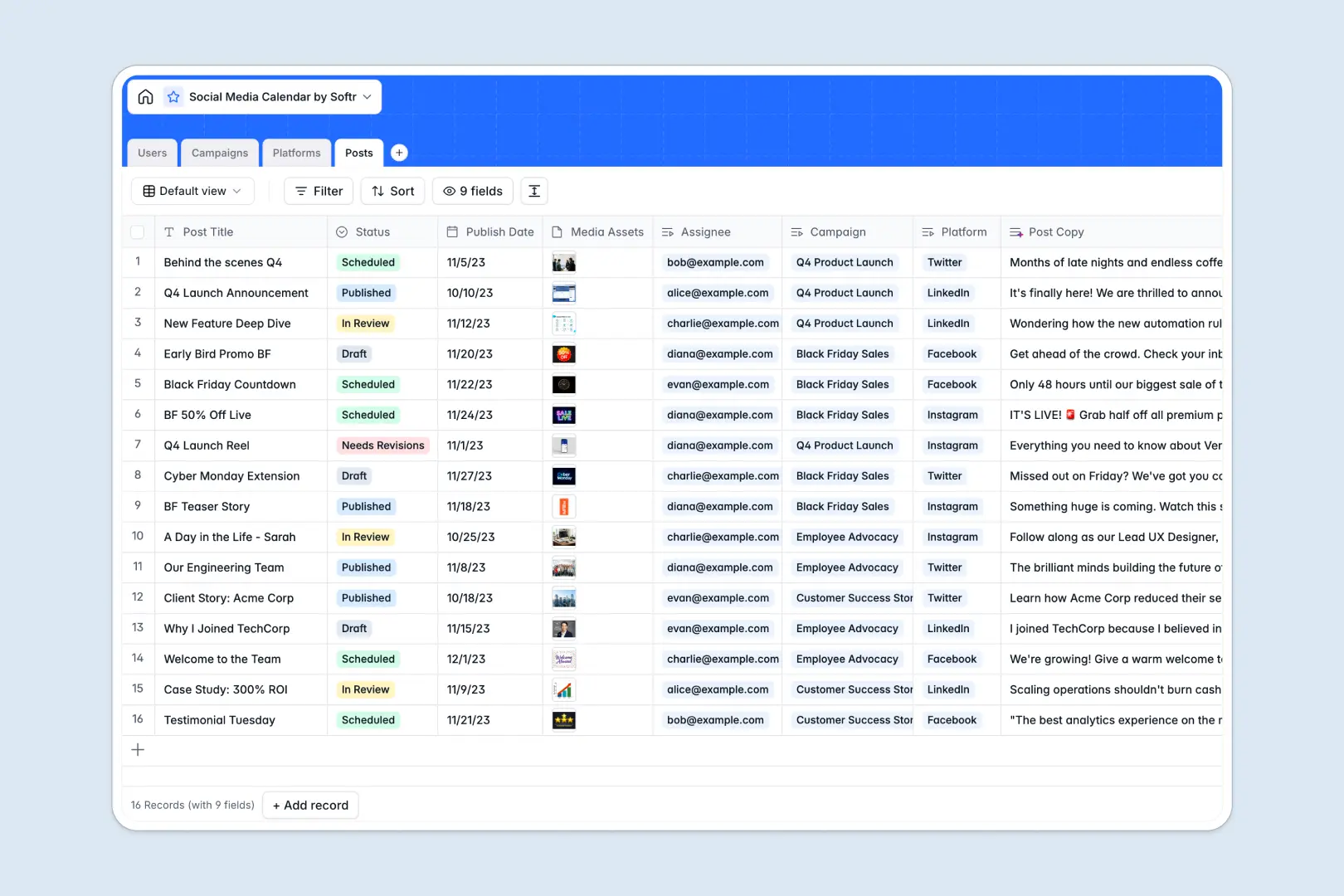
Your Social Media Calendar database at a glance
This template streamlines your content creation lifecycle from high-level campaign planning to publication-ready posts. It serves as a central hub where managers, creators, and platforms stay connected without chaotic email threads or lost drafts.
Keep track of your publishing schedule by linking actual posts directly to distinct marketing campaigns and specific target platforms. Because everything is relational, you can view your schedule by assignee, platform, or launch status.
Built-in Database AI agents help speed up your workflow by automatically synthesizing campaign descriptions and generating engaging post captions from your raw titles.
What to check before building your social media calendar in Airtable
If you want a robust relational structure for your social queue, looking for a template in Airtable is a sensible starting point. However, as your publishing operation scales, you need to look closely at how the platform handles team growth, custom dashboards, and workflow automation.
What changes with a database built for apps
Airtable uses per-seat pricing that can quickly inflate your budget as soon as your content creators, copywriters, and external designers need to collaborate on schedule. Additionally, Airtable limits its record volumes and API speeds when working with massive historical content archives.
This is why starting with Softr Databases is different. It provides the same relational power with unlimited collaborators on all plans, allowing you to invite your entire marketing team to edit and review without paying for individual seats.
What you can do with this template
With this calendar template, you can draft posts, attach media files, assign owners, and map content directly to high-level marketing campaigns. No more guessing which graphic belongs to which tweet.
Furthermore, you can use built-in AI fields to instantly generate draft copy. When you are ready to expand, you can easily connect actions or notifications to standard tools using built-in automation triggers.
-
Users
Manage team members with assigned roles, permissions, and task ownership
-
Campaigns
Organize initiatives with custom schedules and AI-generated brief summaries
-
Platforms
Track target social networks with character limits and official links
-
Posts
Schedule media updates and automatically generate engaging copy using AI
Who is this Social Media Calendar database for
- Social Media Managers: Keep absolute visibility over multi-platform schedules and ensure campaigns go live on time.
- Content Creators: Focus on crafting design assets, knowing exactly which posts you are assigned to and when drafts are due.
- Marketing Department Heads: Review rolling campaign summaries and measure output velocity without digging through individual rows.
- Agency Teams: Manage multi-client campaigns in a central place safely separated by platform types.
How to take it further
1. Customize the database
You can easily tailor this template to your team's current structure. Add a custom select option to specify target audiences, adjust character limit fields, or create new tags to track dynamic content formats like Reels or long-form newsletters.
2. Import your existing data
If you have a backlog of social campaigns or media assets stored in sheets, you can import them in seconds. Use the built-in CSV import tool to populate your posts and platforms directly without manual copy-pasting.
3. Build a full app around it
When you are ready to empower your team, you can instantly turn this database into a custom editorial portal. Use the AI app generator to generate a fully operational content dashboard where freelance writers see only their drafts and managers have power to approve posts.
By leveraging granular users and permissions, you can let external creators submit assets directly through a web form while keeping your high-level strategy hidden. A well-organized database ensures your custom portal works flawlessly from day one.
-
1
-
2
-
3
-
4
Frequently asked questions
-
What is a social media calendar database?
-
Why use a no-code database to build a social media calendar?
-
How can AI help managing data for social media calendars?
-
Can I build an app with this social media calendar database?
-
Is this social media calendar template free?
-
How is this template different from a social media calendar in Airtable?
Start building today. It's free!
Build and launch your first app in under 30 minutes.