


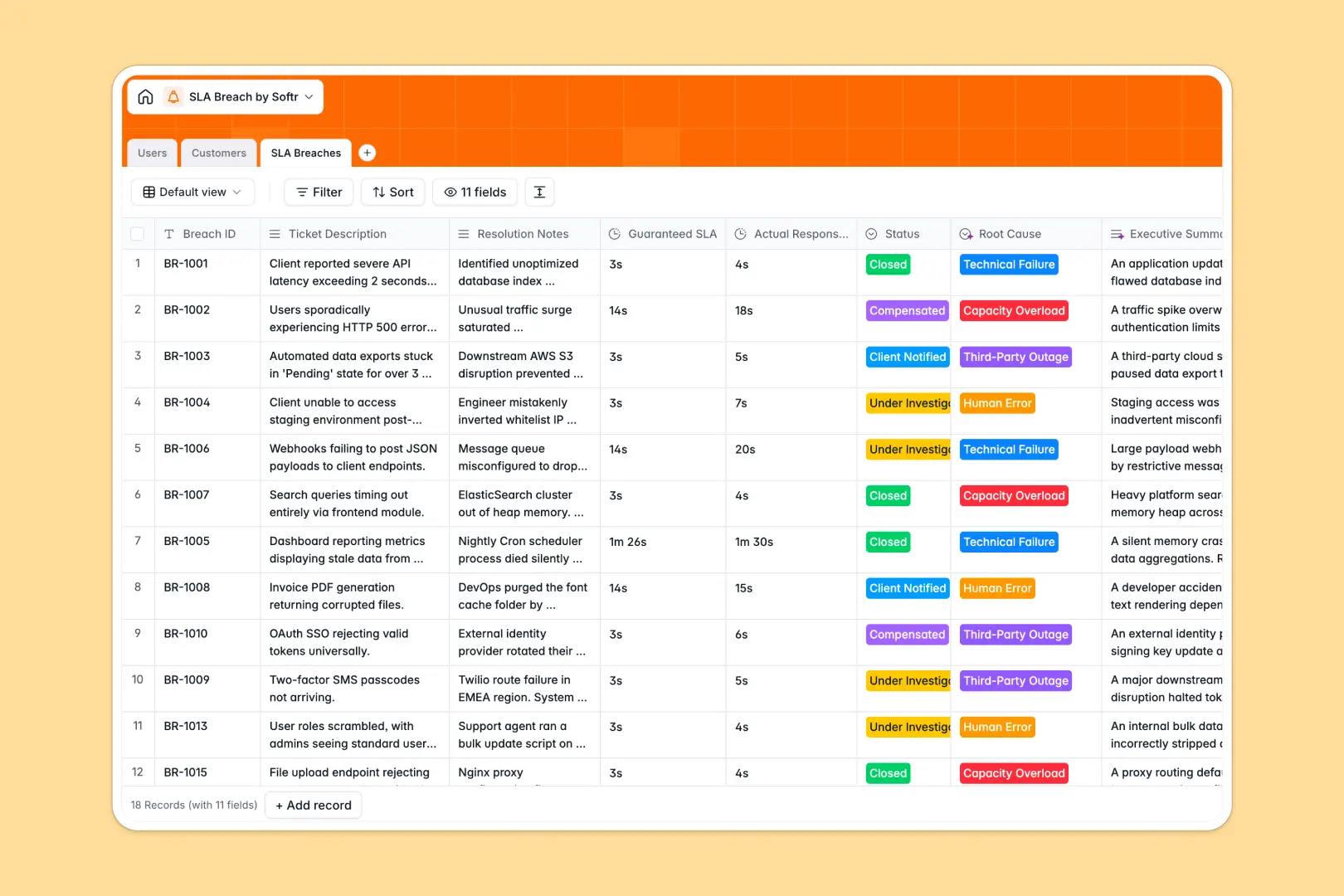
Your SLA Breach database at a glance
This template helps support teams and customer success managers track SLA violations, assign investigators, and document resolutions. It ensures no service level agreement breach goes unnoticed, helping you maintain high quality of service and customer trust.
The database connects SLA Breaches directly to Customers and internal Users acting as investigators. This structure allows you to see aggregate breaches per client and assign technical support roles instantaneously.
With built-in AI fields, the system automatically researches company backgrounds, categorizes root causes based on resolution notes, and writes concise executive summaries.
What to check before building your SLA breach tracker in Airtable
While Airtable is a capable relational tool, tracking critical SLA violations across a support organization exposes notable scaling and cost challenges. Managing sensitive customer resolution logs and investigator workloads requires a platform that controls costs and scales as ticket volume grows.
What changes with a database built for apps
When your entire engineering, support, and management team needs to log and investigate breaches, Airtable's per-seat pricing quickly becomes expensive. With Softr Databases, you get unlimited collaborators so every stakeholder can update records without driving up your bill.
Furthermore, a pure database is only half the solution for critical SLA monitoring. To securely share breach workflows with clients or external teams, you need granular permissions and interfaces built natively on top, preventing unauthorized access to internal resolution notes.
What you can do with this template
This template is ready to capture breach incident details immediately, linking ticket descriptions directly to guaranteed versus actual response times. You can customize the status pipelines and SLA tiers to match your specific support guidelines in seconds.
Using embedded Database AI agents, you can automate post-mortem summaries and analyze root causes like technical failures or capacity overloads without manual data entry.
-
Users
Track team members, roles, contact info, and assigned SLA breaches
-
Customers
Manage clients with SLA tiers and AI-powered company background details
-
SLA Breaches
Log incidents using AI to auto-classify root causes and summarize tickets
Who is this SLA Breach database for
Managing service level breaches requires coordination across support agents and departmental leaders. This template provides a unified view of operational failures.
- Support Teams: Track response times against guarantees and resolve open investigations quickly.
- Customer Relations: Monitor total breaches per client and protect delicate renewal relationships.
- Operations Leaders: Classify root causes automatically to solve infrastructure bottlenecks.
How to take it further
1. Customize the database
Tailor the select options to fit your internal structure. You can rename SLA Tiers, update root cause categories, or add duration fields to measure exact downtime.
2. Import your existing data
Migrate historic resolution logs easily. Bring your data from CSV spreadsheets, or use APIs to pipe incoming metrics directly from ticketing tools like Zendesk or Jira into your tables.
3. Build a full app around it
When your team is ready, you can easily build an app on top of this structure. Use the AI app generator to turn your database into an internal portal for support agents and a dashboard for managers.
This allows you to enforce strict users and permissions. Technical support can only update their assigned breaches, while managers oversee executive summaries and compensation workflows.
-
1
-
2
-
3
-
4
Frequently asked questions
-
What is an SLA Breach database?
-
Why use a no-code database to build an SLA breach tracker?
-
How can AI help managing data for SLA breaches?
-
Can I build an app with SLA breach database?
-
Is this SLA Breach database template free?
-
How is this template different from an Airtable template?
Start building today. It's free!
Build and launch your first app in under 30 minutes.