


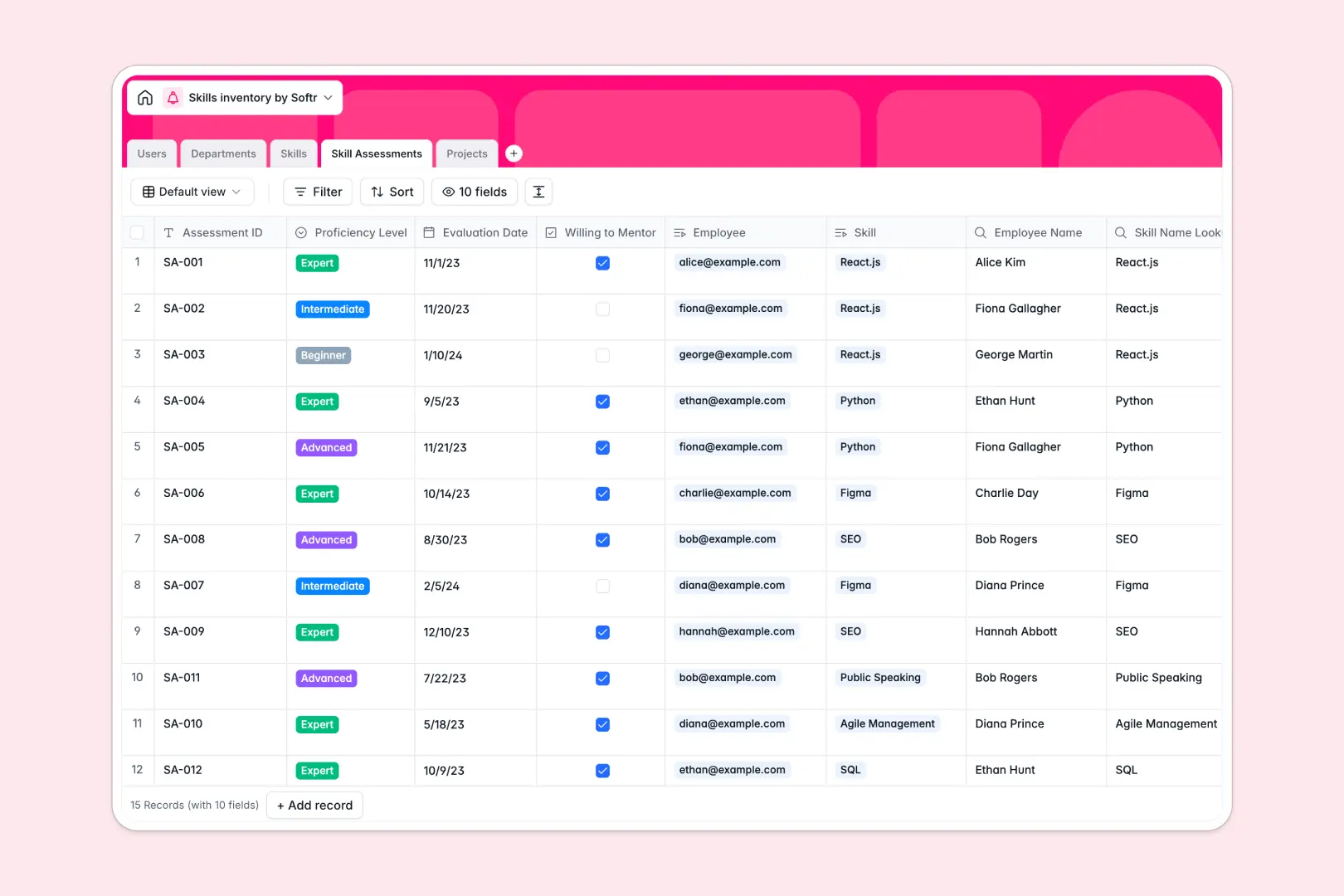
Your Skills Inventory database at a glance
This template helps you map, track, and analyze team capabilities in one centralized space. It replaces messy tracking methods with structured data to align employee growth with project needs.
Everything is connected in a logical flow. Employees are linked to their respective departments, skills are categorized clearly, and dedicated skill assessments record exact proficiency levels. Active initiatives map required skills to choose the right personnel instantly.
Built-in Database AI agents automate time-consuming work. They instantly define standardized skills, generate customized growth recommendations for employees, and write smart executive project summaries.
What to check before building your skills inventory base in Airtable
Starting your skills inventory in Airtable seems like an easy decision because it supports relational database tables. However, scaling your tracking quickly exposes structural limitations that delay deployment and inflate costs.
What changes with a database built for apps
Airtable charges per collaborator, which means your HR team, line managers, and employees cannot access or update their skills without rapidly driving up software bills.
This is exactly what Softr Databases are designed to solve. When you use this template, you get the same relational structures (linking users to skills and departments) but with unlimited collaborators included on all plans.
Additionally, you can scale confidently up to 200,000 records per database and enjoy higher API limit speeds to import existing employee records or sync with external HR software without hitting caps.
What you can do with this template
With this database, you maintain absolute control over employee profiles, skill assessments, and project staffing. You can instantly see who is willing to mentor others or find who possesses expert-level technical skills.
Because the database is fully customizable, you can change proficiency scales, add departments, or create custom views for different managers with just a few clicks.
-
Users
Track employees, roles, departments, and assigned project associations
-
Departments
Manage corporate organizational units and group active team members
-
Skills
Catalog standardized competencies with AI-generated skill descriptions
-
Skill Assessments
Log staff proficiency levels with AI-powered personal growth recommendations
-
Projects
Organize business initiatives with AI-generated executive status summaries
Who is this Skills Inventory database for
- HR & People Ops Leaders: Centralize employee competencies to identify gaps and design effective training initiatives.
- Project Managers & Resource Planners: Staff projects instantly by matching incoming requirements with validated employee skills.
- Department Heads: Gain clear visibility into team capabilities, review evaluations, and optimize hiring pipelines.
- L&D Coordinators: Monitor individual development plans and automate growth suggestions to support employee career paths.
How to take it further
1. Customize the database
Feel free to adjust the fields and tables to match your team vocabulary. You can modify proficiency level selections, add specialized skill categories like tools or languages, or create custom ratings for industry certifications.
2. Import your existing data
You don't have to start from scratch. Easily import your existing personnel list and skill records using a standard CSV file upload or use the native API to sync directly with your current payroll or HR platforms.
3. Build a full app around it
When you are ready to share this with the wider company, you can build an app directly on top of this database. Use the AI Co-Builder to generate an internal team portal in seconds.
By building an app, you can configure granular users and permissions so that employees can self-submit assessments, while managers only view and sign off on evaluations for their direct reports. This keeps your data clean, highly secure, and accessible on any device.
-
1
-
2
-
3
-
4
Frequently asked questions
-
What is a skills inventory database?
-
Why use a no-code database to build a skills inventory?
-
How can AI help managing data for skills inventories?
-
Can I build an app with this skills inventory database?
-
Is this skills inventory template free?
-
How is this skills inventory different from an Airtable template?
Start building today. It's free!
Build and launch your first app in under 30 minutes.