


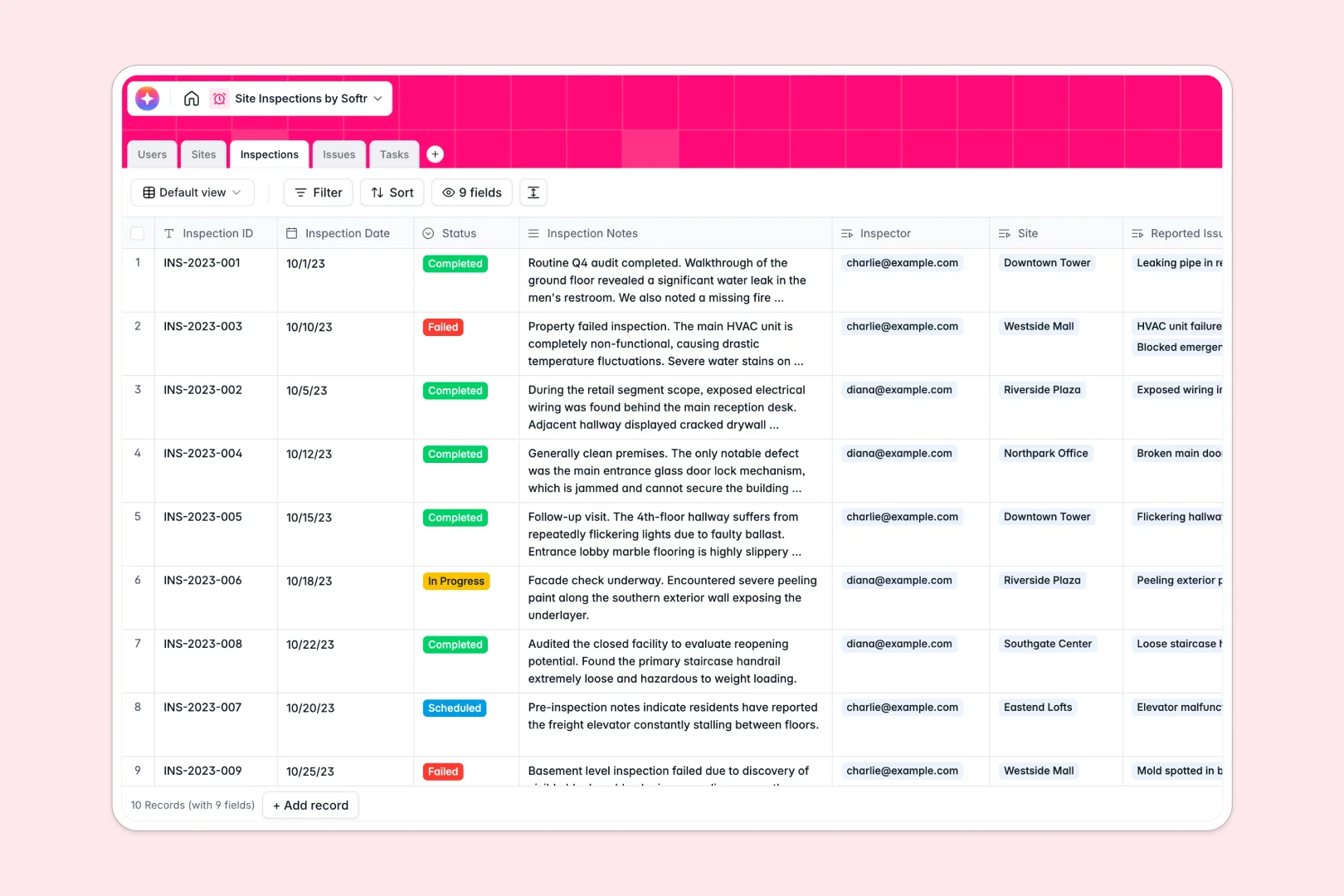
Your Site Inspections database at a glance
Track properties, log safety compliance visits, and resolve defects quickly in one centralized hub. Connect inspectors directly to site managers and assign follow-up tasks immediately.
Relate your Sites and Inspections to capture detailed audit history, while auto-linking corrective Tasks directly to field Issues for full accountability.
With built-in AI fields, you can instantly summarize long field notes, auto-classify defect severity, and generate quick step-by-step resolution advice for site crews.
What to check before building your site inspections base in Airtable
While Airtable offers strong relational foundations, managing complex field operations often exposes pricing and access roadblocks. Sharing your inspections checklist with dozens of site managers and field inspectors gets expensive quickly under per-seat models.
What changes with a database built for apps
When your site inspection pipeline scales, database record caps and narrow API limits can bottleneck real-time updates. Real-world operations need a system that supports large volumes of site records, active audits, and photo evidence without friction.
This is why starting with Softr Databases makes sense: you get unlimited collaborators on all plans, allowing your entire team to update issues and resolve safety defects without paying for extra seat licenses.
What you can do with this template
Instantly generate executive summaries of safety audit records and auto-classify issue severities using native Database AI agents right in your tables.
This template is ready to use immediately, empowering your team to manage safety concerns, assign tasks, and verify photo attachments without complex configurations.
-
Users
Manage directory profiles for site managers and field inspectors
-
Sites
Track inspection locations featuring AI-powered site context and details
-
Inspections
Log visit audits, outcomes, and AI-generated executive summaries
-
Issues
Record defects, photo evidence, and safety ratings with AI classification
-
Tasks
Assign resolution steps with AI-powered step-by-step guidance
Who is this Site Inspections database for
This template coordinates site safety and quality management for distributed field teams.
- Construction Managers: Track multi-site safety compliance, review photo proof, and coordinate field teams.
- Safety Inspectors: Log inspection audits on mobile devices, register issues immediately, and auto-summarize findings.
- Operations Directors: Monitor historical inspection compliance, control project tasks, and analyze outstanding site risks.
How to take it further
1. Customize the database
Add custom select fields to match unique local safety codes, edit severity thresholds, or extend tables with custom checklists. Softr's native database structure makes adjustments instant.
2. Import your existing data
Move existing site location files, past inspections, or safety standards templates in seconds using bulk CSV imports or API endpoints.
3. Build a full app around it
When your team is ready, easily build an app on top of this database. Generate front-end portals where subcontractors only access their assigned tasks, while inspectors upload clean logs on-the-go. Manage precise users and permissions to protect sensitive site documents and guarantee field-level security.
-
1
-
2
-
3
-
4
Frequently asked questions
-
What is a site inspections database?
-
Why use a no-code database to build a site inspections system?
-
How can AI help managing data for site inspections?
-
Can I build an app with this site inspections database?
-
Is this site inspections template free?
-
How is this site inspections template different from an Airtable template?
Start building today. It's free!
Build and launch your first app in under 30 minutes.