


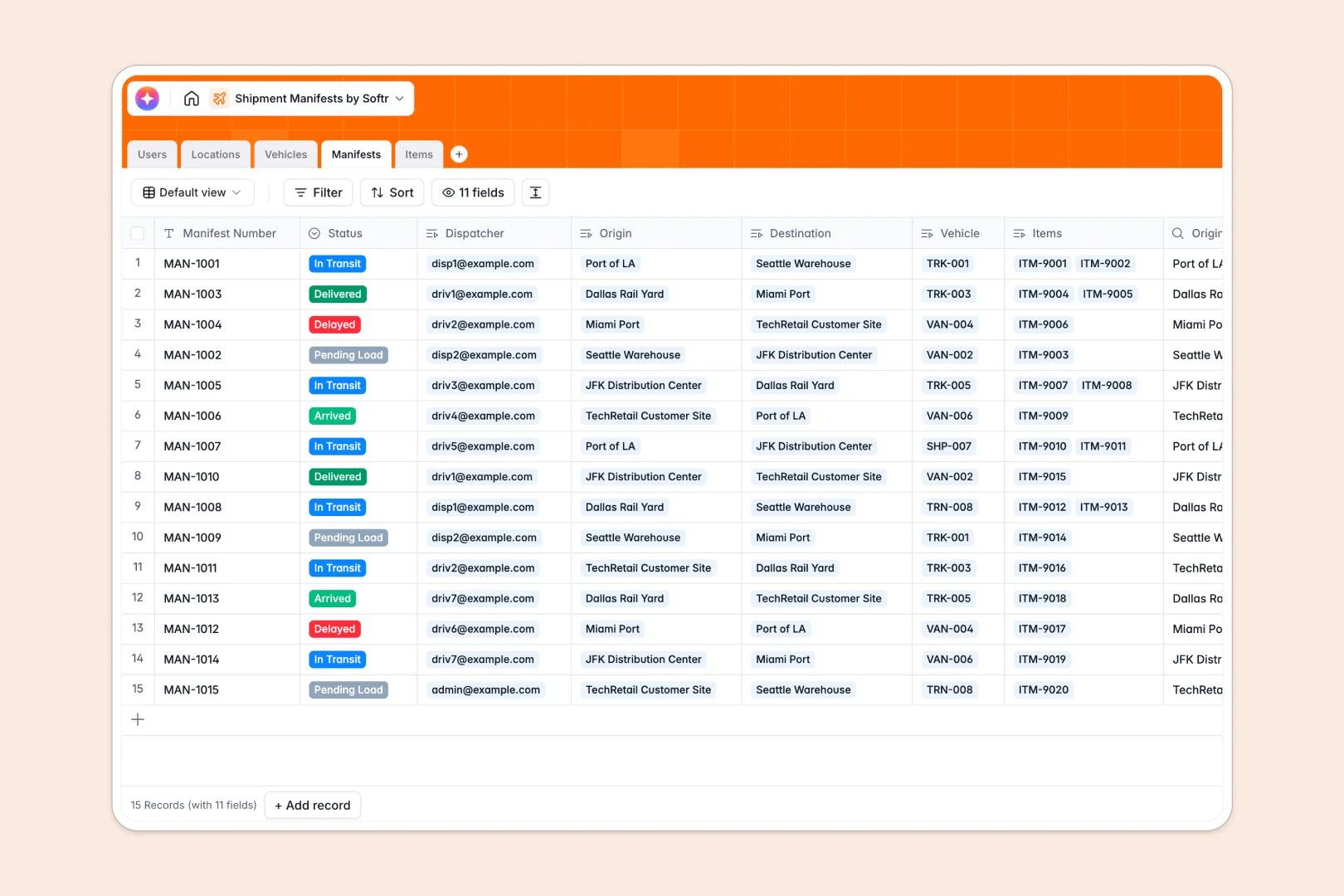
Your Shipment Manifests database at a glance
This shipment manifests database is designed to centralize your logistics workflow. It helps dispatchers coordinate routes, track vehicles, and keep cargo moving with full operational visibility.
By linking Users, Vehicles, and Locations directly to your Manifests table, you eliminate manual data entries. You can easily see which driver is assigned to which delivery truck and watch items change from "Pending Load" to "Delivered."
This template also features native AI capabilities. It automatically writes transit summaries based on routes and uses intelligence to group items into categories instantly, keeping manifest logs organized.
What to check before building your shipment manifests base in Airtable
When your team depends on live logistics data, choosing where to house your tracking system is critical. While Airtable is an excellent relational database, logistics workflows often hit specific ceilings as operations grow.
What changes with a database built for apps
Sharing an Airtable database with dispatchers, warehouse managers, and external drivers quickly becomes expensive due to per-seat collaborator pricing. Softr Databases solve this with unlimited collaborators on all plans, allowing everyone on your team to update manifest statuses without punishing your budget.
Logistics also demands high volumes of records and API transactions. Instead of hitting Airtable's strict database caps, this setup supports up to 200,000 records per database and faster API execution rates, keeping your shipment history fully searchable as your operations scale.
Best of all, you don't need to stitch multiple external tools together. Native databases allow you to structure your data, design dispatch portals, build internal workflows, and configure user permissions on a single unified platform.
What you can do with this template
- Link drivers, vehicles, and destinations: Tap into pre-built relational fields so you can associate specific cargo weights with a semi-truck or delivery van without duplication.
- Automate manifest logs: Leverage integrated Database AI agents to generate instant transit summaries and classify cargo parcels by hazard or category automatically.
- Monitor actual fleet capacity: Calculate rolling weight limits instantly with rollup formulas to ensure vehicles are never overloaded.
-
Users
Track logistics team members, dispatchers, drivers and access roles
-
Locations
Manage shipping ports, warehouses, customer sites and distribution hubs
-
Vehicles
Track delivery vehicles, freight containers, capacities and drivers
-
Manifests
Coordinate shipping transit routes with AI-generated cargo log summaries
-
Items
Categorize and track delivery parcels using AI for item classification
Who is this Shipment Manifests database for
- Logistics Dispatchers: Map out routes, assign drivers to vehicles, and track real-time delivery statuses from a clean dashboard.
- Warehouse Operations Leads: View incoming and departing manifests to plan loading-dock schedules and prepare inventories.
- Delivery & Fleet Owners: Monitor vehicle assignments and trace shipments from origin to destination without mess.
How to take it further
1. Customize the database
Adjust parameters to fit your unique fleet operation. You can easily add vehicle types, modify shipping status choices, or add custom fields for tracking delivery signatures.
2. Import your existing data
Ready to migrate? Upload your current spreadsheet-based cargo manifests using the built-in CSV import tool, or import an active Airtable base directly to keep your records consistent.
3. Build a full app around it
Once your data is structured, you can easily generate an app with AI using Softr's AI Co-Builder. Design a dedicated dispatcher dashboard or build a secure delivery portal.
You can set up granular access control so dispatchers edit everything, warehouse workers view cargo lists, and drivers only see their assigned manifests on mobile devices. A structured database is the ultimate foundation for fully automated workflows.
-
1
-
2
-
3
-
4
Frequently asked questions
-
What is a shipment manifests database?
-
Why use a no-code database to build a shipment manifests system?
-
How can AI help managing data for shipment manifests?
-
Can I build an app with this shipment manifests database?
-
Is this shipment manifests template free?
-
How is this shipment manifests template different from an Airtable template?
Start building today. It's free!
Build and launch your first app in under 30 minutes.