


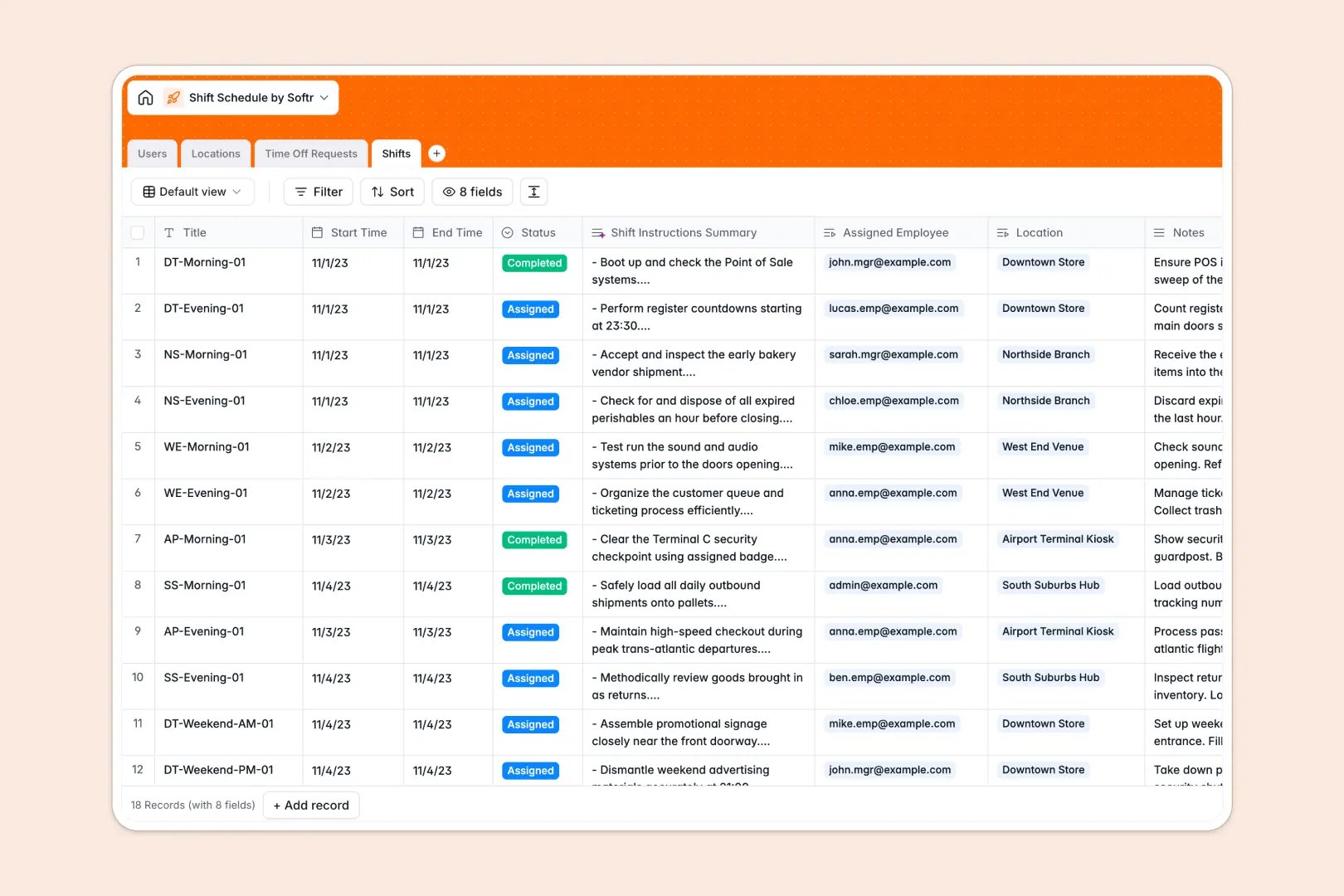
Your Shift Schedule database at a glance
This template gives you everything you need to coordinate shifts and manage personnel without scheduling headaches. You can keep track of employee availability, physical venues, and rotating hours in a single, clear system.
It works by connecting four simple tables: Users (Employees), Locations, Shifts, and Time Off Requests. For example, when a member of your team submits a vacation request, it instantly links to their profile, helping managers avoid double-booking.
This database also includes built-in AI fields that work for you. It automatically categorizes time off requests based on employee-written reasons and generates short task lists from your shift notes.
What to check before building your shift schedule base in Airtable
If you are planning to handle daily staffing coordinates, you are absolutely right to look for a structured database instead of a flat spreadsheet. You need related tables so that when an employee's schedule changes, it automatically updates the location overview. However, before you commit to building a custom base in Airtable, there are a few scale and cost implications to consider.
What changes with a database built for apps
When managing rosters, you need your team to enter their availability, view their schedules, and submit time off. Airtable's per-seat pricing models quickly become expensive when you want every single employee to have access to update their own records. Additionally, sharing a raw database with a large team makes it easy for someone to accidentally delete columns or modify other people's hours.
This is exactly what Softr Databases are designed for. You get the same powerful relational foundations—like linking shifts to specific employees and physical storefronts—but with unlimited collaborators on all plans. You can store up to 200,000 records per database and enjoy a significantly higher API limit, meaning your schedules scale alongside your business.
What you can do with this template
This template is ready to use immediately as your primary scheduling system. It organizes shift information, assignment statuses, and managerial approval history in structured views that actually make sense to look at.
Because it includes native Database AI agents, the database handles administrative micro-tasks for you. It reads unstructured shift notes to summarize instructions and reads time off reasons to categorize them into Vacation, Sick Leave, or Personal Time instantly.
-
Users
Manage employee and manager profiles with assignments and team roles
-
Locations
Track physical operational sites with managers and active workforce needs
-
Time Off Requests
Track absence requests and use AI to auto-categorize staff leave reasons
-
Shifts
Schedule work blocks with locations, staff and AI shift instructions
Who is this Shift Schedule database for
- Retail and Restaurant Managers: Coordinate staff across multiple store locations and easily track who is working where.
- Operations Leads: Keep standard operating procedures organized and assign specific shifts to certified team members.
- HR Specialists: Manage vacation requests, categorize sick leave, and track total shifts completed per employee.
- Agency Directors: Track client project sessions and match contractor assignments to specific time blocks.
How to take it further
1. Customize the database
Feel free to adjust this template to fit your exact business terminology. You can quickly add custom select options to the shift Status field (such as adding "On Call"), or add a currency column to track hourly labor costs for each shift.
2. Import your existing data
If you already have your staff list or store locations stored in spreadsheets, you can bring them over immediately. Use the CSV importer to populate your tables in a few clicks, or use the database API to sync records dynamically from elsewhere.
3. Build a full app around it
When you are ready to stop managing a raw database, you can easily turn this structure into a complete internal portal. By utilizing our AI app generator, you can describe the scheduling tool you want in a simple prompt and it will build the web interface directly on top of this data.
This allows you to implement strict users and permissions so that employees can only view their own shifts and request time off, while managers can approve requests and schedule new shifts in a clean calendar view. Starting with this well-structured database makes launching your custom app incredibly fast.
-
1
-
2
-
3
-
4
Frequently asked questions
-
What is a shift schedule database?
-
Why use a no-code database to build a shift schedule system?
-
How can AI help managing data for shift scheduling?
-
Can I build an app with this shift schedule database?
-
Is this shift schedule template free?
-
How is this template different from an Airtable template?
Start building today. It's free!
Build and launch your first app in under 30 minutes.