


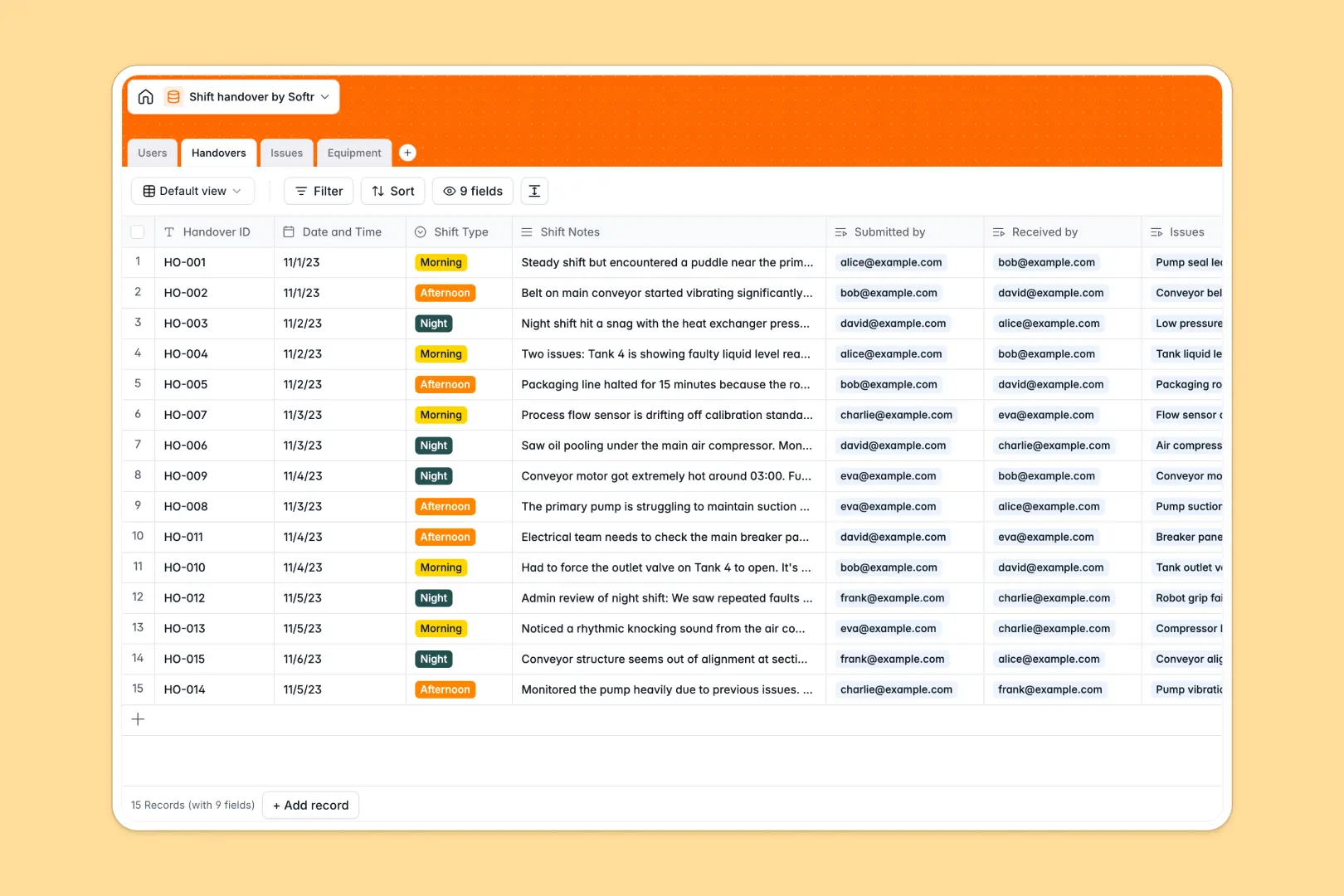
Your Shift Handover database at a glance
Keep operations running smoothly without miscommunications during team transitions. This template provides a structured log to capture shift transitions, document ongoing issues, and link incidents directly to specific machinery.
By connecting your work logs directly to operating operators and equipment registries, you eliminate the risk of lost notes. The built-in intelligence automatically summarizes transition notes and categorizes issues instantly, ensuring incoming teams have full operational context from day one.
Where shift handovers outgrow Airtable
When managing active 24/7 manufacturing plants or critical facility operations, relying strictly on an Airtable database can introduce unexpected hurdles for team leads and supervisors.
What changes with a database built for apps
While Airtable is a capable relational engine, its per-seat pricing gets incredibly expensive as you scale access to every operator and technician on the floor. With Softr Databases, you can share your operational logs with unlimited collaborators on any plan without worrying about spiraling costs.
Additionally, high-volume production facilities easily hit Airtable’s strict record caps and API speeds. Softr Databases support significantly larger data volumes and offer 10x faster API query limits, keeping your system fast even as logs grow into the hundreds of thousands.
Because the database and app builder are directly integrated, you can turn your shift logs into custom floor portals with granular permissions without patching together external tools.
What you can do with this template
Connect operators directly to handovers, outstanding issues, and operational machinery. This relational setup ensures that anyone can check the active status of any equipment and view linked maintenance logs immediately.
Additionally, integrated Database AI agents automatically generate clean executive summaries of long shift logs and categorize mechanical issues as they of are logged, reducing manual data entry for busy supervisors.
-
Users
Track team members, roles, and shift handover assignments
-
Handovers
Log shift transitions containing AI-generated executive summaries
-
Issues
Manage shift problems with AI-powered category classification
-
Equipment
Monitor machinery status with AI-enriched spec and maintenance lookups
Who is this Shift Handover database for
- Operations Managers: Track plant-wide metrics, review summarized logs, and monitor equipment uptime.
- Shift Supervisors: Seamlessly hand over responsibilities, highlights, and critical safety hazards.
- Maintenance Technicians: Access logged machinery errors, view equipment specs, and resolve open issues.
- Safety Inspectors: Audit shift transitions, review incident logs, and verify compliance protocols.
How to take it further
Customize the database
Modify the template in seconds to match your exact floor layouts and workflows. You can easily adjust the equipment locations, update priority levels, and add safety checklist fields directly in your database.
Import your existing data
Move off legacy spreadsheets or other databases in clicks. Simply run a clean CSV import for your machinery logs, active team roster, and past maintenance histories to get started immediately.
Build a full app around it
When you are ready, use our AI app generator to turn this database into an interactive floor terminal. You can configure granular users and permissions so operators can only log their own shifts, while supervisors get a dashboard of all active facility issues.
-
1
-
2
-
3
-
4
Frequently asked questions
-
What is a shift handover database?
-
Why use a no-code database to build a shift handover system?
-
How can AI help managing data for shift handovers?
-
Can I build an app with this shift handover database?
-
Is this shift handover template free?
-
How is this template different from an Airtable template?
Start building today. It's free!
Build and launch your first app in under 30 minutes.