


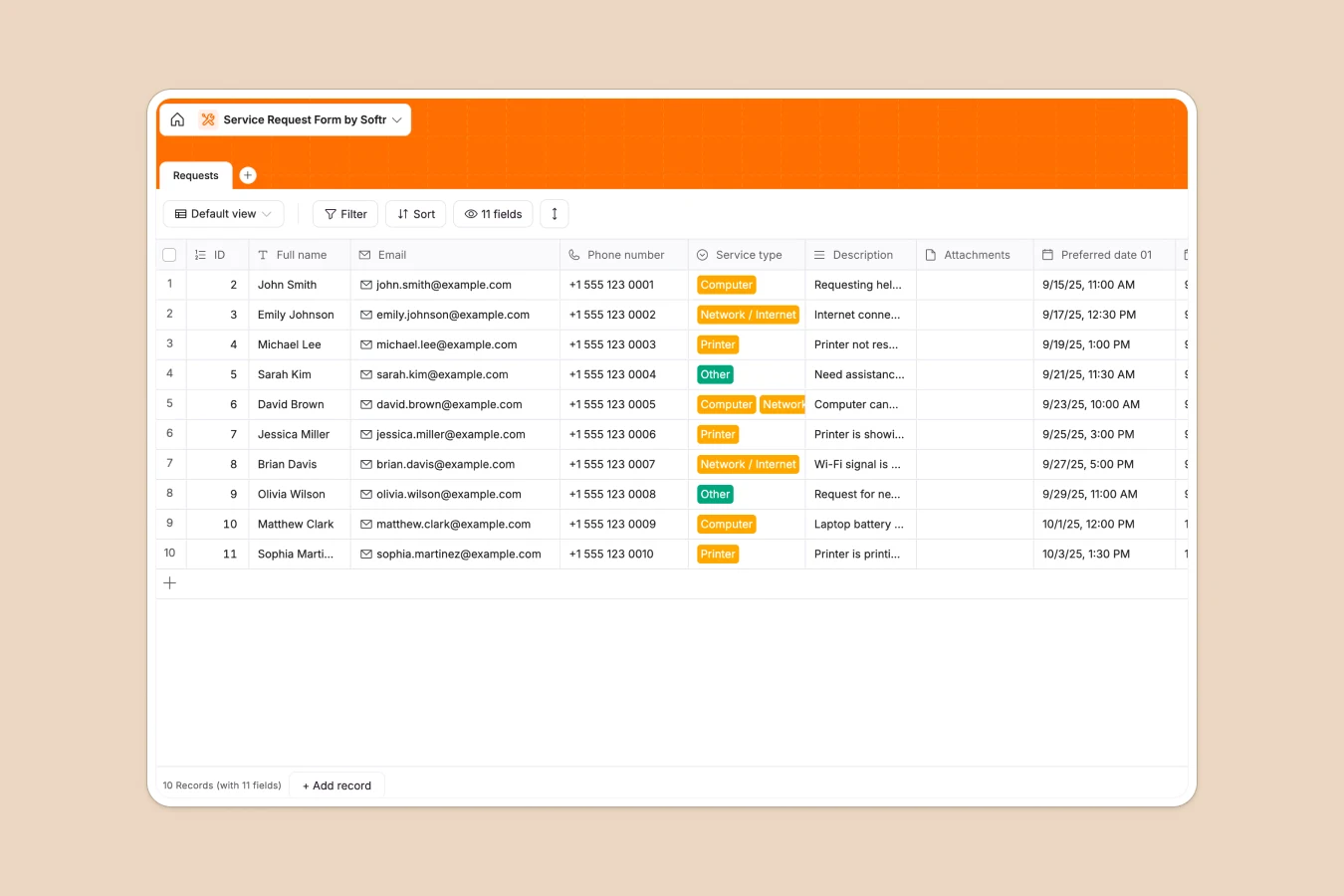
Your Service Request database at a glance
This template lets you capture, prioritize, and manage service requests from one central hub. Avoid scattered emails and missed issues by logging every ticket with clear contact details, service types, and attachments.
The database works using a single, streamlined table that maps out the customer's contact details, preferred scheduling dates, and specific issue descriptions seamlessly.
What to check before building your Service Request base in Airtable
While Airtable is a capable relational database, building your ticketing or service desk system there can lead to avoidable bottlenecks and high costs as your team grows.
What changes with a database built for apps
When service requests flood in, you need your whole team—and often your customers—to see and update status changes. Airtable's per-seat pricing means adding collaborators to edit records quickly gets expensive.
This is exactly what Softr Databases are designed to solve. You get unlimited database collaborators on all plans, allowing your entire service team to manage tickets without worrying about extra per-user licensing costs.
What you can do with this template
- Capture rich data fields: Log contact info, description texts, original attachments, and preferred scheduling windows without breaking data structure.
- Organize by type: Group issues effortlessly by categories like Computer, Printer, or Network to assign the right specialist instantly.
- Automate your workflow: Easily trigger alerts or run Database AI agents to summarize complex issues or extract key error codes from user-submitted text.
-
Requests
Log incoming customer service inquiries, contact info and preferred visit dates
Who is this Service Request database for
- IT Support Teams: Track hardware, software, and network request types systematically.
- Office & Facility Managers: Organize maintenance requests, printer issues, and utility fixes.
- Customer Service Operations: Log inbound customer support requests with secure attachment uploads.
- Small Business Owners: Handle client inquiries directly without complex enterprise ticketing software.
How to take it further
Customize the database
You can modify the Service Type dropdown choices in seconds or add custom fields like "Status" or "Assigned Agent" to fit your specific operations.
Import your existing data
Migrate clean records into your new database instantly via CSV file import, or use our API to sync requests from external contact forms.
Build a full app around it
When your team is ready, you can seamlessly build an app on top of this database. Describe the portal you need in plain language, and the system will instantly generate your interface. Using granular users and permissions, you can let clients log in to submit requests, while your internal technicians see a custom dashboard to claim and resolve tickets.
-
1
-
2
-
3
-
4
Frequently asked questions
-
What is a service request database?
-
Why use a no-code database to build a service request system?
-
How can AI help managing data for service requests?
-
Can I build an app with this service request database?
-
Is this service request template free?
-
How is this database different from an Airtable template?
Start building today. It's free!
Build and launch your first app in under 30 minutes.