


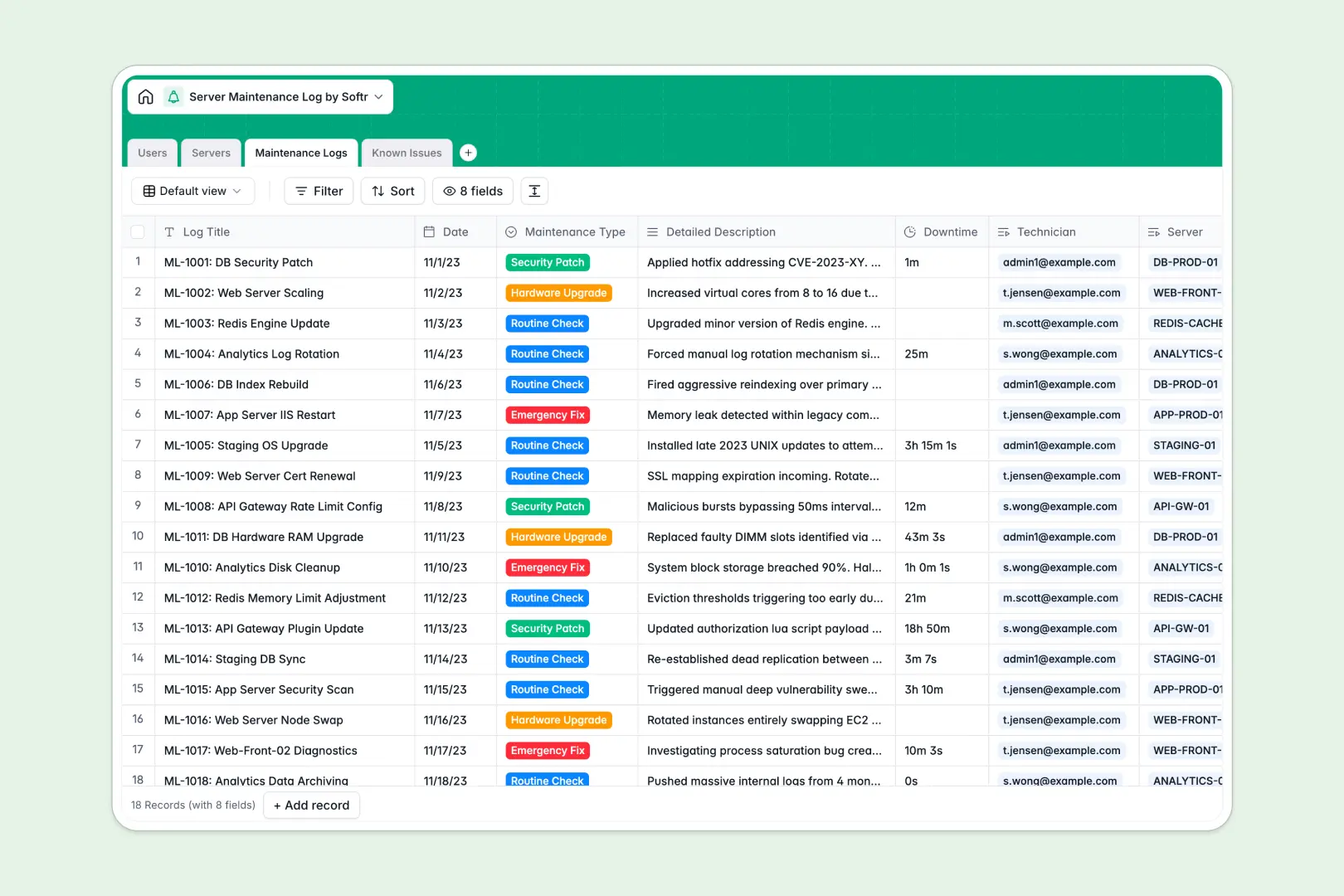
Your Server Maintenance Log database at a glance
This template gives your IT team a centralized system to track physical and virtual servers, schedule updates, and log emergency fixes. It connects your servers directly to technicians, ongoing maintenance events, and active system alerts so nothing falls through the cracks.
Every record keeps your operations transparent. Technicians can quickly update server statuses from online to offline while tracking cumulative downtime and system health over time.
Built-in intelligent fields automatically generate environment summaries, classify the severity of new alerts, and instantly distill long technical descriptions into neat management updates.
What to check before building your server maintenance log in Airtable
While building a maintenance database in Airtable gives you good relational structure, there are key operational trade-offs to keep in mind as your system scales.
What changes with a database built for apps
If your entire infrastructure team needs to log issues, view server statuses, or perform routine checks, Airtable's per-seat pricing quickly becomes expensive. With Softr Databases, you have unlimited collaborators, meaning every technician, administrator, and external auditor can access the database without bloating your bill.
Additionally, you don't need to patch multiple interface tools together when your operations grow. The same platform securely holds your database and lets you build custom client or team portals natively.
What you can do with this template
With this template, you can track physical or virtual servers, match them with primary administrators, and record detailed hardware or software logs. This establishes a clean, relational audit trail for compliance and internal performance tracking.
Native Database AI agents run inside your fields to automate routine documentation work. They automatically analyze reported bugs to prioritize critical issues and translate complex fix parameters into bulleted summaries.
-
Users
Track system administrators and technicians with roles and assignments
-
Servers
Manage server inventory with AI-powered environment profile generation
-
Maintenance Logs
Record routine checks and updates with AI-generated executive summaries
-
Known Issues
Track system bugs with severity levels categorized by automated AI
Who is this Server Maintenance Log database for
This system is designed for modern tech operations teams who require complete visibility over machine configurations and historical fixes:
- IT Managers: Maintain real-time oversight of system statuses, hardware rollups, and active high-severity indicators across environments.
- System Administrators: Speed up handovers and routine updates with comprehensive, automated summaries of past resolution notes.
- Security Compliance Officers: Review accurate, tamper-free developer work logs and verify that critical security patches were successfully applied.
How to take it further
Customize the database
You can easily tailor this database in seconds. Modify operating system choices, append custom maintenance types like "Cloud Migration," or add fields for server rack locations and physical coordinates.
Import your existing data
Instead of starting from zero, import your technical records instantly. You can upload a structured CSV file or seamlessly transfer your entire setup from an existing platform within a few clicks.
Build a full app around it
When your operations need a visual workflow, use this schema to power a full team portal. Simply instruct our AI app generator to turn your database tables into a polished, mobile-friendly interface.
Through native users and permissions, you can ensure that auditors only read historical trends, technicians only edit their assigned server rows, and administrators maintain global oversight.
-
1
-
2
-
3
-
4
Frequently asked questions
-
What is a server maintenance log database?
-
Why use a no-code database to build a server maintenance log system?
-
How can AI help managing data for server maintenance?
-
Can I build an app with server maintenance log database?
-
Is this Server Maintenance Log database template free?
-
How is this template different from an Airtable template?
Start building today. It's free!
Build and launch your first app in under 30 minutes.