


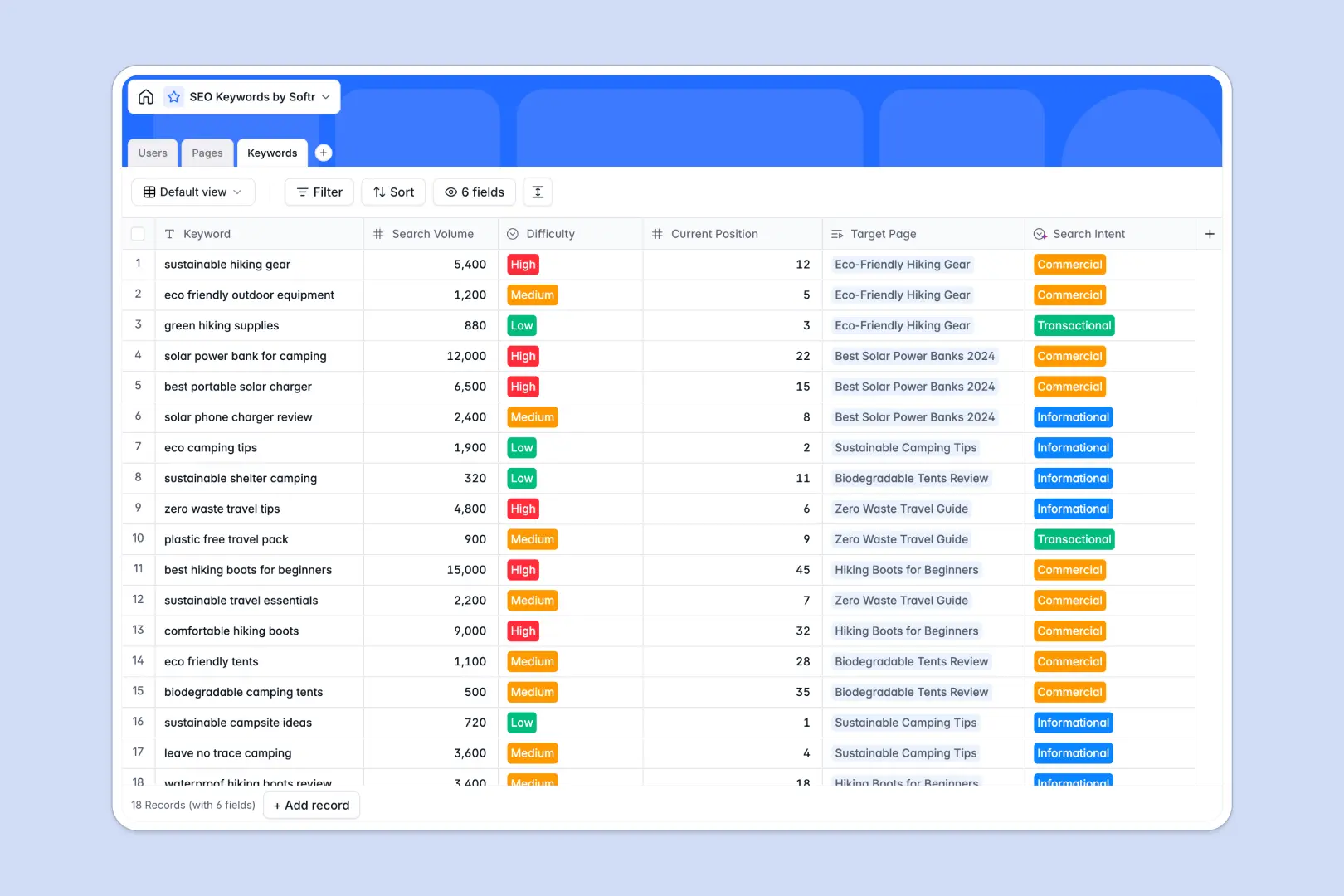
Your SEO Keywords Database at a glance
This template helps SEO teams map target search terms directly to content production pages, ensuring your search strategy and copywriting remain perfectly aligned.
It natively links three structured tables—Keywords, Pages, and Team Users—so you can track search volume, current rankings, and page status without duplicate entries or broken views.
With built-in AI fields, the database automatically classifies keyword search intent and drafts structured content outlines as soon as you map keywords to a page.
What to check before building your SEO Keywords base in Airtable
While choosing a relational database over a flat spreadsheet is absolutely the right move for complex SEO planning, committing to Airtable can quickly create unnecessary roadblocks. As your team grows, small friction points around permissions and scaling limits can slow down your entire content machine.
Why teams build SEO engines on a unified platform
In Airtable, sharing your SEO setup with freelance writers quickly gets expensive because they charge per collaborator for editing rights. With Softr Databases, you get unlimited collaborators on all plans, allowing your entire team of writers, editors, and SEO managers to update progress without seat-cost penalties.
Furthermore, managing SEO in Airtable often requires stitching external tools together to create a clean writing workspace. By using a database that lives on the same platform as your client portals and internal interfaces, you can seamlessly turn your keyword lists into a clean, distraction-free writer portal.
What you can do with this template
Run your automated keyword categorization and briefs straight out of the box using built-in Database AI agents. Based on the keyword you input, the system works inside your fields to automatically classify search intent as informational, transactional, or commercial.
When you link a keyword to a target URL, the AI agent reads the topic data to auto-generate a comprehensive content brief, including structured H2 and H3 suggestions, to kickstart your copywriting process immediately.
-
Users
Track team members with assigned roles, contact info, and optimization tasks
-
Pages
Manage content pages with target keywords and generate AI briefs and meta tags
-
Keywords
Analyze search terms with search volume and classify search intent using AI
Who is this SEO Keywords database for
This structured setup is perfect for organizations that want to coordinate search strategy directly with content execution:
- SEO Managers: Map target search terms, track rank changes, and automatically tag user intent without manual research.
- Content Teams: Grab AI-generated outlines, track word counts, and see exactly which target keywords to integrate.
- Agencies: Share real-time optimization progress and content statuses securely with clients without paying for extra collaborator seats.
How to take it further
1. Customize the database
Adjust difficulty ratings, add new volume ranges, or introduce custom metrics like cost-per-click (CPC) or internal priority scores. You can modify any select field or column type instantly to match how your team evaluates search opportunities.
2. Import your existing data
Move existing keyword research or client briefs directly into your database. Drag and drop a CSV file to import hundreds of target terms, or connect to your external research tools via the API to keep metrics updated.
3. Build a full app around it
When your team is ready, easily build an app around your database. Use the built-in AI app generator to turn these tables into a client portal or writer dashboard within seconds.
You can set granular users and permissions to control access, so freelance writers only see their assigned pages while clients can only view approved content previews. Having your interface, workflows, and database living in one place means your SEO operations scale seamlessly.
-
1
-
2
-
3
-
4
Frequently asked questions
-
What is an SEO keywords database?
-
Why use a no-code database to build an SEO tracker?
-
How can AI help managing data for SEO keywords?
-
Can I build an app with my SEO keywords database?
-
Is this SEO keywords template free?
-
How is this template different from an Airtable template?
Start building today. It's free!
Build and launch your first app in under 30 minutes.