


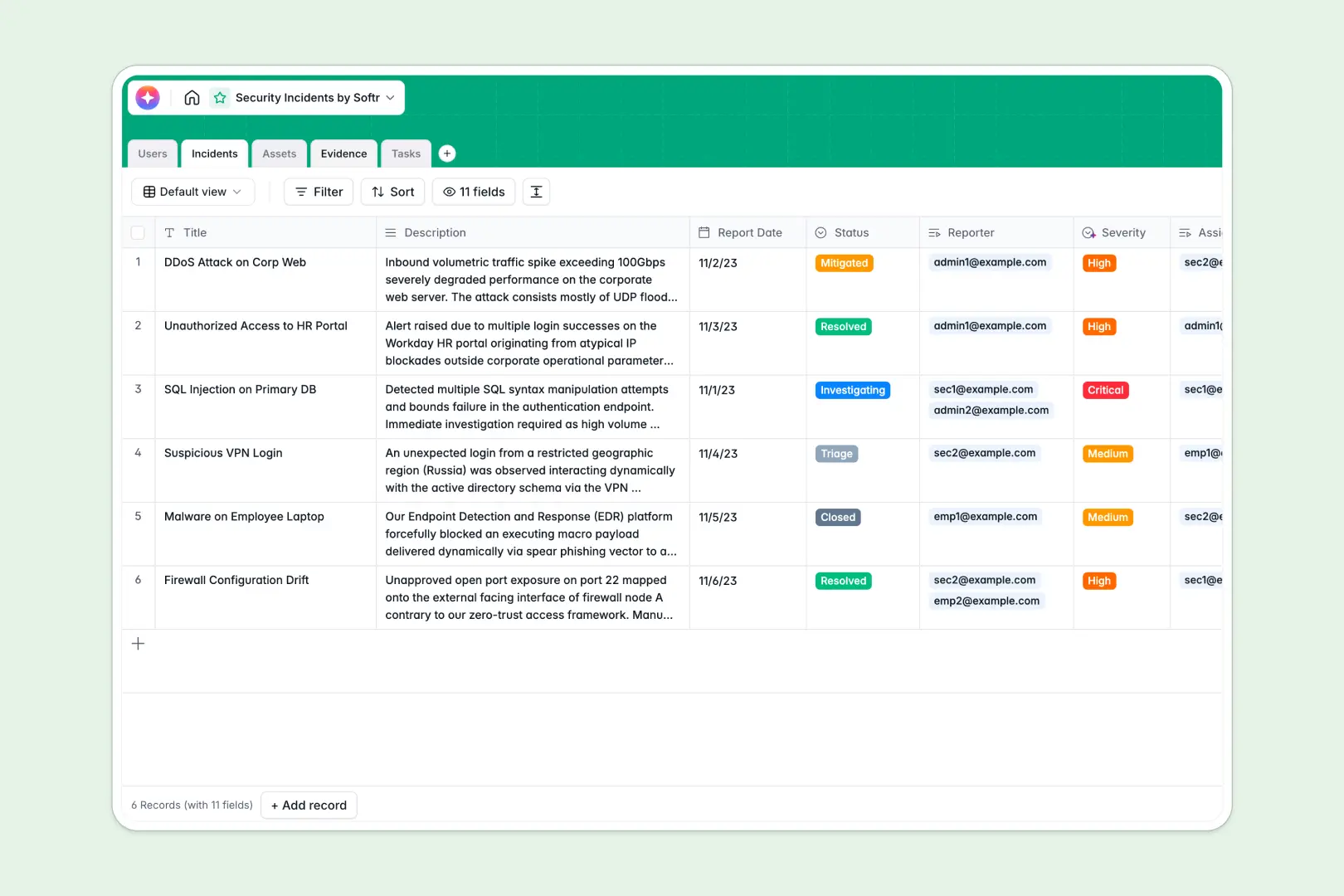
Your Security Incidents database at a glance
This template gives your team a centralized, structured system to record, track, and remediate cybersecurity threats. Stay organized during critical events with dedicated tables for incidents, affected systems, remediation tasks, and forensic evidence.
Everything connects natively: log a critical breach in your Incidents table, instantly relate it to the compromised server from your Assets table, and automatically assign remediation tasks to your security analysts.
This database also includes built-in Database AI agents that automatically classify incident severity based on description and query the web for known security bulletins from your asset vendors.
What to check before building your security incident base in Airtable
When managing sensitive incident response data, scaling a team, or collaborating across departments, standard tracker tools present limitations you should consider before committing.
What changes with a database built for apps
With Softr Databases, you get the relational database framework you need with a key structural advantage: the app layer is already built-in. Instead of stitching together external portals and form tools to share data with incident reporters or IT managers, you can generate interfaces and access controls natively.
This model is designed for seamless, multi-user collaboration. While other options apply expensive per-seat pricing for any user who needs to write or update data, Softr allows unlimited collaborators so your entire company can safely log security issues.
Additionally, you can run high-volume logging without hitches: you have higher record capacities and faster API limits to scale automated monitoring scripts alongside human reporting.
What you can do with this template
- Track lifecycle stages in real time: Move issues from triage and investigation to resolution, with the system tracking report dates and ownership automatically.
- Organize vital context in one spot: Attach system files, screenshot attachments, and notes inside an Evidence log linked directly to each investigation details.
- Enrich asset vulnerability tracking automatically: Let background AI agents search the live web to surface common vulnerabilities and vendor bulletins for your hardware and systems.
-
Users
Track security staff and employees involved in reporting or handling incidents
-
Incidents
Track security breaches and events with AI-powered severity and summaries
-
Assets
Manage hardware and software systems enriched with AI vendor intelligence
-
Evidence
Store logs, screenshots, and security files linked to investigations
-
Tasks
Manage remediation and mitigation actions assigned to security teams
Who is this Security Incidents database for
- IT & Security Teams: Track system health, triage vulnerabilities, and systematically resolve active threats in one secure environment.
- Compliance Officers: Generate auditable logs of incidents, forensic evidence, and remediation tasks to prove regulatory compliance.
- Operations Leads: Monitor overall infrastructure vulnerability and manage the specific assets linked to security reports.
-
1
-
2
-
3
-
4
Frequently asked questions
-
What is a security incidents database?
-
Why use a no-code database to build a security incident tracker?
-
How can AI help managing data for security incidents?
-
Can I build an app with this security incident database?
-
Is this Security Incidents database template free?
-
How is this different from a security incidents template in Airtable?
Start building today. It's free!
Build and launch your first app in under 30 minutes.