


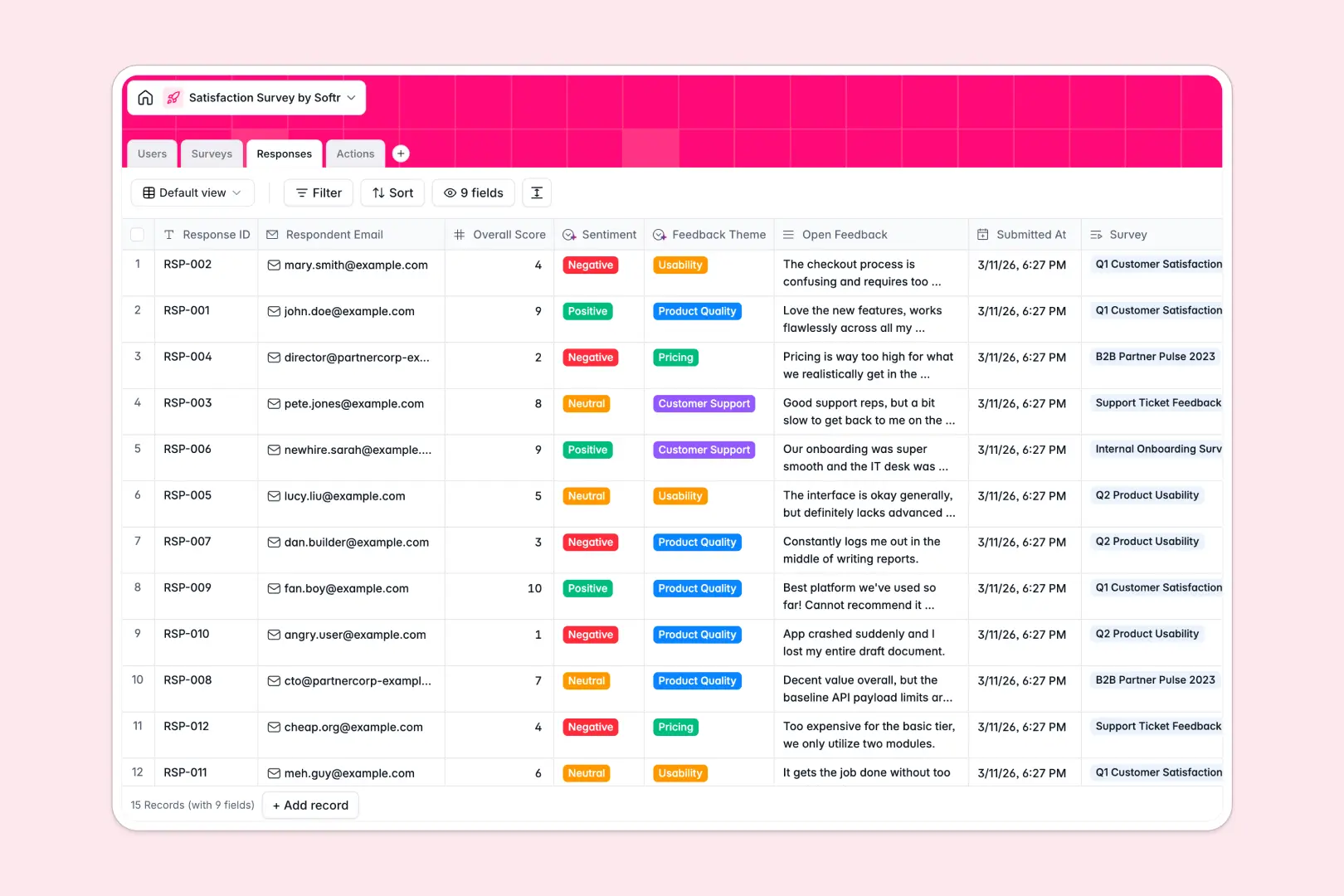
Your Satisfaction Survey database at a glance
Easily organize survey campaigns, capture individual responses, and track resolutions. This database serves as a secure, central hub to ensure no critical customer or employee feedback slips through the cracks.
Four specialized tables—Users, Surveys, Responses, and Actions—seamlessly connect with each other. When a new response arrives, you can automatically link it to an action item and assign it to a team member.
With built-in AI fields, the database automatically categorizes sentiment, extract themes, and even writes custom response drafts so you can act on feedback instantly.
What to check before building your Satisfaction Survey base in Airtable
When your team handles feedback, you need to share results with managers, customer support agents, and product teams to make sure everyone is aligned.
With Airtable, adding your whole team to collaborate on resolving feedback gets expensive quickly due to strict per-seat pricing. If you have hundreds of feedback records coming in, Airtable's record limits and API thresholds can also quickly restrict your operations.
What changes with a database built for apps
This is exactly what Softr Databases are designed for. You get the same powerful relational foundations—like linking responses to specific users—but without worrying about user-based pricing or restrictive limits.
Instead of paying for every team member who needs to see feedback, you can invite unlimited collaborators. This keeps your data clean, organized, structure-enforced, and accessible to everyone who needs it.
What you can do with this template
This template gives you an organized structure for scaling your sentiment analysis. Database AI agents run inside your tables, analyzing feedback text to determine sentiment (Positive, Neutral, Negative) and draft empathetic responses automatically.
By connecting your responses directly to your follow-up tasks, you close the loop quicker. You can customize the fields, import existing survey data, and share it with your team in a single click.
-
Users
Manage team roles, contact details, and assigned follow-up tasks
-
Surveys
Deploy survey campaigns with AI-powered executive summaries of feedback
-
Responses
Collect individual responses with AI-detected sentiment and themes
-
Actions
Track client resolutions using AI to draft empathetic email replies
Who is this Satisfaction Survey database for
- Customer Success Managers: Track customer sentiment, identify high-priority issues, and draft replies to close the loop with key accounts.
- HR & People Ops: Deploy internal surveys, monitor employee satisfaction trends, and resolve departmental feedback discreetly.
- Product Managers: Categorize feedback themes automatically to prioritize feature updates and identify usability friction points.
- Operations Leaders: Centralize feedback across partners, customers, and employees in one place while safeguarding access controls.
How to take it further
Customize the database
Adjust this template to fit your specific survey channels. You can change select field choices—like adding new feedback themes—add customized rating numbers, or append new tracking metrics in seconds.
Import your existing data
If you have past data stored in other tools, you can upload them easily. Use the robust CSV import tool to bring in historical customer responses, or use the database API to connect the system to your active forms.
Build a full app around it
When your team is ready, you can easily turn this database into a tailored internal portal. Use the AI app generator to describe the app you want in plain language, and it will build an interface on top of your live data.
This allows you to set up granular users and permissions so analysts see database tables, while team members only see assigned tasks in their custom portal views. Your database serves as the clean foundation for a complete feedback management system.
-
1
-
2
-
3
-
4
Frequently asked questions
-
What is a satisfaction survey database?
-
Why use a no-code database to build a satisfaction survey system?
-
How can AI help managing data for satisfaction surveys?
-
Can I build an app with this satisfaction survey database?
-
Is this satisfaction survey template free?
-
How is this different from an Airtable template?
Start building today. It's free!
Build and launch your first app in under 30 minutes.