


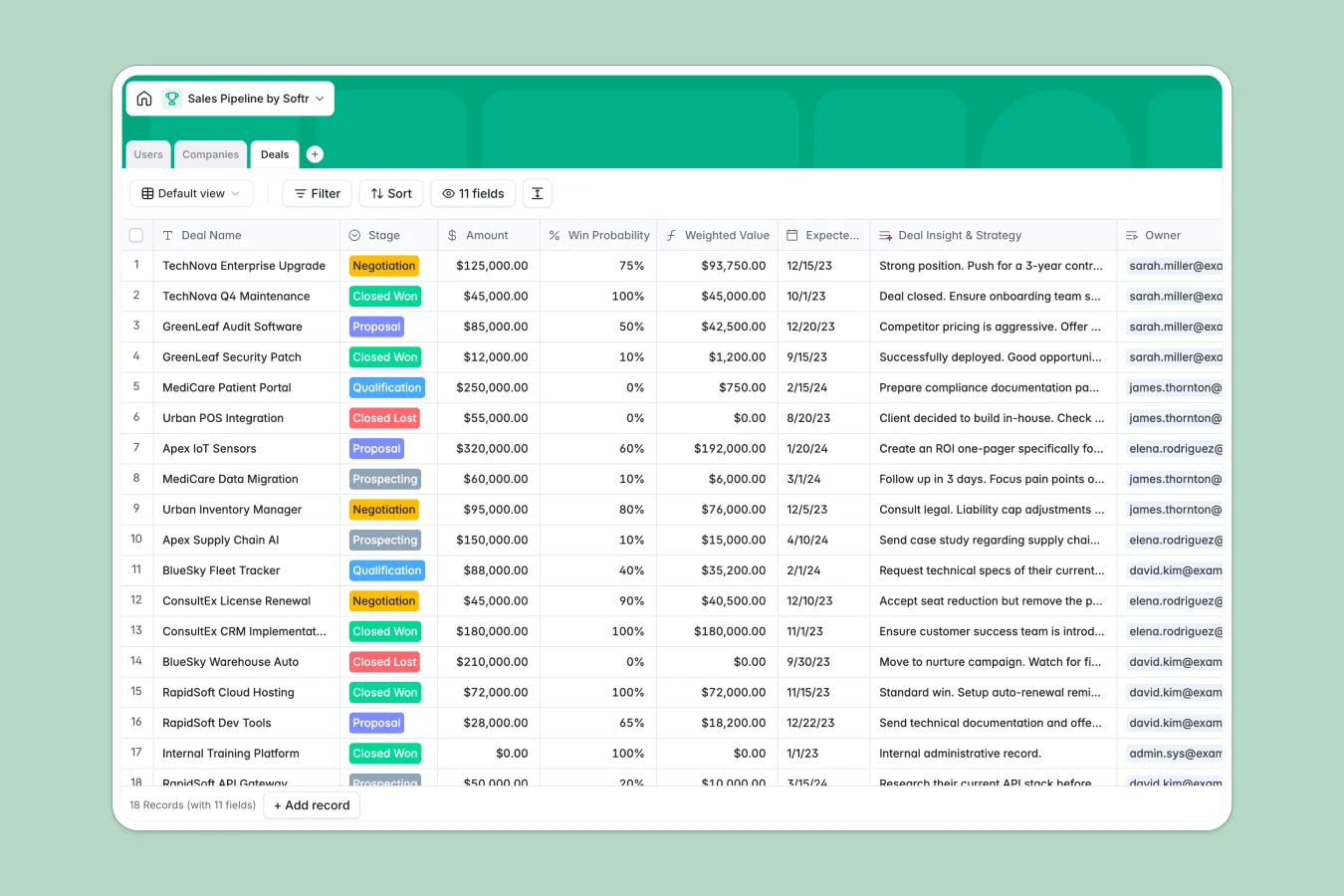
Your Sales Pipeline database at a glance
This template helps you organize deals, track pipeline stages, and manage target accounts in one centralized system. It keeps your sales team aligned on win probabilities and estimated close dates without losing important details in disjointed documents.
Everything is set up using three connected tables: Deals, Companies, and Users. Because these tables relate directly to one another, assigning a sales rep to an account automatically updates their owned deals and total pipeline values.
What to check before building your sales pipeline base in Airtable
While using Airtable for key business processes works well, scaling up often introduces unexpected friction. Managing your deals in structured Softr Databases offers a direct path forward without the common constraints.
What changes with a database built for apps
Sharing your sales pipeline with your team in Airtable immediately gets expensive because of per-seat pricing that charges for every editor. Softr Databases support unlimited collaborators on all plans, allowing your entire team to update deal values and statuses without extra costs.
Additionally, you get higher record ceilings and a significantly faster API limit. Instead of stitching together external portals and forms to hide sensitive deal values from certain reps, the relational table layout naturally connects with user roles in a single platform.
What you can do with this template
This template gives you an immediate overview of your entire sales funnel. You can instantly filter deals by stages like Proposal or Negotiation, roll up the total deal value per target industry, or calculated weighted values via native formulas.
It is ready to go out of the box, but you can easily adapt the stages, custom fields, and client industries as your sales cycle evolves.
-
Users
Track sales reps and administrators with roles, contact info, and owners
-
Companies
Manage target accounts and client organizations with industry and pipeline rollups
-
Deals
Track pipeline opportunities, estimated values, and sales strategies
Who is this Sales Pipeline database for
- Sales Managers: Track pipeline health, calculate expected revenue, and evaluate representative workloads.
- Sales Representatives: Manage meeting notes, update deal stages, and see assigned accounts clearly.
- Business Operators: Monitor active deals and revenue streams to plan company resources confidently.
How to take it further
1. Customize the database
You can modify your pipeline in seconds. Rename stages (such as swapping 'Prospecting' for 'Discovery'), add unique select choices for new target industries, or include currency fields for custom discounts.
2. Import your existing data
Simply upload your current spreadsheet of deals or accounts via a quick CSV import, or use API integrations to bring over contact details from other tools to get running right away.
3. Build a full app around it
When your team is ready, you can easily generate an app with AI directly on top of this sales template. This lets you construct a full-featured CRM where reps only view their owned opportunities, while managers access aggregate sales dashboards.
Building an application gives you complete access control over who can adjust deal values and who has view-only permissions, creating a clean interface built on your structured data.
-
1
-
2
-
3
-
4
Frequently asked questions
-
What is a sales pipeline database?
-
Why use a no-code database to build a sales pipeline?
-
How can AI help managing data for your sales pipeline?
-
Can I build an app with this sales pipeline database?
-
Is this sales pipeline template free?
-
How is this template different from a sales pipeline Airtable template?
Start building today. It's free!
Build and launch your first app in under 30 minutes.