


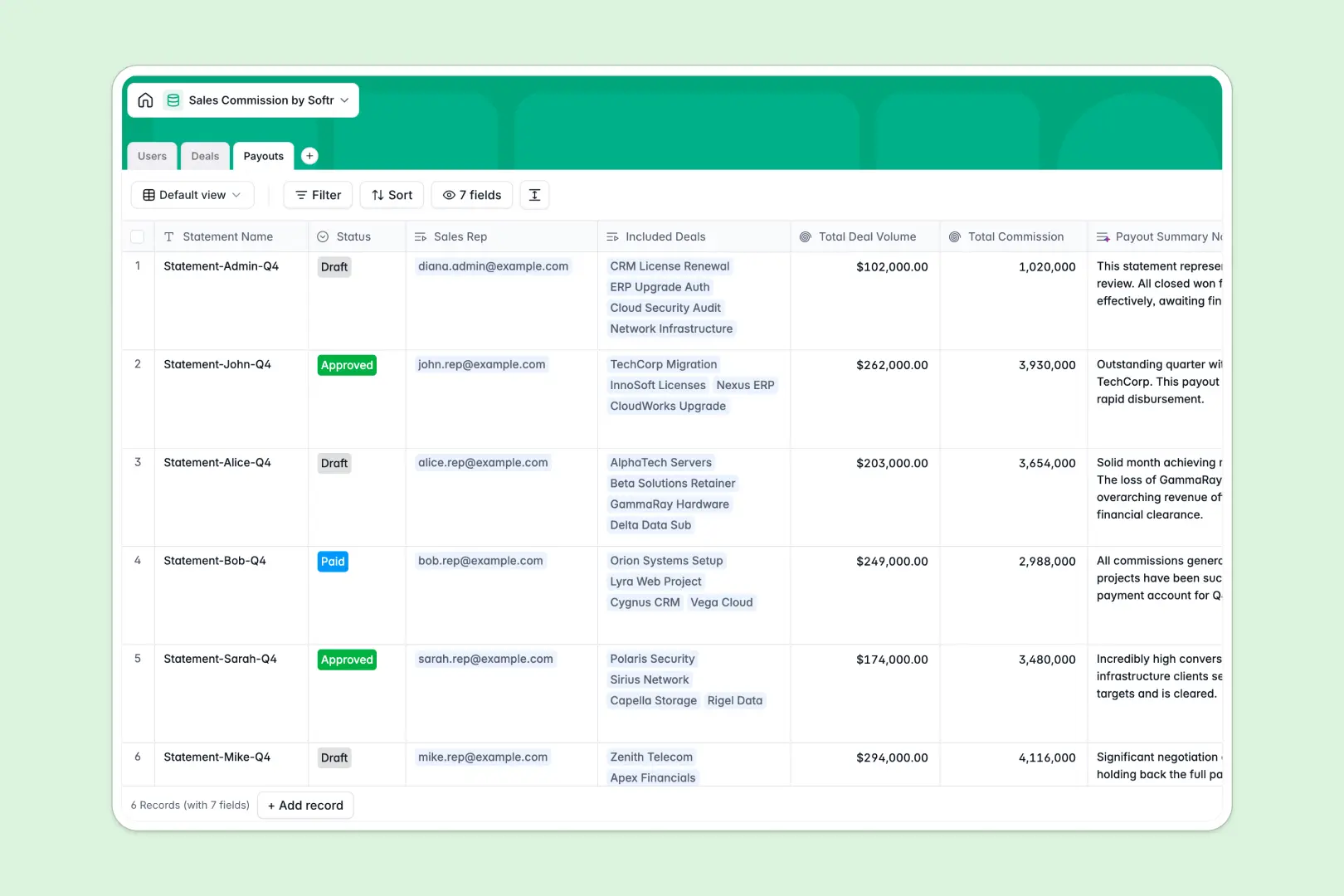
Your Sales Commission database at a glance
Keep deals, sales reps, and commission payouts organized under one roof to prevent payment delays and disputes. This template acts as your central ledger, automatically multiplying deal amounts by base commission rates as soon as your team updates statuses.
Everything is connected automatically inside: sales reps in your Users table link directly to closed-won opportunities in your Deals table, which roll up into monthly invoice summaries in the Payouts table.
AI is built directly into your fields: an AI agent automatically researches and summarizes client profiles based on their company names, while another drafts ready-to-approve payout summary notes based on total commission sums.
What to check before building your sales commission base in Airtable
Many sales operations teams naturally look to Airtable for commission databases. However, scaling a commission process in Airtable comes with distinct challenges once you move past a few players.
What changes with a database built for apps
While Airtable handles structured records perfectly, its per-seat billing structure quickly turns expensive as you add more sales reps who need to log won deals or review their numbers.
Softr Databases remove this friction entirely, offering high record capacities, faster API limits, and unlimited collaborators on all plans so your entire team can interact with commission numbers without hiking your monthly software bill.
Instead of paying for third-party client portals or form platforms to hide private commission rates from other reps, you can run everything inside one platform that connects data, workflows, and frontend security natively.
What you can do with this template
With this pre-built database, you can log transactions, group multiple closed-won deals into single monthly payout statements, and update approval statuses dynamically.
Our built-in Database AI agents handle background research and summary tasks on autopilot, pulling down key company descriptions and drafting professional payout summaries directly in your tables.
-
Users
Manage internal users, role assignments and base commission rates
-
Deals
Track sales opportunities with calculated commissions and AI company summaries
-
Payouts
Process periodic commission payouts using AI to generate professional summaries
Who is this Sales Commission database for
- Sales Operations Managers: Centralize commission structures across multiple team tiers without worrying about broken spreadsheet formulas.
- Sales Representatives: Gain absolute visibility over won deals, real-time commission calculations, and the payment status of monthly statements.
- Finance & HR Teams: Approve bulk monthly payout runs knowing the data is pulling from an immutable relational ledger.
- Startup Founders: Establish clean commission tracking early using a free, scalable infrastructure that grows alongside your sales engine.
How to take it further
Customize the database
You can modify this database to match your exact team structures in seconds. Adjust the select options in the status fields, add tiered commission rate lookup structures, or add an assignment table to handle team-wide split commissions.
Import your existing data
Move your historical sales logs from legacy sheets or systems instantly. Simply download your files and use our built-in CSV importer to populate users, historic deals, and previous pay runs.
Build a full app around it
When you are ready to let sales reps submit deals directly and verify their payouts, use the AI app generator to turn this database into a secure portal. This allows you to enforce granular users and permissions, giving sales reps access only to their own statements while admins retain total visibility over company-wide numbers.
-
1
-
2
-
3
-
4
Frequently asked questions
-
What is a sales commission database?
-
Why use a no-code database to build a sales commission tool?
-
How can AI help managing data for sales commissions?
-
Can I build an app with this sales commission database?
-
How is this template different from a sales commission Airtable template?
-
Is this sales commission template free?
Start building today. It's free!
Build and launch your first app in under 30 minutes.