


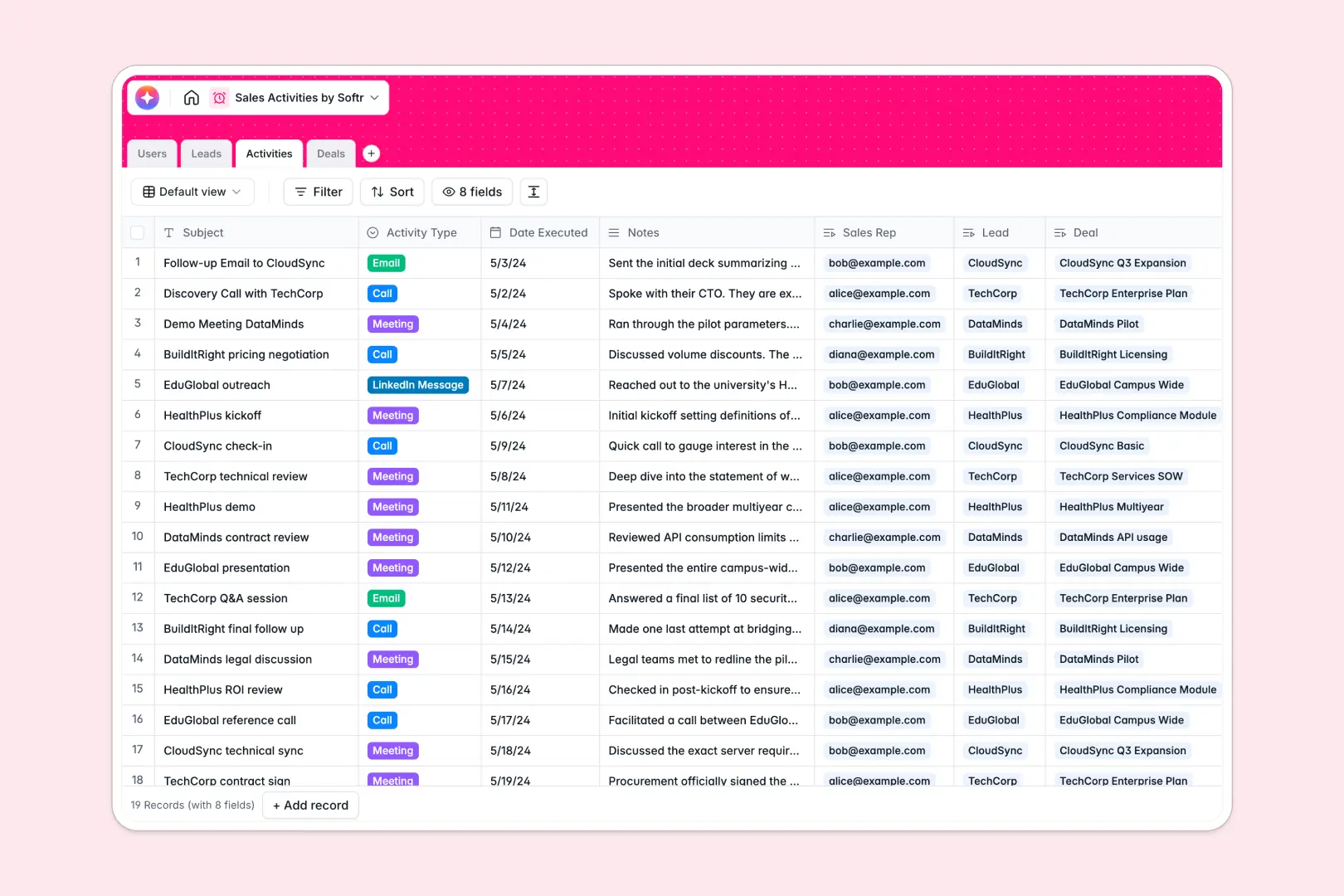
Your Sales Activities database at a glance
This template gives your team a central workspace to manage leads, track active negotiations, and log every touchpoint. No more scattered notes or missed follow-ups.
Everything stays related: sales representatives are linked directly to their leads, deals, and daily logs. You get a clear view of your pipeline value alongside historical customer outreach.
With native AI features, you can automatically extract company profiles from target websites and summarize lengthy call notes directly within your tables.
What to check before building your sales activities base in Airtable
You are right to look for a relational database instead of a spreadsheet to manage sales outreach. Keeping track of deals, contacts, and meetings requires connected tables that do not break under complex lookups. However, building this pipeline in Airtable often reveals hard ceilings when it is time to map it to real team workflows.
What changes with a database built for apps
The biggest challenge with Airtable is scale and sharing. Airtable charges per collaborator, meaning giving your entire team or external partners edit access to sales activities gets expensive quickly. Softr Databases support unlimited collaborators on all plans, allowing you to scale your team without a ballooning bill.
Additionally, Airtable caps your record limits, which is a bottleneck for active outbound sales teams logging hundreds of activities a week. This is exactly what Softr Databases are designed for—giving you high-performance, structured data tables that support up to 200,000 records per database and faster API requests.
What you can do with this template
This template is ready-to-use right out of the box and features native Database AI agents built straight into the fields. Your database can automatically visit prospective websites to assemble company summaries and synthesize key meeting notes instantly.
Because the workspace isn't just a static table, you can adapt your sales stages, add multi-channel logged communication, and monitor total deal values as opportunities progress.
-
Users
Track sales representatives and managers with roles and assignments
-
Leads
Manage potential client targets enriched with AI-powered web insights
-
Activities
Log sales interactions and generate concise bullet summaries using AI
-
Deals
Track pipeline opportunities and utilize AI to suggest the next workflow action
Who is this Sales Activities database for
- Outbound Sales Teams: Log dials, emails, and LinkedIn touchpoints while maintaining complete context.
- Sales Managers: Track representative performance, monitor active deal values, and scale operations.
- Account Executives: Manage active negotiations, review deal owner history, and see complete account context.
- Startup Founders: Centralize initial customer development feedback and manage early company relationships efficiently.
How to take it further
1. Customize the database
You can easily tailor this database to match your exact sales process. Adjust selective dropdown values like deal stages—from Discovery to Closed Won—or add custom fields to track specific technical requirements.
2. Import your existing data
Instead of starting from scratch, bulk upload your current contacts and accounts using the built-in CSV import tool. You can also sync live systems through the developer API to keep deals aligned automatically.
3. Build a full app around it
When you are ready to move beyond raw tables, you can easily build an app on top of this database. Use the AI Co-Builder to generate a custom representative portal where reps only see their assigned leads, while keeping overall sales pipelines secure via granular users and permissions controls. This ensures your data remains protected while giving your team a clean, streamlined interface for their daily outreach.
-
1
-
2
-
3
-
4
Frequently asked questions
-
What is a sales activities database?
-
Why use a no-code database to build a sales activities system?
-
How can AI help managing data for sales activities?
-
Can I build an app with a sales activities database?
-
Is this sales activities template free?
-
How is this template different from an Airtable template?
Start building today. It's free!
Build and launch your first app in under 30 minutes.