


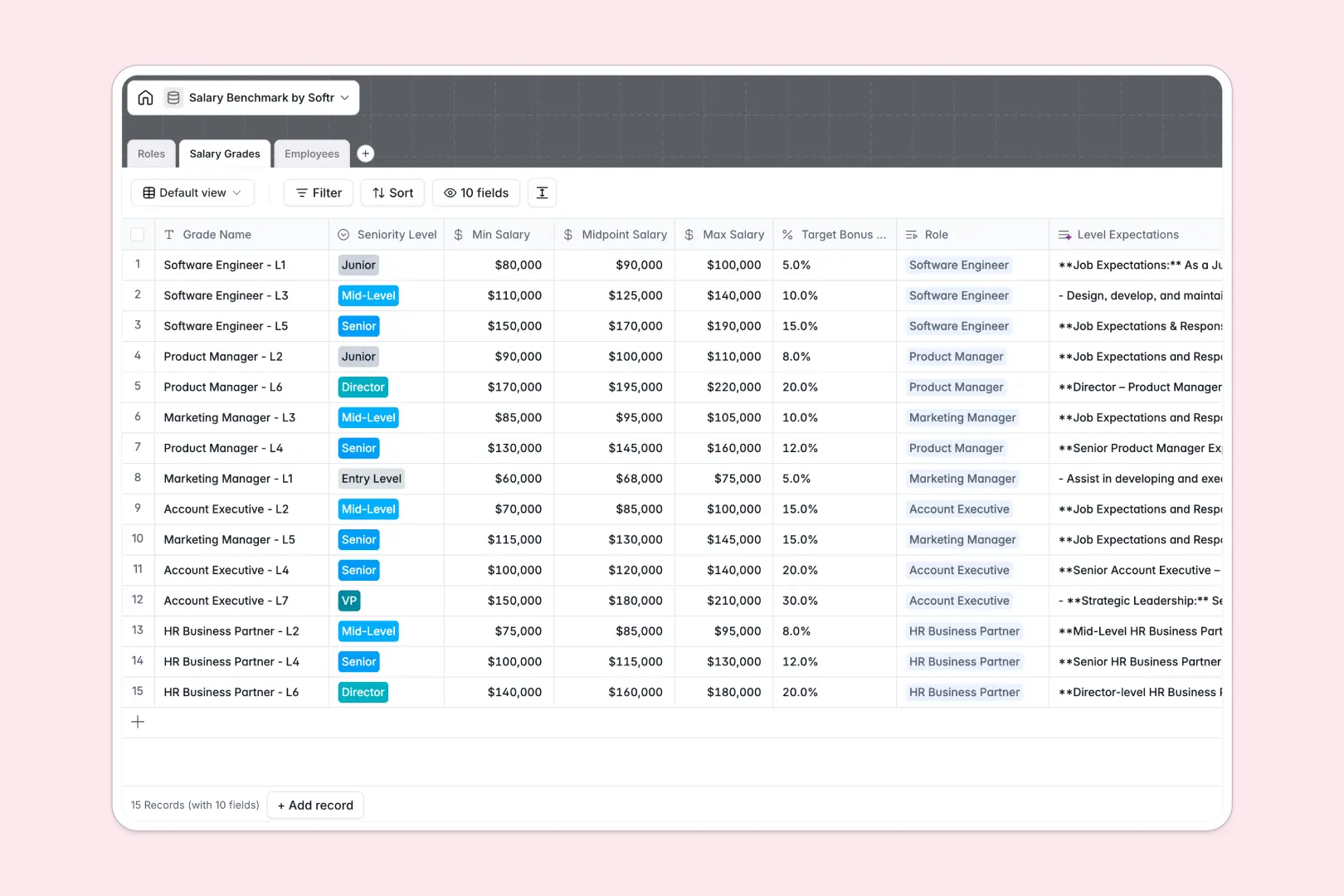
Your Salary Benchmark database at a glance
This template allows HR teams and hiring managers to map internal salary bands directly against live market benchmarks in real time. It helps ensure fair compensation, prevent attrition, and maintain consistent pay structures across your entire organization.
By splitting your data into three connected tables—Roles, Salary Grades, and Employees—you can model your entire compensation plan. No more copying and pasting job levels or guessing if a salary aligns with the market.
Equipped with database AI agents, this database automatically drafts role summaries, outlines level expectations, and generates equity analysis for each employee based on their current compa-ratio.
What to check before building your Salary Benchmark base in Airtable
While Airtable is a solid relational database, setting up a collaborative compensation planning system there often exposes operational and financial friction points.
What changes with a database built for apps
A compensation database contains highly sensitive data that shouldn't be fully visible to everyone. In Airtable, sharing edit access with hiring managers or HR partners means paying expensive per-seat collaborator fees, which quickly penalizes growth.
This is where starting with Softr Databases changes the game. Softr includes unlimited database collaborators, so you can scale your team without premium seat costs or strict record caps.
Because the database and app layer live on the same platform, you can control who sees what. You can build secure manager portals or executive dashboards directly on top of your pay data without stitching third-party tools together.
What you can do with this template
This template lets you immediately audit internal salary positioning using the built-in compa-ratio formula and automatic equity assessments. You can identify underpaid or overpaid employees instantly without complex VLOOKUPs or manual math.
Thanks to built-in database AI agents, you can generate tailored job expectations and local market insights directly in your tables. It simplifies salary reviews and prepares your data for visual presentation instantly.
-
Roles
Define job families and departments, utilizing AI to draft role summaries
-
Salary Grades
Establish salary bands with AI-generated role and level expectations
-
Employees
Audit pay equity using AI to evaluate salary placement and benchmarks
Who is this Salary Benchmark database for
- HR & People Ops Leads: Design structured pay bands and monitor equity compliance automatically.
- Compensation Managers: Track market demand trends and adjust salary grades in real time.
- Finance Directors: Run budget forecasts and review compensation changes against market standards.
- Department Heads: Access approved salary ranges and review team equity without seeing global payroll.
How to take it further
Customize the database
You can easily adapt this database to match your exact compensation philosophy. Add local geographic differentials, modify the performance rating dropdowns, or include currency fields for multiple regional offices without any developer support.
Import your existing data
Bring in your current employee records and market benchmarks in seconds using the direct CSV importer. You can also connect to external salary survey APIs to keep your benchmark tables automatically updated.
Build a full app around it
When your team is ready, you can easily turn this database into a secure application. Use the AI app generator to instantly generate portals with separate dashboards for executives, HR specialists, and line managers.
By defining smart users and permissions, you can ensure managers only view or edit salary bands for their direct reports, keeping sensitive executive comp data completely protected while maintaining a fully unified database.
-
1
-
2
-
3
-
4
Frequently asked questions
-
What is a salary benchmark database?
-
Why use a no-code database to build a salary benchmark system?
-
How can AI help managing data for salary benchmarking?
-
Can I build an app with this salary benchmark database?
-
Is this salary benchmark template free?
-
How is this template different from an Airtable template?
Start building today. It's free!
Build and launch your first app in under 30 minutes.