


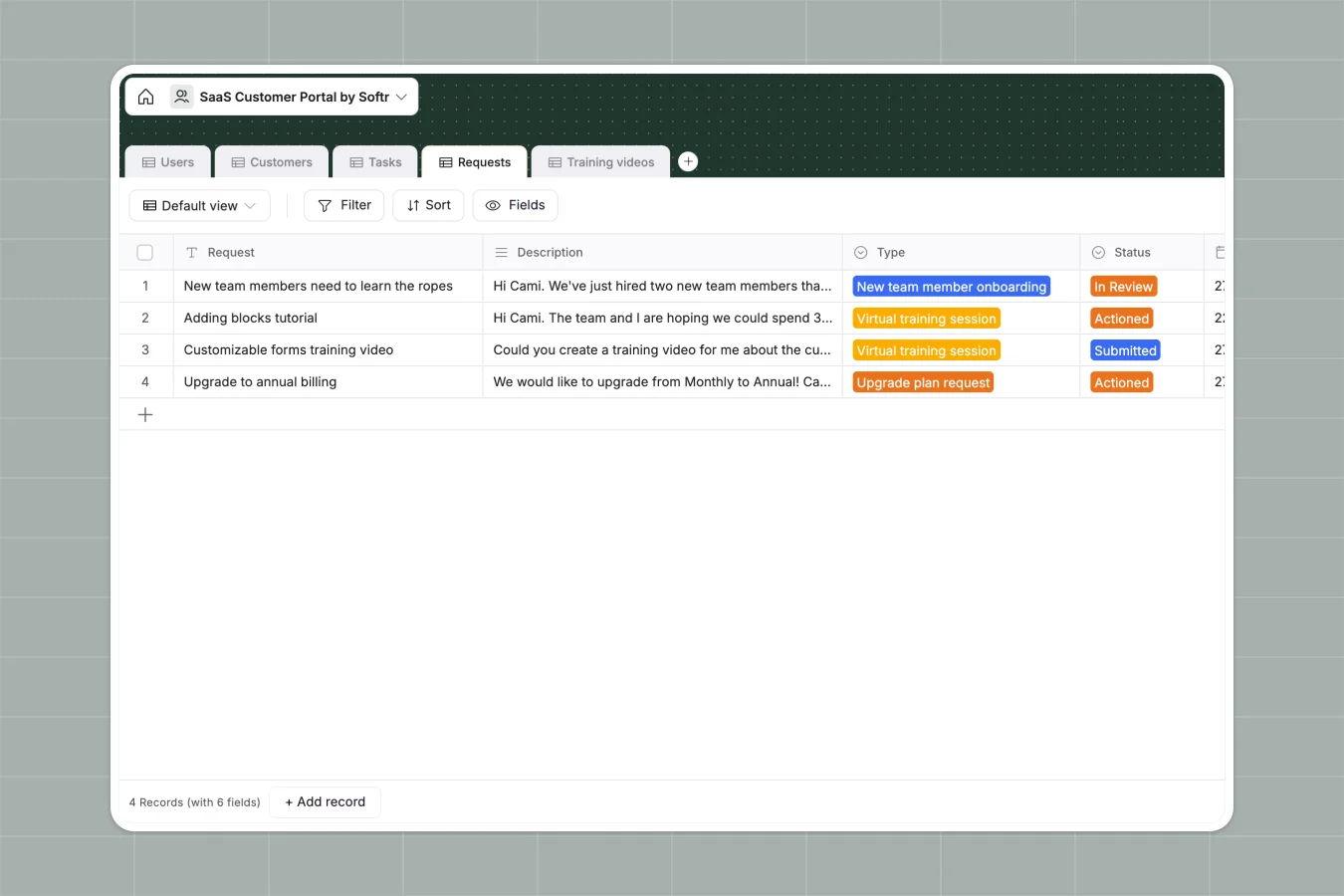
Your SaaS Customer Portal database at a glance
This database template coordinates customer accounts, assigned customer success managers, tasks, and requests. It gives your team a single source of truth for every onboarding checkpoint, custom training asset, and service contract.
Every table connects intelligently. The Customers table lists accounts alongside linked contacts, active tasks, and service tier variables like Basic, Professional, Business, or Enterprise.
What to check before building your SaaS customer portal in Airtable
Airtable is a capable relational database, but building customer-facing systems in it often runs into friction once you start sharing data with external clients.
What changes with a database built for apps
If you build this in Airtable, you will quickly face per-seat pricing limits or complex workarounds to prevent clients from editing the underlying database. Your SaaS customer portal will require you to share data with hundreds of external users without exposing other clients' sensitive details.
This is exactly what Softr Databases are designed for. You get complete database power natively in one workspace, higher baseline scaling records, and zero penalties or per-seat fees for collaborating with external customers.
What you can do with this template
Out of the box, this template categorizes internal workloads. You can track customer requests—ranging from CSM meetings to plan upgrades—and set their status from Submitted to Actioned, keeping everyone aligned.
Additionally, you can run integrated Database AI agents inside your fields to automatically tag request priorities, summarize long-text client bios, or translate notes from customer onboarding sessions.
-
Users
Manage portal users with roles, contact details and customer associations
-
Customers
Track client companies, contract terms, subscription plans and assigned CSMs
-
Tasks
Organize client implementation tasks, completion statuses and training links
-
Requests
Handle client support tickets, onboarding demands and action statuses
-
Training videos
Centralize educational videos mapped to specific clients and tasks
Who is this SaaS Customer Portal database for
This system is built specifically for growing B2B technology teams:
- Customer Success Leaders: Easily track your CSM assignments, customer health milestones, and help requests in one direct hub.
- Onboarding Specialists: Manage customer onboarding items, map custom training video links, and monitor task progression securely.
- SaaS Operations Teams: Standardize client records, contract dates, pricing details, and key account logins without manual copy-pasting.
How to take it further
1. Customize the database
Adjust fields to match your onboarding program. Populate the Plan type select options with your custom SaaS package tiers, or append files like customer onboarding decks to the Customers table.
2. Import your existing data
Setting up takes minutes. You can import your current customer roster via CSV, or pull active columns directly from Airtable, keeping all of your existing account relationships intact.
3. Build a full app around it
When your team is ready, you can use the AI app generator to turn this database into a secure portal. Design client login screens, restrict view settings, and build custom workflows so customers can submit help requests and view their specific onboarding tasks safely.
Using granular users and permissions lets you define exactly who sees what, allowing your internal CSMs to see all company accounts while clients only access their own dashboard.
-
1
-
2
-
3
-
4
Frequently asked questions
-
What is a SaaS customer portal database?
-
Why use a no-code database to build a SaaS customer portal?
-
How can AI help managing data for your SaaS customer portal?
-
Can I build an app with this SaaS customer portal database?
-
Is this SaaS Customer Portal template free?
-
How does this template compare to an Airtable customer portal?
Start building today. It's free!
Build and launch your first app in under 30 minutes.