


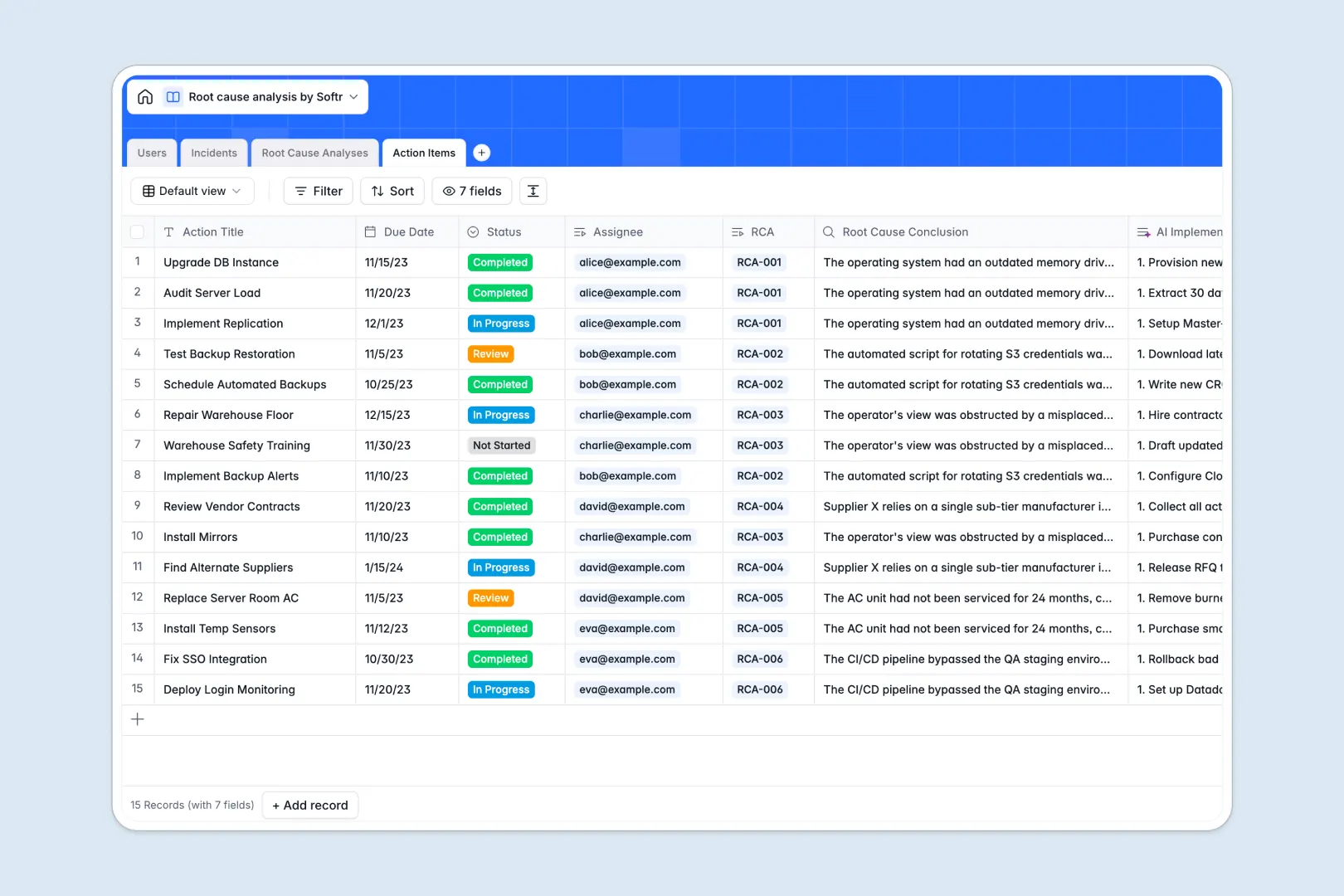
Your Root Cause Analysis database at a glance
This template allows you to systematically record incident breakdowns, conduct deep-dive investigations, and follow through on corrective measures. It keeps teams aligned so that issues are not just resolved temporarily but prevented from happening again.
The system runs on structured, interconnected tables for Users, Incidents, Root Cause Analyses, and Action Items. By linking an incident to its specific analysis and subsequent task checklist, you maintain a complete, audit-ready paper trail without manual duplicate entries.
Built-in AI features automatically summarize long descriptions and draft targeted problem statements. The database even guides your analysis by automatically generating the sequential "5 Whys" questions based on your problem definition.
What to check before building your root cause analysis base in Airtable
If you work with large-scale operations or multiple departments, managing investigations in Airtable can quickly surface friction points that you should evaluate before committing.
What changes with a database built for apps
While databases need structure to stop data rot, they also need to be accessible to standard operators. Sharing a base with multiple team leads in Airtable often triggers per-seat pricing models that scale aggressively.
This is exactly what Softr Databases are designed to solve by offering unlimited collaborators. You get the same relational integrity for linking incidents to action items, but you can share editing access across your entire organization without worrying about licensing costs.
Furthermore, this template lets you build clean interfaces over your data natively. Because investigations require sensitive input, you can set granular access levels without stitching together third-party security layers.
What you can do with this template
This system allows you to easily register and triage incoming issues by severity. Investigators can log their findings, and the template uses Database AI agents to generate a step-by-step implementation checklist for your corrective actions automatically.
Having the analytical logic and the tasks connected in one system means tracking ownership is simple. Remedial tasks stay directly linked to their root causes, so your operations stay resilient and transparent.
-
Users
Track system users handling incidents and assigned action items
-
Incidents
Log system issues alongside AI-powered executive summary bullet points
-
Root Cause Analyses
Conduct deep-dive investigations using AI to formulate the 5 Whys
-
Action Items
Manage preventative tasks with AI-generated step-by-step checklists
Who is this Root Cause Analysis database for
- Operations Managers: Track incident trends, delegate corrective actions, and systematically reduce recurrences.
- Quality Assurance Leads: Manage compliance, document official incident responses, and reference past investigation protocols.
- IT & Support Teams: Run post-mortems on system failures and build an actionable knowledge base of resolutions.
- Safety & Compliance Officers: Audit root causes easily with connected, timestamped incident histories.
How to take it further
Customize the database
You can quickly tailor this template to your team's specific industry, whether that is manufacturing, software, or health services. Add custom priority levels, create specific select options for incident categories, or add columns to track regulatory compliance numbers inside your native workspace.
Import your existing data
If you have a history of logs saved in spreadsheets or other tools, you can upload them instantly via CSV. Import your current incident logs, map your fields, and preserve your past operational insights in a clean relational structure with zero downtime.
Build a full app around it
When your team is ready, you can scale this template into a dedicated internal portal. Our AI app generator can turn this database into a complete software interface with a single prompt.
You can set up advanced users and permissions so that external stakeholders only view summaries, investigators can edit analyses, and engineers only see their assigned action items. It connects your data directly to a clean, user-friendly interface.
-
1
-
2
-
3
-
4
Frequently asked questions
-
What is a root cause analysis database?
-
Why use a no-code database to build a root cause analysis tool?
-
How can AI help managing data for root cause analysis?
-
Can I build an app with this root cause analysis database?
-
How is this template different from a root cause analysis Airtable template?
-
Is this root cause analysis template free?
Start building today. It's free!
Build and launch your first app in under 30 minutes.