


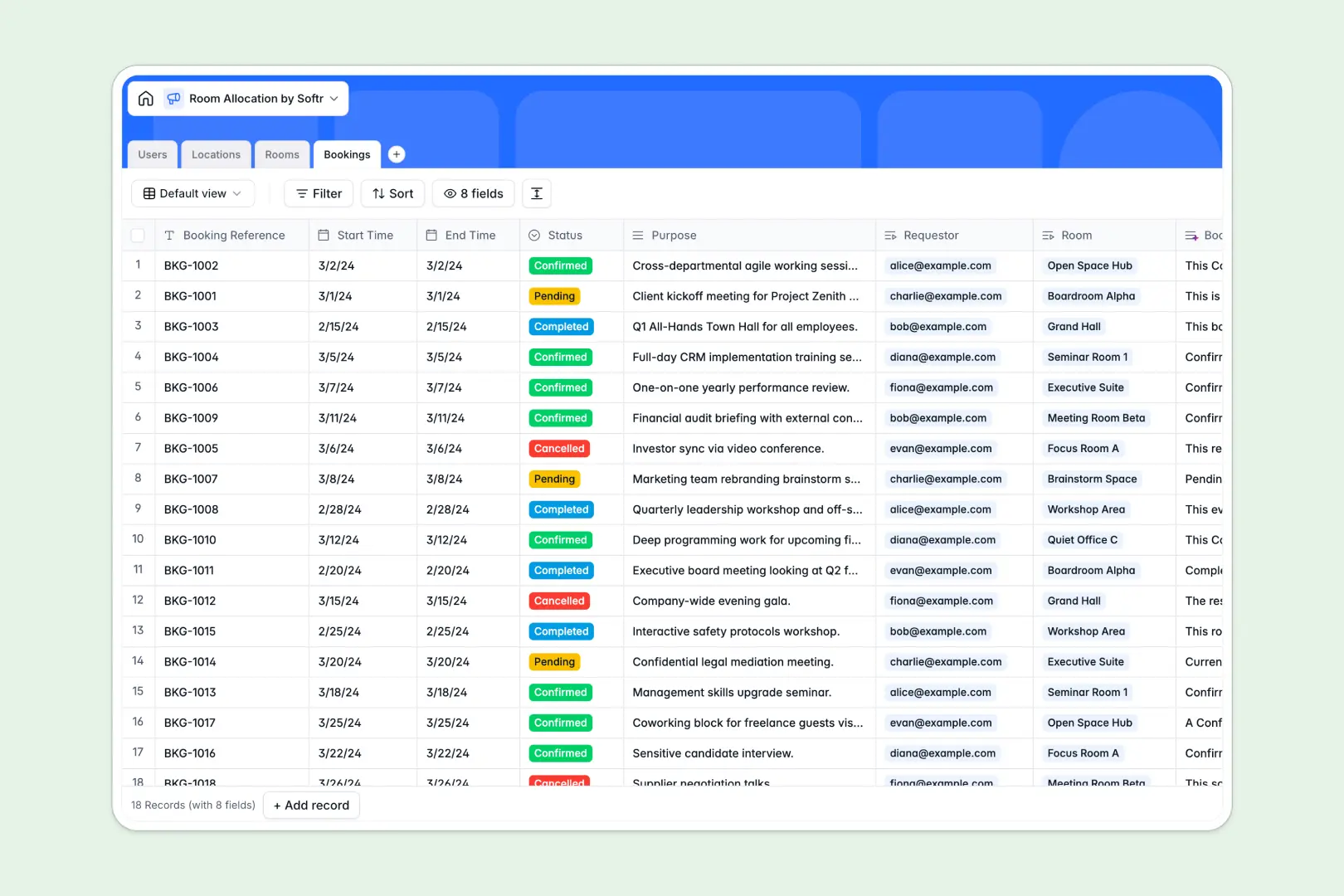
Your Room Allocation database at a glance
This template helps teams or facility managers track desk bookings, private offices, and conference rooms across multiple physical locations.
It connects bookings to specific users and physical rooms, keeping your space utilization completely organized and transparent.
With built-in AI, the database can even write description summaries for rooms and generate facility overviews automatically based on location details.
What to check before building your room allocation base in Airtable
While tracking physical spaces requires a real relational database, relying on Airtable for a shared scheduling system can quickly become restrictive and expensive.
What changes with a database built for apps
Managing bookings requires sharing the system with everyone. Airtable charges per collaborator, which penalizes you for letting staff or guests reserve rooms themselves.
With Softr Databases, you get unlimited collaborators on all plans so your whole organization can request rooms without driving up your monthly bill.
Instead of stitching third-party portal tools to Airtable to control who sees which room, Softr combines raw data and custom access in a single, intuitive platform.
What you can do with this template
Prevent double-bookings by linking users to specific rooms, ensuring real-time status updates from pending to confirmed bookings.
Run built-in Database AI agents to automatically generate descriptions of meeting spaces and draft booking summaries as soon as a request comes in.
-
Users
Manage user profiles, contact information, roles, and room allocations
-
Locations
Track facility branches and generate AI-powered location overview summaries
-
Rooms
Catalog workspaces with capacities and AI-generated space descriptions
-
Bookings
Schedule room allocations and draft reservation summaries using AI
Who is this Room Allocation database for
This template is designed for operations teams and community managers who want transparent space utilization.
- Offices & Coworking Spaces: Coordinate hot desks and conference rooms for employees or external members.
- Facility Managers: Monitor physical locations, addresses, and resource capacities across multiple campuses.
- Event Coordinators: Match upcoming gatherings with available venues or auditorium spaces without scheduling overlaps.
How to take it further
Customize the database: Add customized fields to label amenities like projectors or whiteboards, or adjust the room types from hot desks to custom studios.
Import your existing data: Upload your existing spreadsheet lists of users or rooms using a CSV import, or use our API to sync real-time space data.
Build a full app around it: When you are ready, use our AI app generator to turn this database into a self-service reservation portal.
You can configure custom users and permissions so guests only book specific desks, while admins retain full control over entire locations.
-
1
-
2
-
3
-
4
Frequently asked questions
-
What is a room allocation database?
-
Why use a no-code database to build a room allocation tool?
-
How can AI help managing data for room allocation?
-
Can I build an app with this room allocation database?
-
Is this Room Allocation database free?
-
How is this room allocation database different from an Airtable template?
Start building today. It's free!
Build and launch your first app in under 30 minutes.