


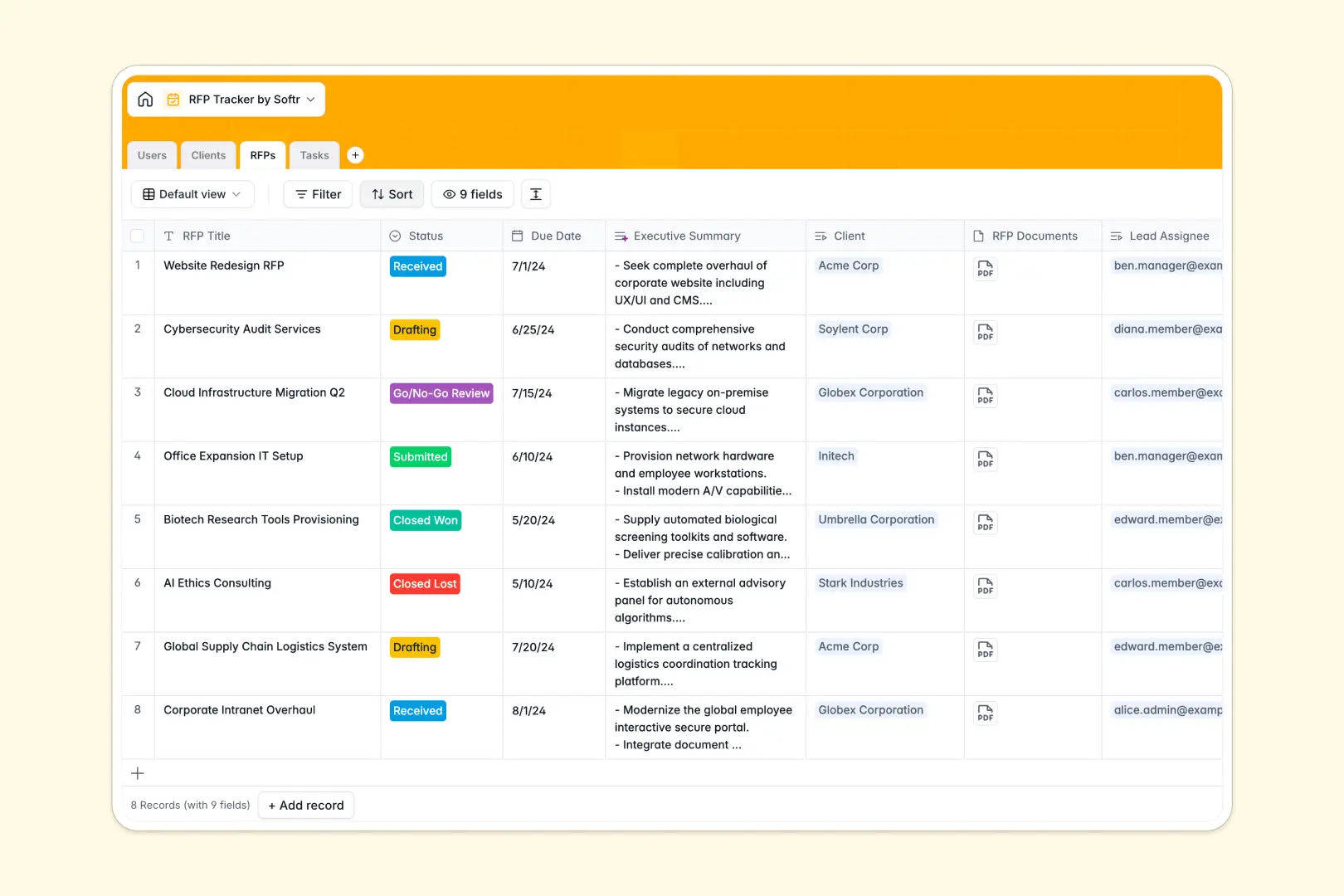
Your RFP Tracker database at a glance
Monitor your entire bidding pipeline in real time. This template keeps your incoming proposals, client profiles, internal team workload, and cross-functional tasks organized in one unified database.
Everything connects naturally behind the scenes. Clients link directly to their specific RFPs, while individual proposal tasks link automatically to their overall RFP and lead assignees.
Native AI features handle repetitive research and writing. The database automatically builds company profiles using client websites, drafts concise executive summaries from your proposal descriptions, and categorizes writer tasks.
What to check before building your RFP tracker in Airtable
When your team is actively writing, editing, and submitting complex bids, collaboration must be seamless and cost-effective.
While Airtable is an excellent relational database, its per-seat pricing means your entire proposal and subject matter expert team will need paid licenses just to edit and update their tasks. Additionally, for large bidding operations, you eventually run into strict database record caps.
What changes with a database built for apps
Storing proposal records is only half the battle; the actual work requires coordination across multiple departments. This is why Softr Databases are integrated directly with an interface and workflow builder from day one.
Instead of paying for a license for every contributor, you get unlimited collaborators so your writers, checkers, and managers can update assignments freely. You also get generous record capacities and high API limit rates to scale your custom proposal operations smoothly.
What you can do with this template
Get started immediately with structured tables for Clients, Tasks, RFPs, and Users. Customize statuses, add document attachments, and change fields without any complex configuration.
Make your workspace proactive with Database AI agents that auto-fill company profiles from live websites and generate bulleted summaries of proposal descriptions to speed up draft reviews.
-
Users
Track team members with contact info, roles and assigned RFPs
-
Clients
Manage client profiles with auto-generated AI company descriptions
-
RFPs
Track proposals, deadlines and draft AI executive summaries
-
Tasks
Organize key sub-tasks with automated AI category tagging
Who is this RFP Tracker database for
- Proposal Managers: Centralize due dates, assign team tasks, and review pipeline status in real time.
- Sales Teams: Track won and lost opportunities while keeping detailed records of client requirements.
- Subject Matter Experts: View and update assigned content tasks, review pricing files, and track due dates.
- Growing Agencies: Scale bidding operations without paying for extra database seat licenses.
How to take it further
Customize the database
Tailor the template to fit your unique bidding process. You can quickly add customized select fields for RFP task categories like "Compliance" or "Engineering" and edit client record columns directly in your Softr Database.
Import your existing data
Avoid manual data entry when moving away from busy spreadsheets. Import historical clients, past wins, and outstanding tasks in Bulk using CSV imports, or set up live API connections to sync data from external CRM systems.
Build a full app around it
When your team is ready, easily build an app or internal portal around your RFP tracker. Rather than sharing raw data, you can build custom interfaces where reviewers only see pending drafts and managers view the high-level dashboard.
With Softr's users and permissions control, you can define exactly who can view, edit, or submit bids. The structured database serves as the ideal foundation for building a robust and secure project hub.
-
1
-
2
-
3
-
4
Frequently asked questions
-
What is an RFP tracker database?
-
Why use a no-code database to build an RFP tracker?
-
How can AI help managing data for my RFPs?
-
Can I build an app with this RFP tracker database?
-
Is this RFP tracker template free?
-
How is this template different from an Airtable template?
Start building today. It's free!
Build and launch your first app in under 30 minutes.