


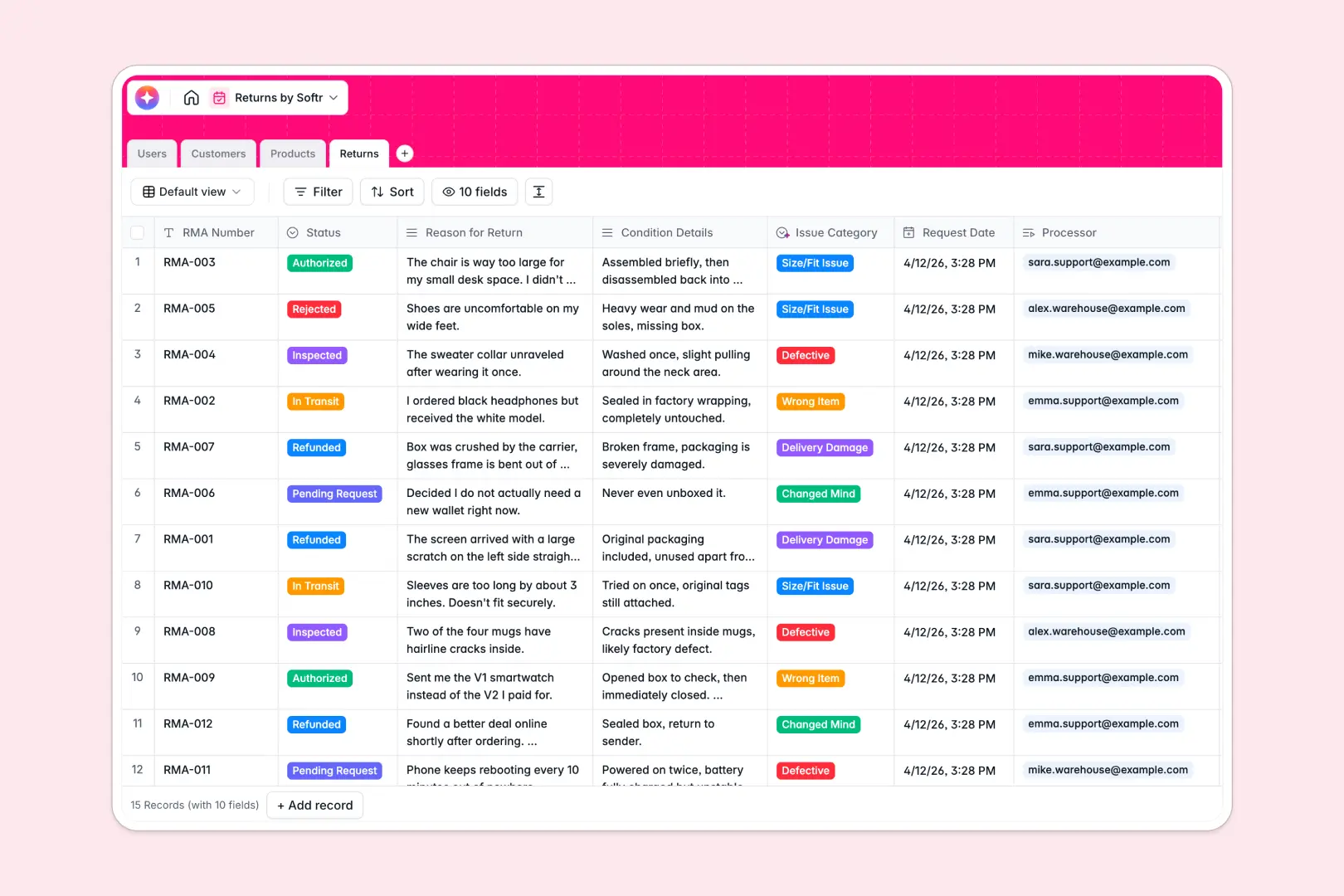
Your Returns Database at a glance
This template gives you an organized way to track and process product returns from request to final resolution. It connects your customers, warehouse crew, and product catalog securely inside a single database.
Everything in this template is linked natively. When a customer initiates a return, their client profile, original order details, and specific returned elements update in real time across related tables.
This database also includes built-in AI fields to save your team manual effort. It automatically analyzes the customer's explanation to assign the correct issue category and generates quick bullet-point summaries for warehouse inspection.
What to check before building your returns system in Airtable
If you are managing e-commerce or retail returns, choosing a structured database is the right approach. Traditional spreadsheets quickly fall apart when trying to track return codes, connect orders to customers, and keep status categories aligned.
While Airtable is a solid relational database, sharing your system with multiple team members gets expensive fast. Since Airtable charges per user for editing access, your warehouse staff, support agents, and managers can quickly run up a high monthly bill.
This is exactly what Softr Databases are designed to solve. Softr doesn't charge per seat, meaning you can invite unlimited collaborators to log returns, update shipment tracking, and process refunds without changing your monthly subscription cost.
What you can do with this template
With this database, you can keep support teams and warehouse crews completely in sync. Support agents can log return requests, and warehouse workers can record the physical condition of goods upon arrival without stepping on each other's toes.
By leveraging Database AI agents, you can automate categorizations instantly. When a customer inputs a return reason, the database categorizes it under 'Defective' or 'Size Issue' automatically so you can spot product quality patterns instantly.
-
Users
Manage internal logistics staff, agents, and administrators handling product returns
-
Customers
Track buyers initiating returns, order frequencies, and contact information
-
Products
Store inventory details and use AI to write engaging product descriptions
-
Returns
Monitor RMA statuses, with AI classification of return reasons and case summaries
Who is this Returns database for
- E-commerce Brands: Coordinate support and shipping to handle RMA tickets in one clean workspace.
- Warehouse Operations: Give receiving crews a clear view to record product conditions and authorize items.
- Customer Support Leads: Easily check refund eligibilities and pull customer history instantly.
How to take it further
Customize the database
To match your specific return policy, you can modify the database in seconds. Add customized return policy options or adjust select field values like 'Restocking' or 'Exchanged' to match your internal shipping rules.
Import your existing data
You don't have to start from scratch. Pull in your active orders, historic customer directory, or product inventory SKU list instantly via CSV upload or API sync.
Build a full app around it
When you are ready to build a portal for your warehouse team or external partners, you can use Softr's AI app generator to turn this database into a complete, secure application.
You can set up granular users and permissions so that warehouse crew can edit return conditions, support staff can issue refunds, and customers see only their own status. A structured database is the ideal foundation for building a returns system that scales.
-
1
-
2
-
3
-
4
Frequently asked questions
-
What is a returns database?
-
Why use a no-code database to build a returns system?
-
How can AI help managing data for returns?
-
Can I build an app with this returns database?
-
Is this returns template free?
-
How is this returns template different from an Airtable template?
Start building today. It's free!
Build and launch your first app in under 30 minutes.