


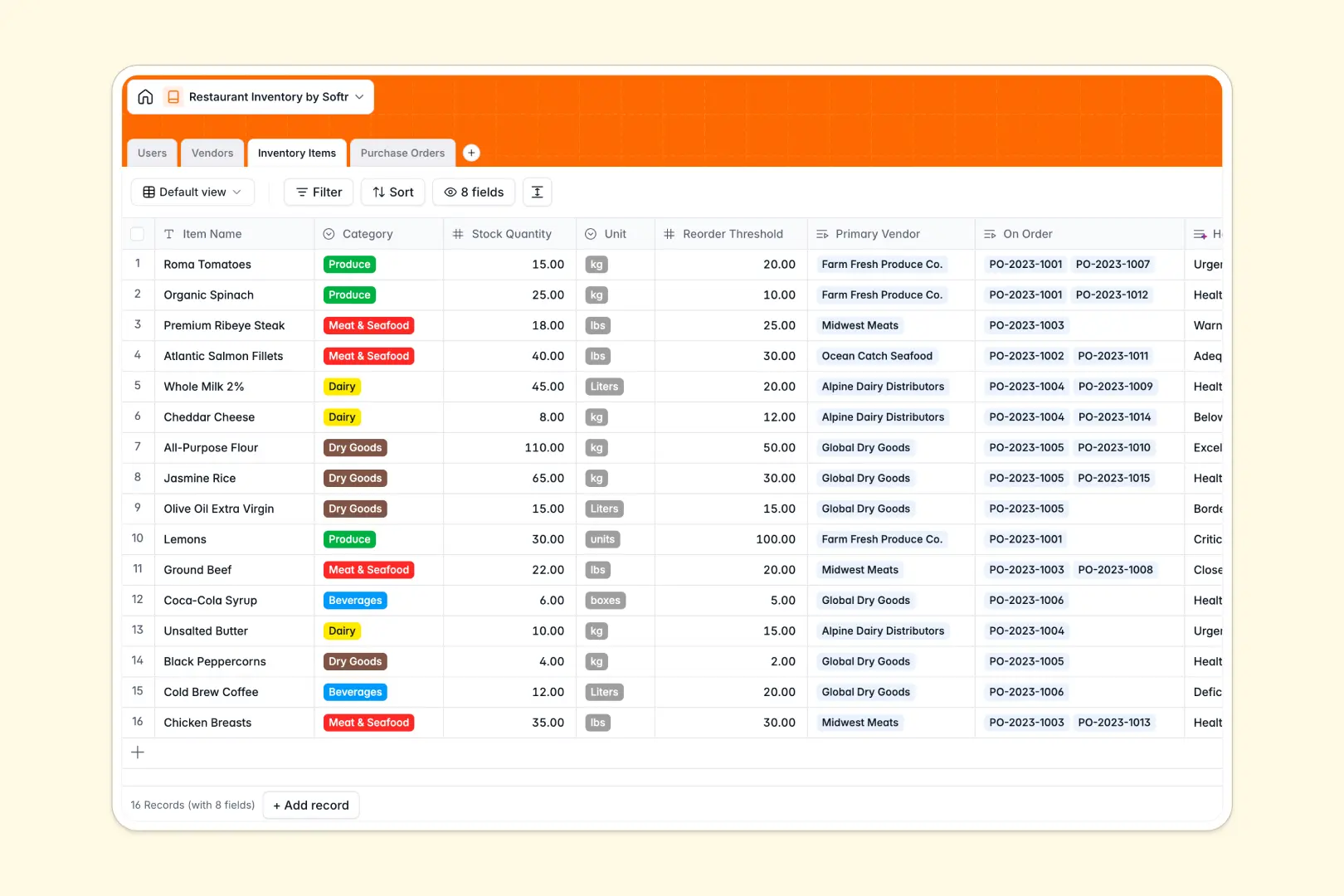
# Your Restaurant Inventory Database at a glance
This template tracks food stock levels, manages suppliers, and streamlines purchase orders to prevent expensive stockouts. It helps restaurant operators maintain full visibility over their food costs and ingredient availability in real time.
By connecting your Inventory Items directly to Vendors and Purchase Orders, your kitchen crew can update quantities and request replenishment without manual double-entry. Everyone from line cooks to administrators works from a single, unified source of truth.
Built-in Database AI agents automatically evaluate your stock health against your reorder thresholds, while researching vendor websites to keep profiles updated.
What to check before building your restaurant inventory base in Airtable
Managing daily shifts, fresh deliveries, and food costs requires real-time coordination across kitchen and purchasing teams. While Airtable is a capable relational database, restaurant groups often face limits around collaboration costs and interface complexity as they scale.
What changes with a database built for apps
Rather than paying expensive per-seat licenses for every single cook or vendor who needs to see or update stock, Softr Databases allow unlimited collaborators on all plans. You can let your entire team report stock without worrying about a rising monthly software bill.
Furthermore, you do not need to stitch multiple software systems together to build simple stock-update forms or supplier portals. Customizable user interfaces and granular edit rules are built directly on top of your live data in the same platform.
What you can do with this template
This template provides a ready-to-use relational structure where your Inventory Items dynamically reflect changes whenever a Purchase Order status moves to "Received." It ensures zero lag between receiving goods at the back door and updating kitchen prep lists.
Using native Database AI agents, you can automate tedious supplier research and generate immediate warnings for items that drop below critical thresholds, keeping your restaurant run efficiently.
-
Users
Track system users managing the restaurant, kitchen staff, and admins
-
Vendors
Manage food suppliers and distributors with AI-generated business summaries
-
Inventory Items
Monitor stock levels of restaurant ingredients with AI-powered health alerts
-
Purchase Orders
Track replenishment orders, costs, and statuses with direct vendor links
Who is this Restaurant Inventory database for
- Line Cooks & Sous Chefs: Track daily prep quantities and log inventory levels quickly during service.
- Restaurant Managers: Oversee total order costs, manage supplier relationships, and track incoming shipments.
- Inventory Coordinators: Administer purchase order draft statuses, approve budgets, and monitor food waste metrics.
How to take it further
1. Customize the database
Modify stock units to match your specific kitchen needs (e.g., cases, ounces, grams) and update category options with your exact menu needs like "Breads" or "Supplies." You can easily add columns for storage locations like "Walk-in Freezer" or "Dry Storage."
2. Import your existing data
Skip the manual re-entry by importing your existing supplier contact lists, item SKUs, and stock counts from spreadsheets or vendor CSV exports into this database in seconds.
3. Build a full app around it
When you are ready, you can build an app on top of this exact database. Using the AI Co-Builder, you can generate helper tools for cooks to count stock on mobile screens, or build private supplier portals with strict access control to control who edits purchase orders.
-
1
-
2
-
3
-
4
Frequently asked questions
-
What is a restaurant inventory database?
-
Why use a no-code database to build a restaurant inventory system?
-
How can AI help managing data for restaurant inventory?
-
Can I build an app with this restaurant inventory database?
-
Is this restaurant inventory template free?
-
How is this template different from an Airtable template?
Start building today. It's free!
Build and launch your first app in under 30 minutes.