


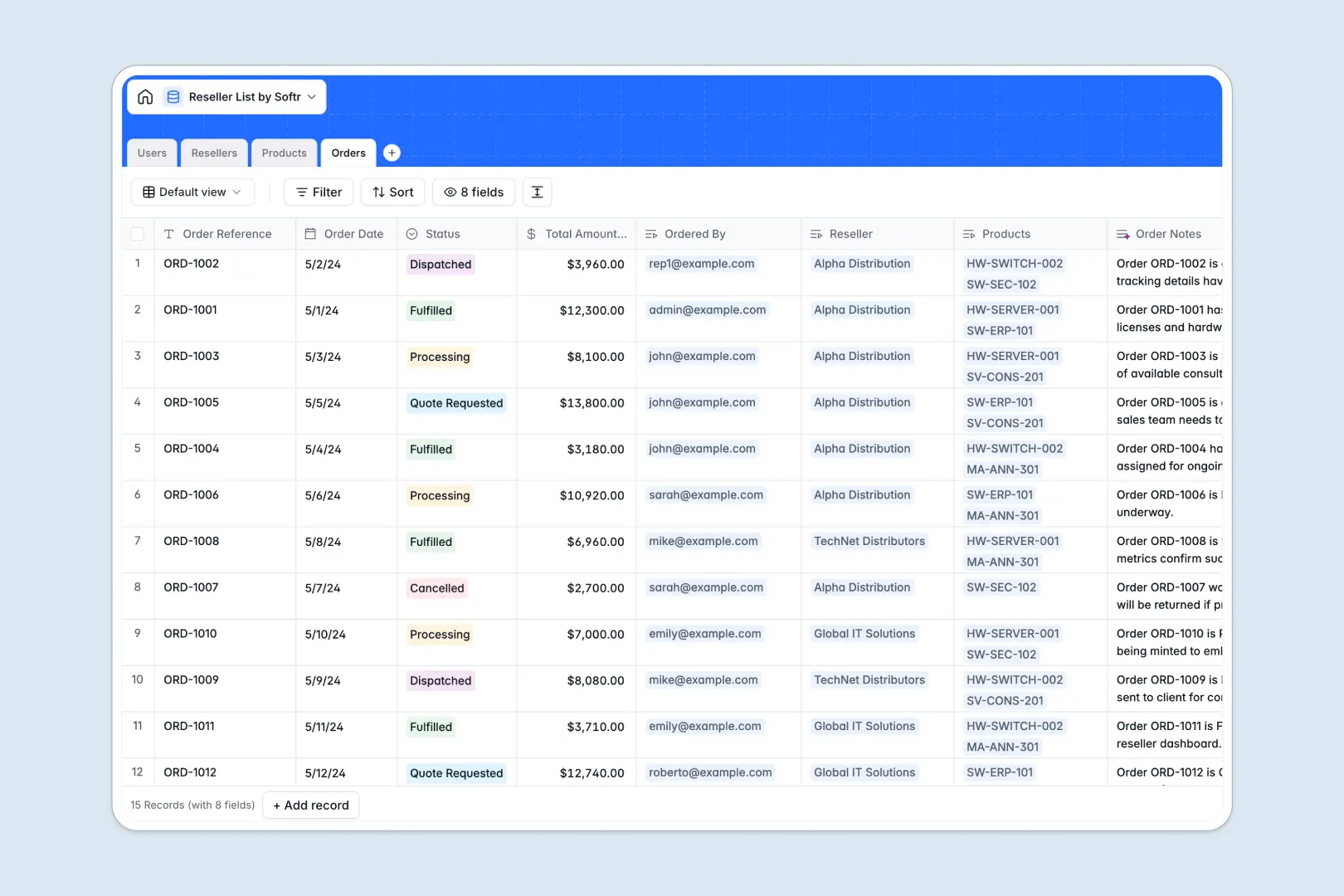
Your Reseller List Database at a glance
This template gives you a central hub to manage authorized distributors, product catalogs, and track purchase orders in real time. It links your product inventory directly to distributor profiles, ensuring everyone works from a single source of truth.
Everything is connected out of the box. Track which reseller placed which order, apply discount tiers automatically, and manage external contact permissions cleanly.
With built-in smart fields, your system automatically researches company details from the web and drafts product marketing taglines to keep your partner assets up to date.
What to check before building your reseller list in Airtable
When managing partners, sharing your database becomes tricky because sharing a base in Airtable requires paying for every single collaborator, which quickly becomes expensive as your reseller network grows.
What changes with a database built for apps
By moving away from siloed bases, you gain a system designed to scale without punishing you for adding users. Softr Databases support large datasets easily and include unlimited partners and collaborators on all plans.
This means you can invite as many resellers, account managers, and logistics staff to interact with your data as you need, without unpredictable monthly seat costs.
What you can do with this template
Using this template, you can automate partner profile research instantly. Built-in Database AI agents automatically visit reseller websites to summarize company backgrounds and generate order summaries as soon as status changes.
You can also maintain strict data integrity while allowing external distributors to check product availability and log purchase orders safely.
-
Users
Manage internal staff and external reseller contacts with system access
-
Resellers
Track authorized distributors and search web details using AI summaries
-
Products
Maintains product catalog details and produces marketing taglines with AI
-
Orders
Track reseller transactions and automatically generate log summaries with AI
Who is this Reseller List database for
- Channel Managers: Access unified distributor contact lists and track partner performance rankings in one view.
- Sales Operations: Standardize partner discount tiers and automate the calculation of post-discount order values.
- External Resellers: View accurate product details, see applicable tier pricing, and submit purchase requests directly.
How to take it further
1. Customize the database
You can customize the fields to match your channel program perfectly. Change standard discount tiers, append custom categories like software licenses, or add location tags to route incoming orders to regional managers.
2. Import your existing data
Move your existing distributor lists and product catalogs into this database in seconds. Upload any clean CSV file directly into your tables, or sync live data via our developer API to begin work immediately.
3. Build a full app around it
When your team is ready, you can easily turn this database into a secure application. Use the AI app generator to describe the portal you want, and it will build an interface on top of this exact structure.
Creating a partner portal with granular users and permissions ensures that resellers only see their own order history and tier-appropriate prices while keeping internal margins secure.
-
1
-
2
-
3
-
4
Frequently asked questions
-
What is a reseller list database?
-
Why use a no-code database to build a reseller list system?
-
How can AI help managing data for reseller lists?
-
Can I build an app with this reseller list database?
-
Is this Reseller List template free?
-
How is this reseller list template different from Airtable?
Start building today. It's free!
Build and launch your first app in under 30 minutes.