


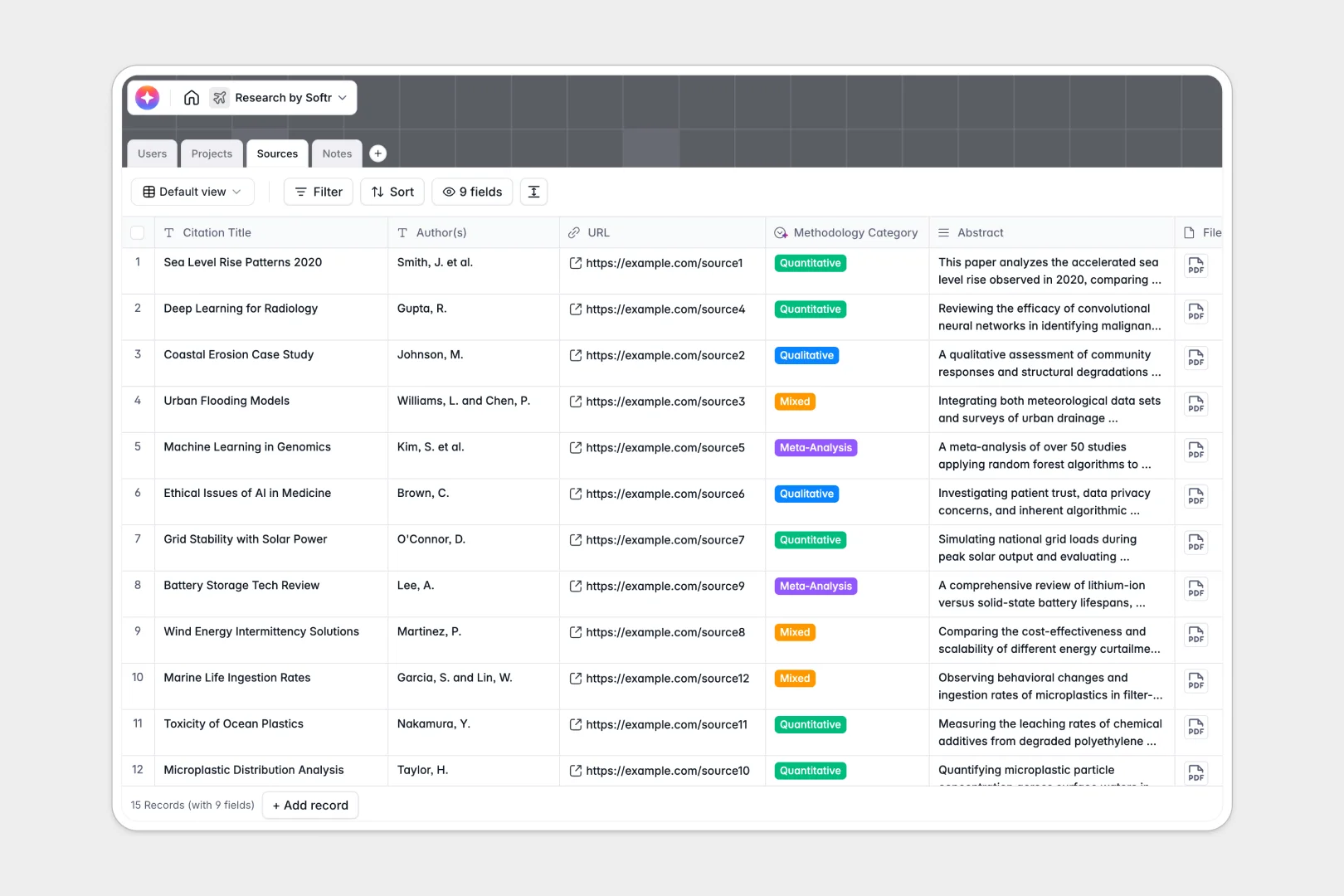
Your Research Database at a glance
This template helps you organize and execute complex research projects without losing track of your sources, methodology, or collaborators. By centralizing everything, your team can move from individual insights to structured, accessible institutional knowledge.
Everything is built on four connected tables: Projects, Sources, Notes, and Users. For example, every piece of literature you track in your sources list links back to its parent project and can connect directly to specific research notes.
This template also comes with built-in AI fields that automatically summarize long abstracts, categorize research methodologies, and suggest actionable next steps based on your notes.
What to check before building your research base in Airtable
While Airtable is a highly capable relational database, setting up a collaborative research network there often hits immediate scale and price barriers.
What changes with a database built for apps
When multiple research teams, assistants, and administrators need to update status files or upload literature, Airtable's per-seat pricing gets expensive quickly. Every new collaborator who needs edit access raises your monthly bill. Under a native Softr Databases structure, you get unlimited collaborators across all plans, so your entire lab or department can edit and organize data without seat-based fees.
Additionally, building a research network means sharing different views with different roles. Instead of stitching together external form tools and interface platforms to hide sensitive administrator data, the app-building layer is entirely native here. You can control data visibility down to the individual user role with zero platform-hopping.
What you can do with this template
With this setup, you can manage active projects through custom workflows, track authors, and view files instantly. Database AI agents act directly on your tables to auto-summarize abstracts, categorize study methodologies, and suggest research next steps directly inside your notes table.
Because this template is fully customizable, you can change progress metrics, adjust role definitions, and import existing data in seconds.
-
Users
Track research team members, roles, contact information, and project assignments
-
Projects
Manage active research studies, project milestones, statuses, and key contributors
-
Sources
Organize reference materials, publications, and files with AI-generated summaries
-
Notes
Record methodology logs and findings with AI-generated actionable next steps
Who is this Research Database for
- Academic & Industry Labs: Centralize multiple active projects and cross-reference literature citations in a clean index.
- Lead Researchers: Assign tasks, maintain methodology standards, and track project completion rates in real time.
- Research Assistants: Log field notes quickly and upload source materials directly to active investigation files.
- Grant & Admin Managers: Monitor research progress, project timelines, and team access permissions instantly.
How to take it further
Customize the database
Adjust fields to match your exact scientific or market research workflows. You can rewrite select menus like Methodology Category or add new fields to track grant funding and publish dates.
Import your existing data
If you have folders of sources or Excel logs, bring them over quickly. You can upload files and citations using a CSV import, or use the API to sync new entries from external discovery platforms.
Build a full app around it
When you need to share access securely, you can generate an app with AI directly on top of this database. Build a professional search portal for students or external partners to search sources without seeing raw user details.
Configure custom users and permissions so assistants can submit research notes but administrators control project approval stages, creating an organized, secure system that grows with your research.
-
1
-
2
-
3
-
4
Frequently asked questions
-
What is a research database?
-
Why use a no-code database to build a research system?
-
How can AI help managing data for research?
-
Can I build an app with this research database?
-
Is this research template free?
-
How is this different from a research base in Airtable?
Start building today. It's free!
Build and launch your first app in under 30 minutes.