


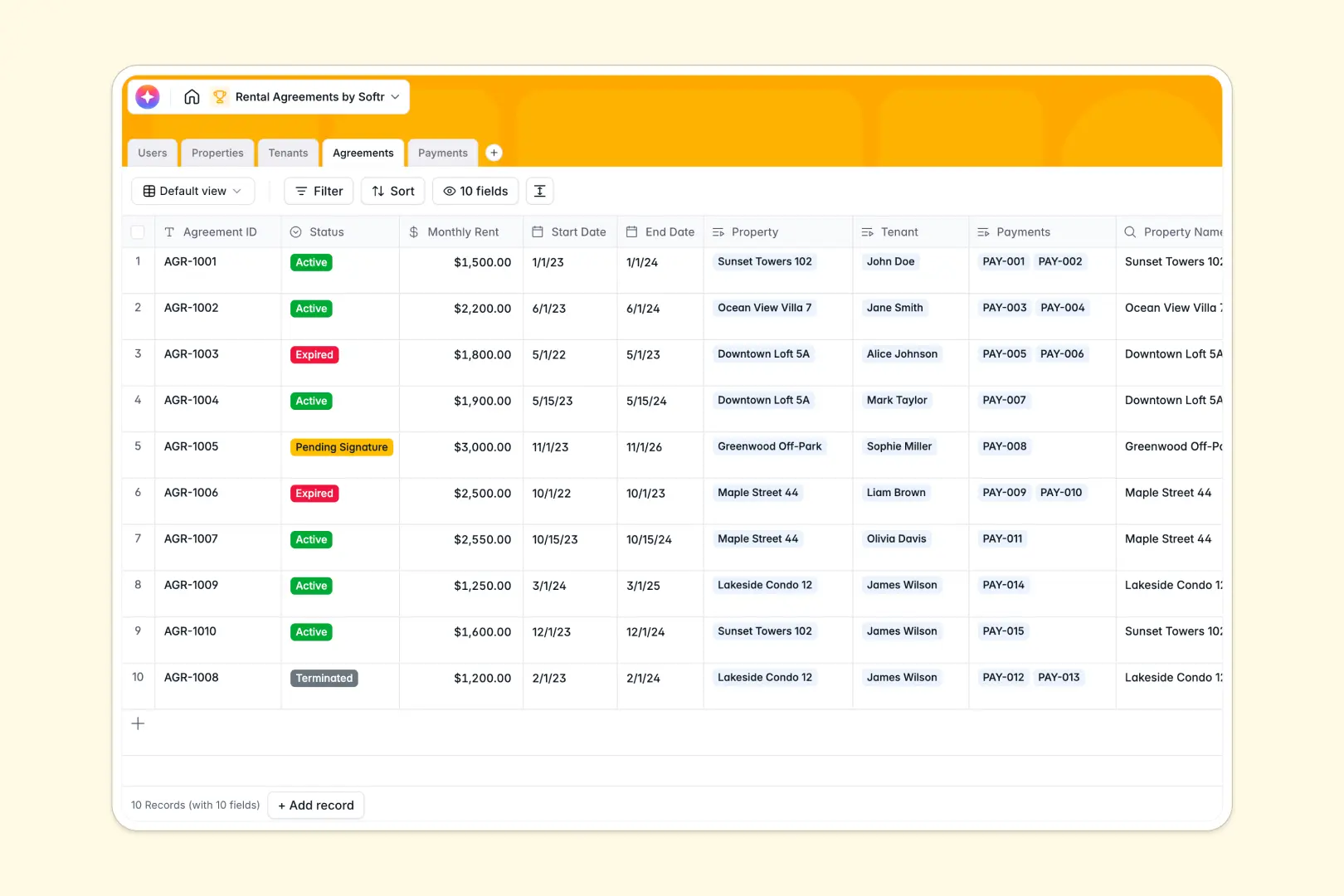
Your Rental Agreements database at a glance
This template provides a clear, structured way to organize your complete leasing cycle. Easily track real estate listings, applicant status, active leases, and payment histories without messy context-switching.
Every essential piece of data is neatly categorized across dedicated tables—including managed properties, tenants, agreements, and payment ledgers—with built-in relationships that automatically link everything together.
With integrated AI capabilities, this database automatically generates compelling listing descriptions for your properties and handles writing concise contract term summaries based on your monthly rent and lease status metrics.
What to check before building your rental agreements base in Airtable
When managing properties and legal contracts, sharing real-time lease and payment details with your entire team of regional managers and administrators is essential for smooth operations.
While databases are the right format for structured records, Airtable's per-seat pricing model can quickly become expensive as more team members, maintenance staff, and contractors need editing access.
What changes with a database built for apps
Instead of paying for every single stakeholder who needs collaborator access, you can use Softr Databases which include unlimited collaborators on all pricing plans.
This means your property manager, accountant, and office assistants can all safely edit payment records or update background checks without driving up your monthly software bill.
Standardizing data entries is simple because field types enforce structure, keeping document attachments, start dates, and payment history perfectly clean and validated as your portfolio grows.
What you can do with this template
Directly link your tenants to specific properties and keep a real-time ledger of paid, pending, or overdue monthly rent collections.
Utilize Database AI agents within your tables to streamline property marketing by instantly drafting listing details, or summarize complex leasing terms automatically.
-
Users
Manage contacts, property managers, internal staff, and system access
-
Properties
Track rental units with photos, features, and AI-generated listings
-
Tenants
Maintain applicant records, background checks, and active renter profiles
-
Agreements
Manage contracts with rental terms and AI-powered agreement summaries
-
Payments
Log rental transactions, payment statuses, receipts, and historical data
Who is this Rental Agreements database for
This template is built specifically for real estate operators who want clean, accessible records without paying steep administrative seat costs.
- Property Managers: Seamlessly log property assets, organize tenant communication, and track agreement statuses.
- Leasing Agents: Check background screening details, monitor renewal timelines, and track pending signatures.
- Real Estate Owners: View portfolio performance, confirm monthly revenue collection, and access clean leases in one click.
- Independent Landlords: Maintain professional payment ledgers and rental summaries without costly IT infrastructure.
How to take it further
1. Customize the database
Tailor the tables to your specific real estate operations. You can easily add fields for security deposits, custom lease clauses, or amend the current Property Type choices to include student housing or co-working setups.
2. Import your existing data
Migrate your leasing records smoothly. Use the CSV import tool to upload your existing list of properties, tenant registries, and current payment sheets to get started immediately.
3. Build a full app around it
When you are ready to transition from a secure backend database to an interactive portal, you can build an app using Softr's AI Co-Builder to generate custom views for tenants or managers.
Establish granular users and permissions so tenants can only access their specific payment records and lease PDFs, while property managers log in to edit agreements, update details, or approve documents on lease sign-up.
-
1
-
2
-
3
-
4
Frequently asked questions
-
What is a rental agreements database?
-
Why use a no-code database to build a rental agreement system?
-
How can AI help managing data for rental agreements?
-
Can I build an app with this rental agreements database?
-
Is this rental agreements template free?
-
How is this template different from an Airtable template?
Start building today. It's free!
Build and launch your first app in under 30 minutes.