


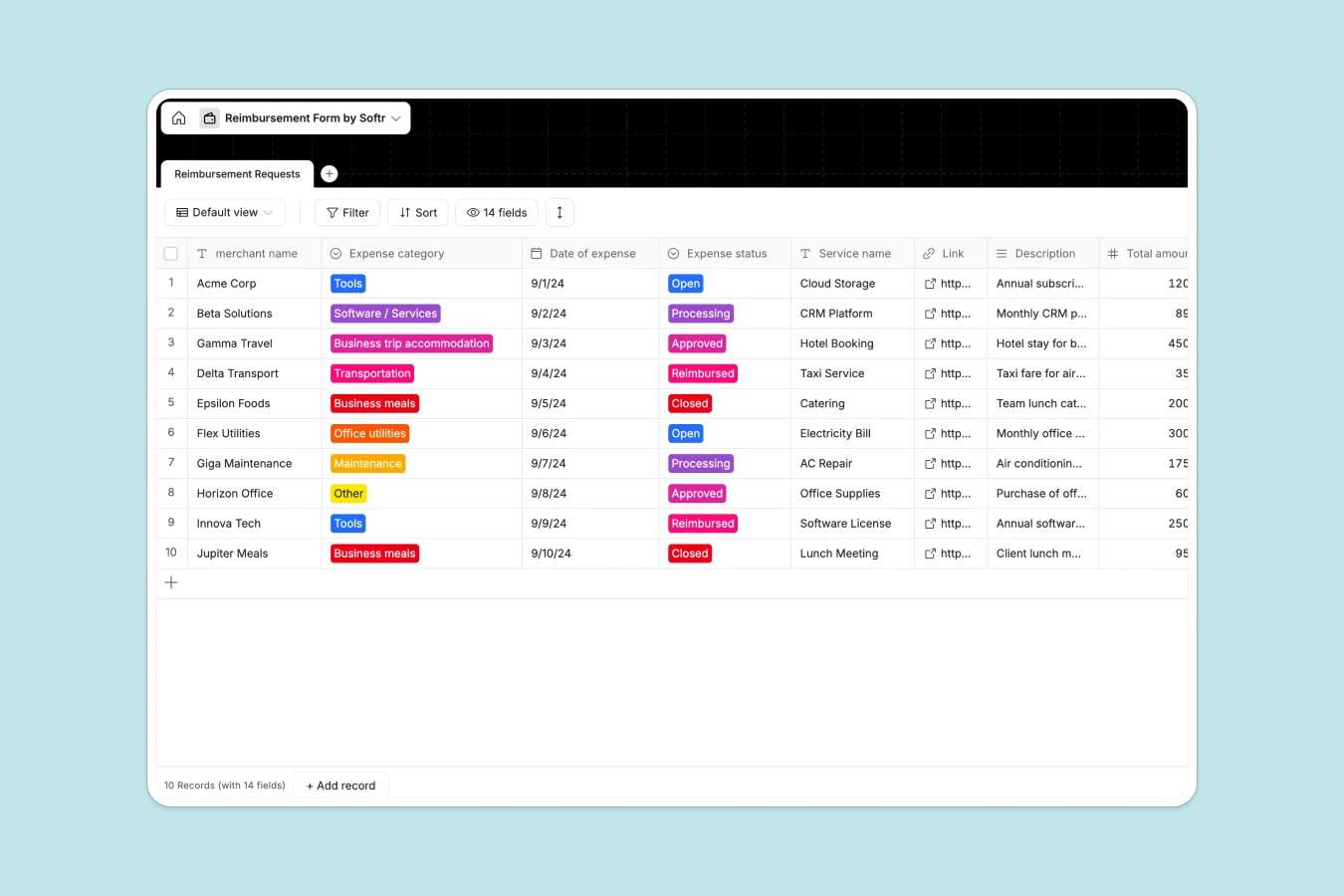
Your Reimbursement database at a glance
This ready-to-use template helps you centralize expense claims, monitor approval pipelines, and handle employee payouts efficiently. It aggregates critical details like merchant names, expense categories, amounts, currencies, and receipt files in a single, structured view.
By keeping every request categorized from "Tools" to "Business trips" and tracking stages from "Open" to "Reimbursed", your finance team can process approvals without endless back-and-forth emails.
What to check before building your reimbursement base in Airtable
While Airtable is a powerful tool for relational data, managing employee expenses there often hits friction when you need to share the database with your entire team.
Because Airtable charges per-collaborator fees for editing access, inviting every employee to submit and track their expenses directly in your base gets expensive fast. You either face a high monthly bill or end up stitching together third-party form builders and portal tools just to protect your budget.
What changes with a database built for apps
When you use a structured database that is natively design-ready for employee interfaces, you avoid these workarounds. This is exactly what Softr Databases are designed for.
You gain the robust relational structure of a database—supporting proper drop-downs, date fields, number formatting, and file attachments—without the per-seat pricing handcuffs. Softr scales with your business by offering unlimited collaborators on all plans.
What you can do with this template
This template gives you an instant, secure place to log merchant details, transaction dates, and total amounts. You can easily categorize costs, attach PDF or image receipts directly to the record, and track VAT calculations in real time.
Best of all, you can instantly turn this schema into a secure portal where employees only see their own submissions, while managers view and approve pending claims.
-
Reimbursement Requests
Manage employee expense claims with status tracking, amounts, and receipts
Who is this Reimbursement database for
- Finance Teams: Streamline expense reviews, enforce approval workflows, and maintain an audit-ready archive of receipt files.
- Operations Managers: Gain clear visibility into team spending trends across tools, software, and business travel.
- Growing Startups: Replace disorganized spreadsheet trackers with a structured database that scales without added per-seat costs.
- Remote Teams: Allow globally distributed employees to submit expenses in multiple currencies like USD, EUR, and GBP.
How to take it further
Customize the database
You can easily tailor this template to your exact company policies. Adjust the "Expense category" dropdown to match your specific chart of accounts, or add custom fields to track department codes and project-specific billing.
Import your existing data
If you have active expense logs, you can import them immediately via CSV upload or API sync. Transitioning away from legacy spreadsheets or exporting existing records into this database takes only a few clicks.
Build a full app around it
Once your data structure is set, you can generate an app with AI to build a custom employee reimbursement portal. In just one click, Softr's AI Co-Builder designs an interactive interface on top of this exact database.
You can then set granular users and permissions so employees can only view or edit their own claims, while finance administrators get access to a master approval dashboard.
-
1
-
2
-
3
-
4
Frequently asked questions
-
What is a reimbursement database?
-
Why use a no-code database to build a reimbursement system?
-
How can AI help managing data for reimbursements?
-
Can I build an app with this reimbursement database?
-
Is this reimbursement template free?
-
How is this reimbursement template different from an Airtable template?
Start building today. It's free!
Build and launch your first app in under 30 minutes.