


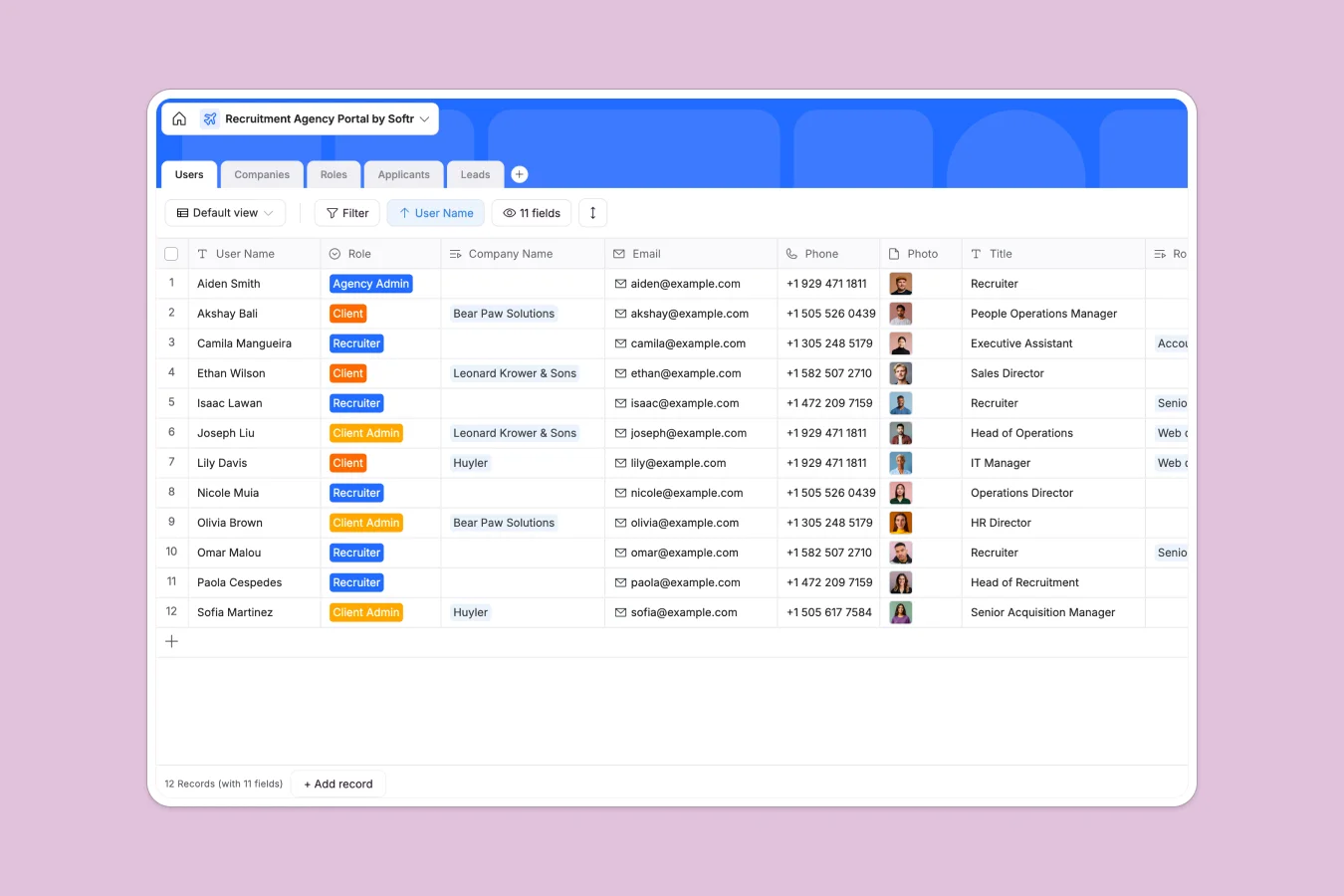
Your Recruitment Agency Portal database at a glance
This template provides a clear, structural hub for managing your recruitment agency pipeline, linking candidate resumes with open roles and specific client companies. Easily track candidate applications, control recruiter ownership, and monitor incoming business leads in one unified system.
The database uses pre-built, relational tables—including Users, Companies, Roles, Applicants, and Leads—that are natively linked together. For instance, when you update an applicant's interview status, it automatically updates the counts for the corresponding role and client company without manuals exports.
Where recruitment agency databases outgrow Airtable
If you are evaluating Airtable for your recruitment agency operations, you are absolutely right to want a real relational database rather than a spreadsheet. Recruiting requires strict field types for emails, resume attachments, and interconnected tables for candidates and job openings. However, there are critical limitations you should consider before committing.
What changes with a database built for apps
Sharing data safely with external hiring managers and candidate pools becomes highly restrictive in Airtable due to its rigid per-seat pricing model. Every collaborator with editing rights triggers an additional monthly cost, which punishes growth as your pool of recruiters, clients, and candidates expands.
This is exactly why Softr Databases are built within a platform that provides unlimited collaborators on every plan. Instead of sharing a database directly, you can easily build native portals and login screens with different permissions, allowing clients to see only their jobs and applicants without risking your entire database's integrity.
What you can do with this template
With this database, you can map complete workflows from first contact to signed offer. You can store resume attachments, manage screening notes, track hiring milestones, and calculate open positions automatically using built-in rollups.
You can also run Database AI agents on your fields to automatically parse incoming resumes, summarize candidate work experience, or pre-qualify applicants based on open role descriptions directly inside your database columns.
-
Users
Manage agency staff, recruiters, and client contact profiles
-
Companies
Track active clients, company details, logo, and job count
-
Roles
Manage open job opportunities, targets, locations, and applicants
-
Applicants
Monitor candidates through pipeline stages from screening to hire
-
Leads
Track potential agency clients from initial inquiry to signed contract
Who is this Recruitment Agency Portal database for
- Independent Recruiters: Maintain complete control over candidate relationships, screening notes, and client communication.
- Staffing Agencies: Coordinate assignments, manage recruiter workloads, and deliver clean applicant pools to client admins.
- HR Consultancies: Securely manage incoming hiring leads, job opening kickoffs, and target hire dates for multiple businesses.
How to take it further
Customize the database
Modify this ready-made template to fit your precise recruiting workflows. You can easily adjust the selection options for application statuses (e.g., from Phone Screen to Signed) or add specific recruiter categories to the user table.
Import your existing data
Move your existing spreadsheets, client logs, or active candidate lists into this workspace in minutes. You can use the direct CSV import to bring in your data and map columns to their correct field types automatically.
Build a full app around it
When you are ready, you can elevate your database into a custom portal. Use the Softr AI app generator to turn these tables into a live web app with dedicated login flows for clients, candidates, and internal staff.
By building an interface on top of your database, you can define granular users and permissions. This ensures clients only see their own job listings and assigned applicants, and recruiters secure their exclusive candidate interactions.
-
1
-
2
-
3
-
4
Frequently asked questions
-
What is a recruitment agency portal database?
-
Why use a no-code database to build a recruitment agency portal?
-
How can AI help managing data for recruitment?
-
Can I build an app with this recruitment database?
-
Is this recruitment template free?
-
How is this different from an Airtable template?
Start building today. It's free!
Build and launch your first app in under 30 minutes.