


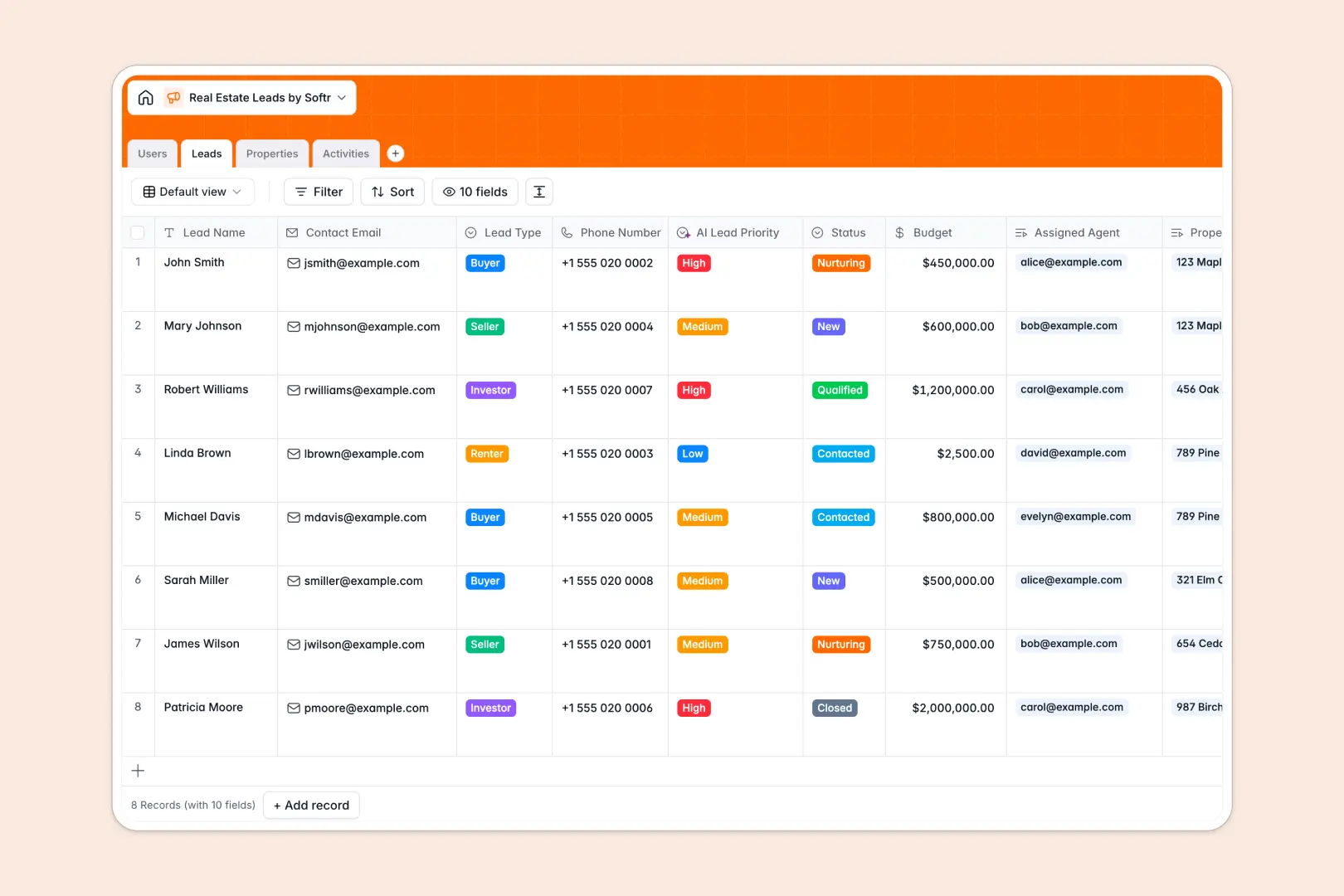
Your Real Estate Leads database at a glance
This template provides a clear system to track buyer and seller inquiries, manage property listings, and log agent interactions. Keep every deal on course without getting lost in long email chains or manual sheets.
Our relational tables seamlessly connect leads to active property listings and assigned agents. This ensures everyone on your team knows exactly who is handling which client and physical property.
Built-in intelligent fields automatically categorize prospect priority based on budget and status, and can write clear action items straight from your discussion notes.
What to check before building your real estate leads base in Airtable
While starting with a database is the right move, Airtable's per-seat pricing often penalizes growing real estate agencies who need to share lead pipelines with multiple brokers and admins.
What changes with a database built for apps
Traditional databases can get expensive quickly because they bill you for every collaborator who needs editing rights.
Softr Databases are structured differently, offering generous record limits and unlimited collaborators on all plans so your entire team can input data without surprise fees. It lets you store your contacts, agent directories, listings, and logged calls in a centralized place that is ready to grow with your business.
What you can do with this template
With this pre-built system, you can centralize your entire real estate pipeline right out of the box. Track status details from "New" to "Closed" and connect property profiles to interested buyers instantly.
This template also uses Database AI agents to automatically calculate lead priority and summarize property notes so your agency spends less time typing and more time showing homes.
-
Users
Track agents, brokers, and staff with contact info and assigned leads
-
Leads
Manage potential clients with custom budgets and AI-powered lead prioritization
-
Properties
List property details featuring AI-generated local neighborhood profiles
-
Activities
Log communications and visits with AI-extracted key follow-up action items
Who is this Real Estate Leads database for
- Boutique Agencies: Track listings and client communications in one centralized system without paying for bloated database software.
- Independent Brokers: Structure buyer requirements and seller properties using simple relational connections.
- Real Estate Agents: Log showings, calls, and next steps quickly to keep your pipeline clean and active.
How to take it further
Customize the database
You can easily tweak fields to match your local market. Rename select options, change currency formatting for your budgets, or add custom fields to record properties with specific amenities like pools or garage spaces.
Import your existing data
Move your historical lead spreadsheet and active listings over in seconds using our direct CSV importer. You can also connect external contact capturing tools via API to push new web inquiries straight into your pipeline tables.
Build a full app around it
When your agency is ready, you can easily use our AI app generator to turn this relational database into a secure client portal or agent dashboard. By creating custom users and permissions, you can let agents log in to see only their assigned leads while admins retain access to full agency reports. Because your system starts with a well-structured database, generating a functional app takes only a few minutes.
-
1
-
2
-
3
-
4
Frequently asked questions
-
What is a real estate leads database?
-
Why use a no-code database to build a real estate lead system?
-
How can AI help managing data for real estate leads?
-
Can I build an app with this real estate leads database?
-
Is this Real Estate Leads database template free?
-
How is this template different from an Airtable template?
Start building today. It's free!
Build and launch your first app in under 30 minutes.