


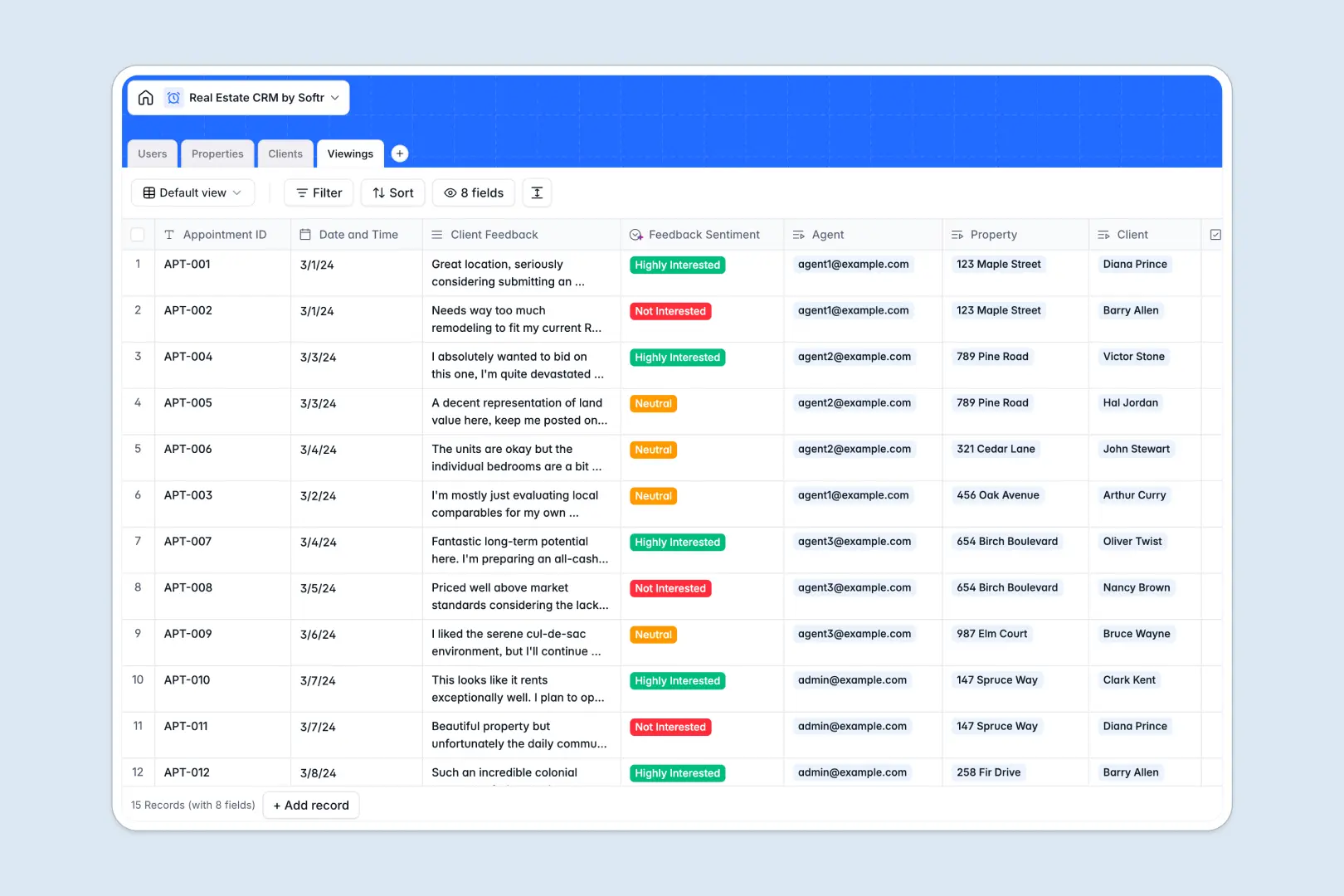
Your Real Estate CRM database at a glance
This template gives your agency a central hub to manage listings, clients, and viewing schedules. Brokers and agents can coordinate properties and feedback instantly in a shared, structured system.
It links agents to properties, properties to client owners, and viewings to everyone involved. You can track real-time agent workloads and client pipelines without messy copy-pasting.
Built-in AI features automatically write social media teasers based on listing details and analyze client viewing feedback to assess buyer interest levels instantly.
What to check before building your real estate CRM base in Airtable
When your real estate team starts growing, scaling your CRM inside Airtable comes with distinct challenges. It is a capable database, but licensing and setup can hurt collaboration and expansion.
What changes with a database built for apps
Instead of paying high per-seat fees just for agents to update viewing feedback or status listings, you need a solution built for teamwork.
This is exactly what Softr Databases are designed for. You get the same exact relational capabilities you expect—linking properties, clients, and agents seamlessly—but without per-collaborator price barriers.
Your entire registry scales smoothly with generous record and API limits. You can link a client to an agent and log viewings without constantly worrying about hitting account limits or paying for extra seats.
What you can do with this template
This CRM template allows your team to manage listings, update current pricing, and attach photos in one structured place. Custom select fields let you label property statuses like Under Contract, Sold, or Available instantly.
By leveraging Database AI agents, the CRM processes feedback automatically. When agents log viewing remarks, the AI reads the text to categorize client interest levels and instantly drafts high-converting marketing teasers for listings.
-
Users
Track agency staff members with roles, contact details, and client assignments
-
Properties
Manage listing inventories with pricing, agents, and AI marketing copy
-
Clients
Organize buyers, sellers, and investors with contacts and preferences
-
Viewings
Schedule site visits with properties, clients, and AI-driven sentiment logs
Who is this Real Estate CRM database for
- Boutique Agencies: Track all property listings, buyer contacts, and broker commissions without complex software.
- Independent Brokers: Structure client portfolios, organize active listings, and schedule upcoming showing slots effortlessly.
- Listing Agents: Access marketing content and analyze property showing feedback to push deals over the finish line.
How to take it further
Customize the database
You can customize the fields to match how your local market operates. Add fields for land size, HOA fees, or specific property amenities, and edit the client type dropdown values in seconds.
Import your existing data
Avoid starting from zero by uploading your existing active listings or buyer lists. You can run a clean CSV import direct to your tables or connect external APIs to sync active database records.
Build a full app around it
When you need client-facing portals or internal agent tools, you can easily build an app on top of this template. Introduce the AI-powered builder to generate views customized to your exact table structure.
Manage secure users and permissions so agents only see their assigned properties while clients can securely log in to review updates on their listings.
-
1
-
2
-
3
-
4
Frequently asked questions
-
What is a real estate CRM database?
-
Why use a no-code database to build a real estate CRM?
-
How can AI help managing data for your real estate CRM?
-
Can I build an app with this real estate CRM database?
-
Is this real estate CRM template free?
-
How is this template different from a real estate CRM Airtable template?
Start building today. It's free!
Build and launch your first app in under 30 minutes.