


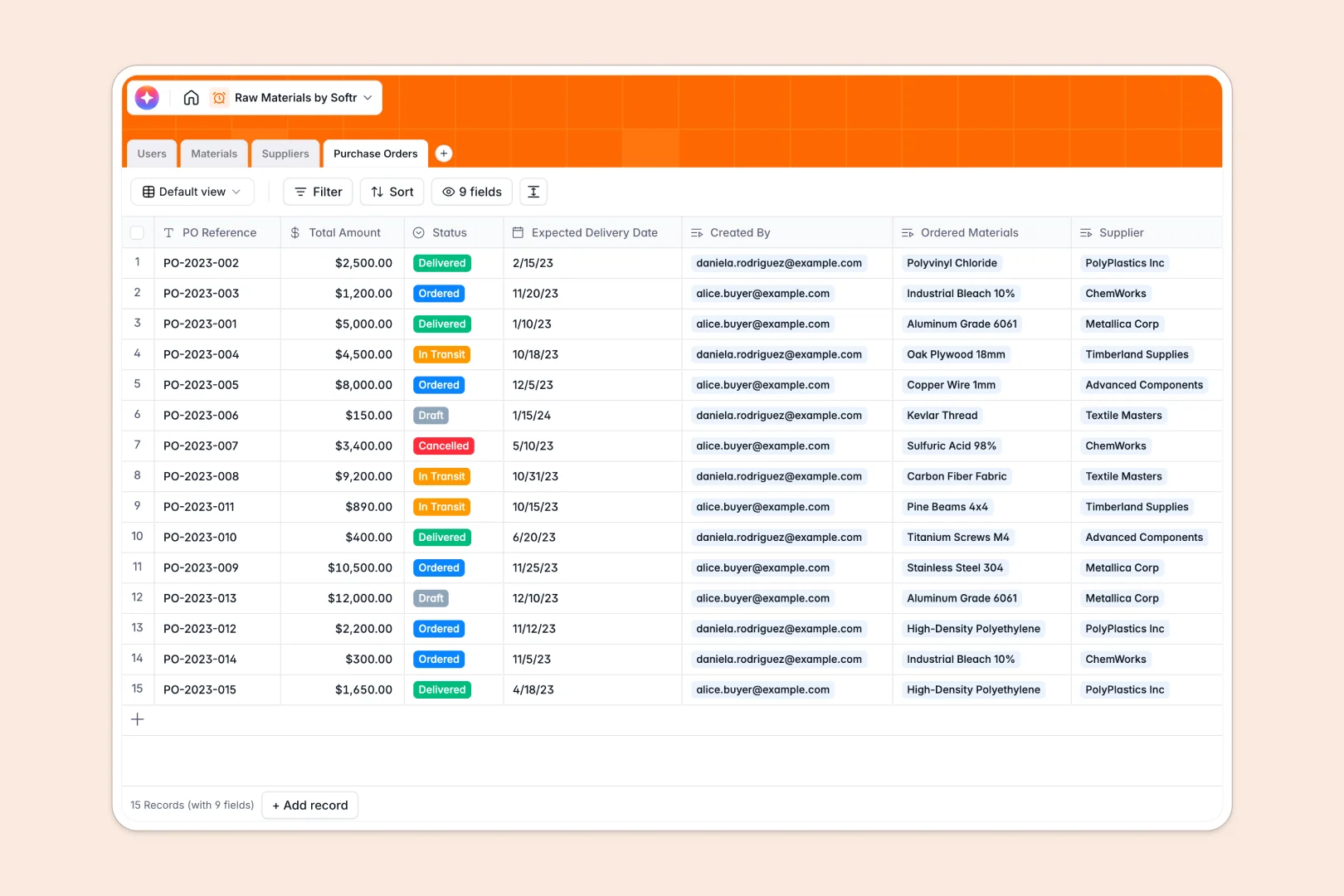
Your Raw Materials Database at a glance
This template provides a central, structured database for managing material inventory, suppliers, and purchase orders without the mess of manual sheets.
Keep track of your materials like metals, plastics, and chemicals in the same workspace where you store supplier contact details. By using linked records, every purchase order connects directly to the exact supplier and the specific materials ordered, keeping your data synchronized.
Built-in intelligence helps automate daily operations. The database includes Database AI agents that automatically draft material specifications, research supplier company descriptions from their websites, and summarize purchase orders as status updates change.
What to check before building your raw materials base in Airtable
When managing a physical inventory, collaboration is essential. Buyers need to submit purchase orders, and inventory managers must update stock counts, but doing this can quickly become complex.
What changes with a database built for apps
While databases are ideal for storing raw materials, platforms like Airtable charge per collaborator. This means granting inventory updates to your entire warehouse team becomes very expensive.
With Softr Databases, you get unlimited collaborators on all plans. You can easily scale your procurement operations without hitting rigid record caps or paying a premium just to let your team view and edit material statuses.
Further, a database is only useful if your team can interact with it securely. Instead of stitching together complex external portals to hide sensitive supplier pricing from junior staff, Softr integrates data, interfaces, and permissions into one singular platform.
What you can do with this template
- Maintain clean data structures: Protect crucial numbers like Current Stock with strict field formatting, preventing typos or broken calculations.
- Automate background work: Let native agents handle heavy admin tasks, such as generating material spec sheets and gathering supplier information automatically.
- Transition directly into workflows: Coordinate procurement actions immediately without having to export spreadsheets or construct fragile workarounds.
-
Users
Track team members managing inventory, procurement, and purchasing workflows
-
Materials
Track raw material stock with AI-generated specifications and descriptions
-
Suppliers
Manage raw material vendors with AI-powered company insights and profiles
-
Purchase Orders
Track material replenishment workflows with AI-generated order summaries
Who is this Raw Materials database for
- Inventory Managers: Keep raw stock counts accurate, set up categories, and ensure warehouse materials never drop below minimum thresholds.
- Procurement Specialists: Track active purchase orders from draft to delivery and manage historical spending across all material suppliers.
- Operations Teams: Link material specifications, supplier details, and ordering history together to streamline supply chain transparency.
How to take it further
Customize the database
Adjust fields to match your exact supply chain. You can change raw material categories (like Metals or Textiles), add specific units of measurement, or insert new custom select statuses for your purchase orders.
Import your existing data
Avoid manual typing by uploading your current vendor and material inventory lists via a quick CSV import. If you are already running your catalog in Airtable, you can migrate your schema over to Softr in just a few clicks.
Build a full app around it
When you are ready to move beyond database tables, you can build an app directly on top of this template. Use our portal builder to generate interactive screens where managers can log material levels and buyers can submit purchase orders securely.
By adding custom users and permissions, you can ensure suppliers only see their specific active orders, while your internal warehouse managers gain full visibility over all raw material stock.
-
1
-
2
-
3
-
4
Frequently asked questions
-
What is a raw materials database?
-
Why use a no-code database to build a raw materials system?
-
How can AI help managing data for raw materials?
-
Can I build an app with this raw materials database?
-
Is this raw materials template free?
-
How is this different from an Airtable template?
Start building today. It's free!
Build and launch your first app in under 30 minutes.