


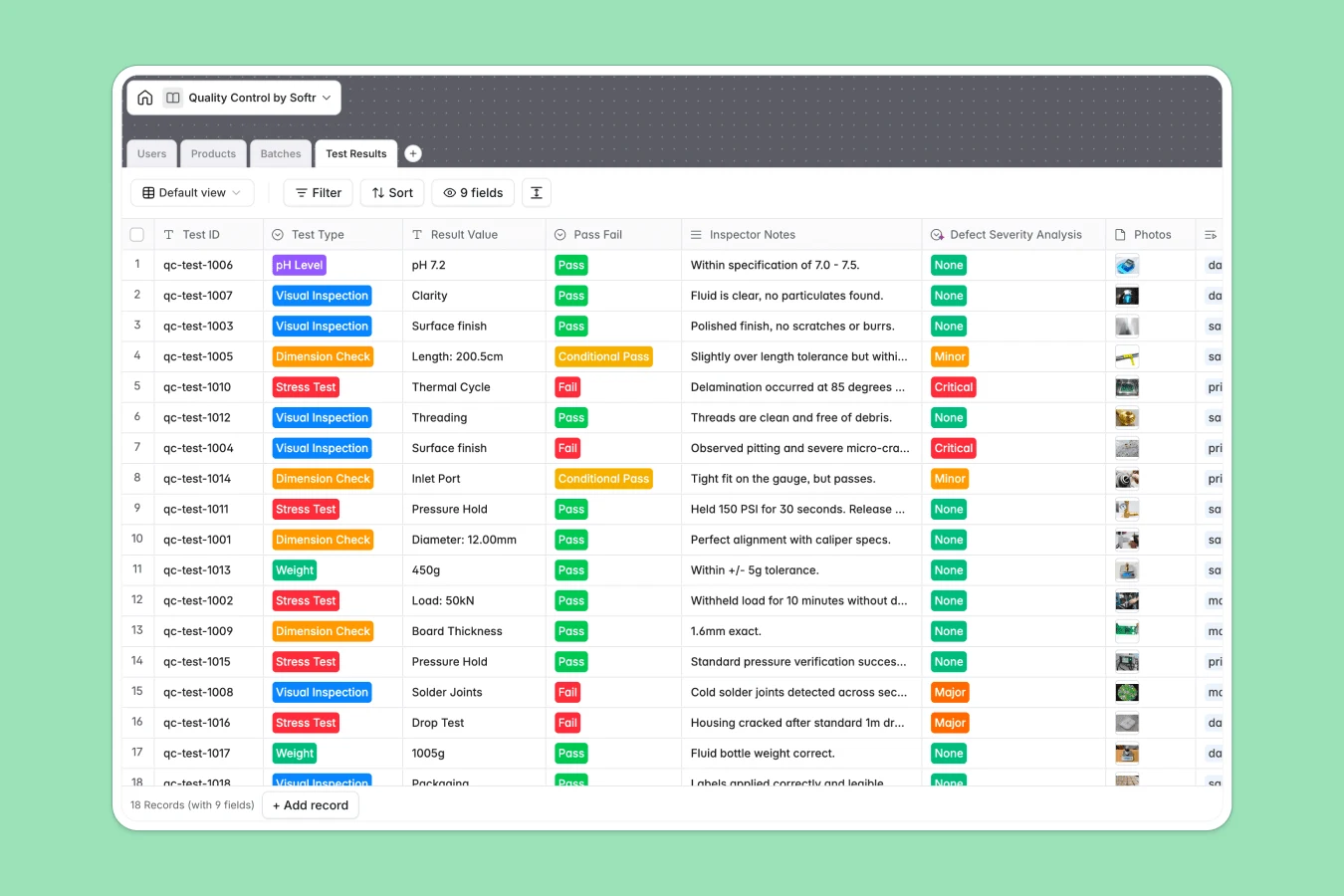
Your Quality Control database at a glance
This template gives your manufacturing and inspection teams a clear, structured system to record quality checks and release production runs. Instead of digging through multiple files, your team shares a single source of truth.
The database connects your Catalog, Batches, and Test Results. This means a logged stress test or visual inspection instantly links back to its specific batch, making traceability effortless.
What to check before building your quality control base in Airtable
When managing rigorous production standards, choosing where your data lives is critical. Airtable is a powerful relational tool, but you should evaluate its limits before building your quality tracking system there.
What changes with a database built for apps
An airtight quality process requires inspectors in the field and managers on the warehouse floor to update progress constantly. In Airtable, adding editors immediately triggers expensive per-seat pricing.
Softr Databases handle this differently. You get unlimited collaborators on all plans, meaning your entire plant floor can input data without surprise bills.
Additionally, high-volume production operations run into Airtable's record limits and slow API speeds. Softr Databases support up to 200,000 records per database and feature a 10x faster API rate limit, keeping your real-time logs running smoothly.
Practical outcomes with this template
- Track defect severity: Instantly classify test failures as critical, major, or minor to isolate problematic runs before they ship.
- Automate batch statuses: Link test evaluations directly to a batch to determine whether it should be released, quarantined, or rejected.
- Upload visual evidence: Allow inspectors on the floor to drag and drop inspection photos and spec safety sheets straight into the records.
-
Users
Track system users including quality inspectors and production managers
-
Products
Manage the catalog of manufactured items with technical specifications
-
Batches
Monitor specific production runs, release statuses, and test rollups
-
Test Results
Record and analyze physical, chemical, and visual quality inspections
Who is this Quality Control database for
- Quality Inspectors: Quickly record inspection parameters, log notes, and attach photo evidence in the field.
- Production Managers: Monitor real-time pass/fail rates across different batches and clear releases instantly.
- Operations Leads: Maintain a secure catalog of product safety sheets and historical testing records for compliance audits.
How to take it further
Customize the database
Adjust this template to fit your factory floor. You can easily add new test types like chemical specs or moisture metrics, alter severity options, or create custom views for different product lines.
Import your existing data
Avoid manual typing by uploading your Excel or CSV lists of active SKUs, past inspection logs, or your user directory. You can also sync live production machines to the database using the API.
Build a full app around it
When your team is ready, convert this workspace into a functional, secure portal. Use the AI app generator to turn your database into a custom inspection app within seconds.
Adding granular users and permissions ensures inspectors only fill out active tests on their mobile phones, while production managers see a comprehensive dashboard of batch clearances.
-
1
-
2
-
3
-
4
Frequently asked questions
-
What is a quality control database?
-
Why use a no-code database to build a quality control system?
-
How can AI help managing data for quality control?
-
Can I build an app with this quality control database?
-
Is this quality control template free?
-
How is this template different from an Airtable template?
Start building today. It's free!
Build and launch your first app in under 30 minutes.