


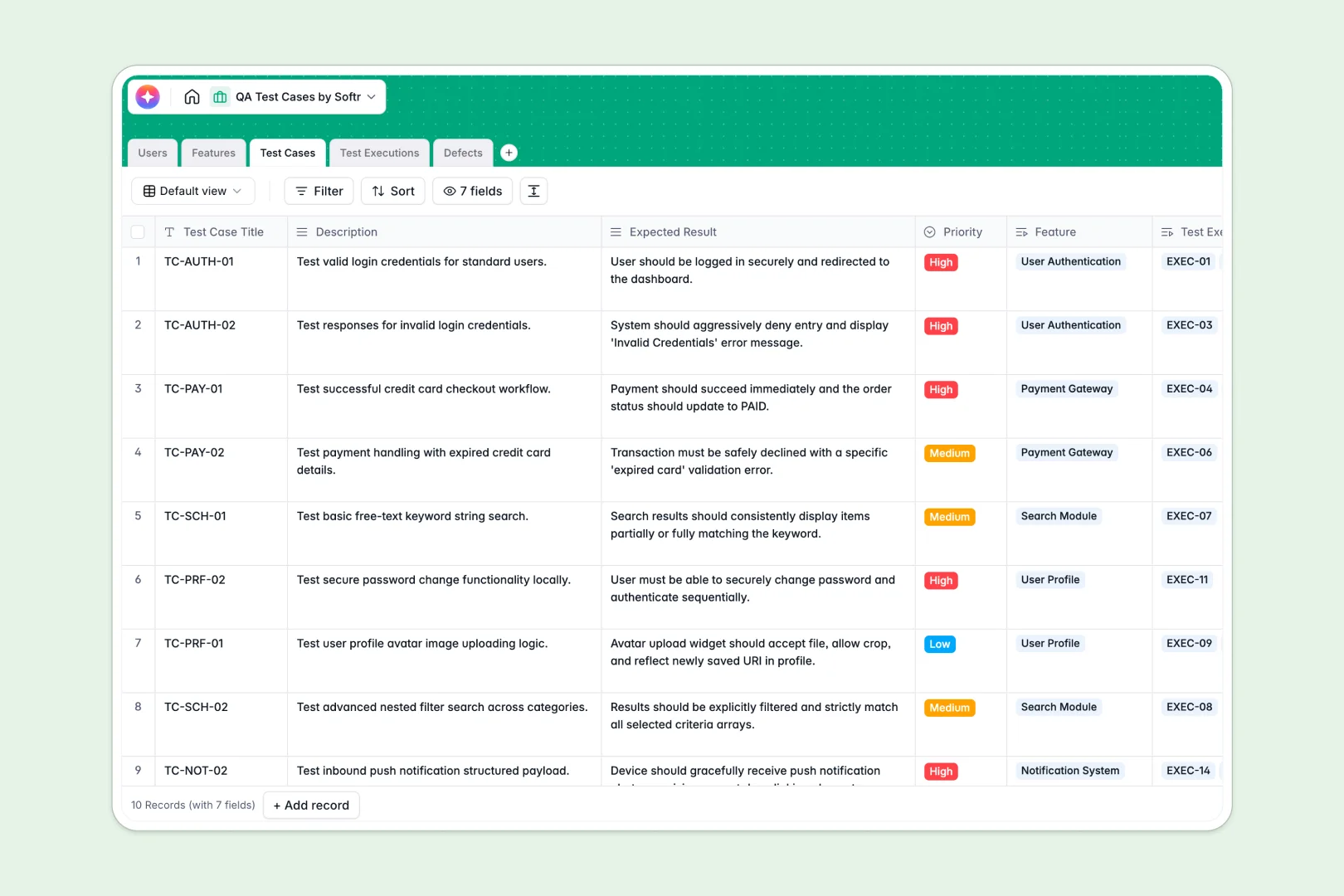
Your QA Test Cases database at a glance
This template gives your product team a single source of truth for planning, executing, and tracking QA runs. Streamline software quality assurance without managing scattered, messy QA logs.
Keep high-level features connected to specific test cases, and log real-world test executions as they happen. If a bug is caught, easily document the defect and assign it to the right developer instantly.
Built-in AI fields speed up your workflow. The template automatically generates detailed testing steps from your descriptions, analyzes the results of executions, and even classifies defect severity on its own.
What to check before building your QA test cases base in Airtable
When organizing complex software QA cycles with teammates, developers, and external stakeholders, Airtable's setup can quickly get frustrating.
What changes with a database built for apps
As your testing team grows, Airtable's per-seat pricing becomes expensive, punishing you for adding every developer who needs to resolve a defect or every tester logging results.
This is exactly what Softr Databases are designed to solve. When you use this template, you get a clean relational database that supports unlimited collaborators with higher record capacities and faster API limits, allowing your processes to scale.
Instead of just looking at spreadsheets, you have a solid data foundation ready to support interactive portals and workspaces for developers, testers, and clients alike.
What you can do with this template
Track test cases by priorities dynamically and link execution runs to specific testers. Use the built-in Database AI agents to auto-generate testing steps and classify incoming bugs instantly based on descriptions, saving hours of manual triage.
You can customize the template fields in seconds to match your development methodology. It is completely ready to use, helping your engineering team squash software bugs faster.
-
Users
Directory of QA testers, developers, and admins managing the test process
-
Features
High-level product features or epics requiring structured test coverage
-
Test Cases
Verify testing scenarios with AI-generated step-by-step test instructions
-
Test Executions
Log individual test runs using AI to analyze discrepancies in actual results
-
Defects
Track discovered software bugs with AI-powered severity classification
Who is this QA Test Cases database for
- QA Managers & Leads: Oversee test coverage across epics and handle defect distributions smoothly.
- QA Testers: Execute physical runs, capture actual results, and let AI analyze failures against expected outcomes.
- Product Owners: Track which high-level features have passed QA and are ready for release.
- Software Developers: Review assigned bug details, update defect statuses, and update log notes in one view.
How to take it further
Customize your database
Tailor this template by adding custom statuses, renaming fields, or modifying the priority levels to match your team's workflow. With Softr Databases, reorganizing tables and configuring custom select values takes only seconds.
Import your existing data
Instead of starting from scratch, bulk-upload your legacy test cases or feature definitions directly using a standard CSV file. You can also hook up external APIs to pipe test parameters straight into your new tables.
Build a full app around it
When you are ready, transform this template into a custom QA portal with the interface builder. Design dashboards that allow external testers to log execution outcomes while limiting developer views only to their assigned defects. Fine-tune security by specifying users and permissions to ensure that sensitive system structures and results stay secure.
-
1
-
2
-
3
-
4
Frequently asked questions
-
What is a QA Test Cases database?
-
Why use a no-code database to build a QA test cases system?
-
How can AI help managing data for QA test cases?
-
Can I build an app with this QA test cases database?
-
Is this QA Test Cases template free?
-
How is this QA Test Cases database different from an Airtable template?
Start building today. It's free!
Build and launch your first app in under 30 minutes.