


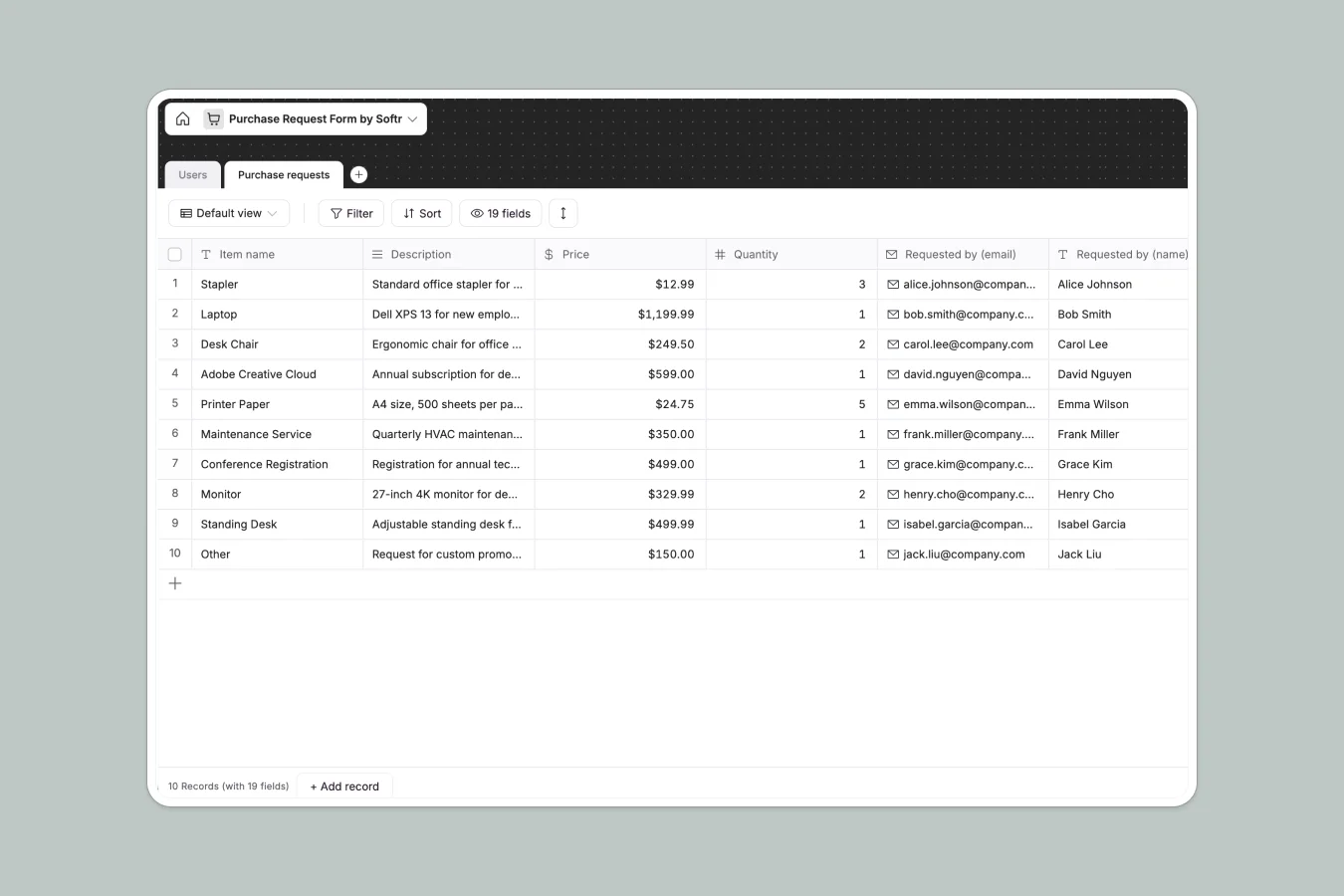
Your Purchase Request database at a glance
Streamline how your team requests equipment, software subscriptions, and office supplies in one central directory.
This template connects employee profiles directly to their requested items, pricing, categories, and real-time approval statuses.
What to check before building your purchase request base in Airtable
While Airtable is a powerful relational tool, sharing procurement workflows across a growing team often hits painful roadblocks.
What changes with a database built for apps
Airtable's per-seat pricing means adding employees, finance officers, and managers to submit and approve requests gets expensive fast.
With Softr Databases, your team gets unlimited collaborators so everyone can participate in the procurement process without price penalties.
You also get native portal capabilities and secure workflows built-in, meaning you do not have to purchase external interface tools to keep your data safe.
What you can do with this template
Instantly categorize and organize requests into office supplies, software, or technology while tracking estimates, quantities, and vendor contact details.
Track progress with ease by transitioning statuses from "Awaiting approval" to "Approved" while attaching invoices and logging team comments directly on the record.
-
Users
Track team members with system roles, contact info and profile pictures
-
Purchase requests
Manage purchase requests with item details, category, cost and vendor info
Who is this Purchase Request database for
This database handles internal procurement smoothly for team leads and business operators alike.
- Finance Managers: Track company spend limits, verify vendor details, and authorize budgets without messy email threads.
- Operations Leads: Keep your office supplies stocked and physical workspace hardware updated by reviewing and managing requests centrally.
- IT & Systems Admins: Oversee software subscription requests, track monthly or yearly billing cycles, and keep software assets organized.
How to take it further
Customize the database
Tailor your database fields in seconds by updating spend category options or adding new statuses like "Rejected" or "Ordered."
Import your existing data
Bring your existing procurement historical records into Softr using a fast CSV upload or by connecting external sync tools via API.
Build a full app around it
When your team is ready to scale, easily build an app on top of this database so your team can submit requests via clean front-end forms.
You can set up granular users and permissions to ensure employees only view their own requests while managers maintain full administrative overview and edit rights.
-
1
-
2
-
3
-
4
Frequently asked questions
-
What is a purchase request database?
-
Why use a no-code database to build a purchase request system?
-
How can AI help managing data for purchase requests?
-
Can I build an app with purchase request database?
-
Is this purchase request template free?
-
How is this template different from an Airtable template?
Start building today. It's free!
Build and launch your first app in under 30 minutes.