


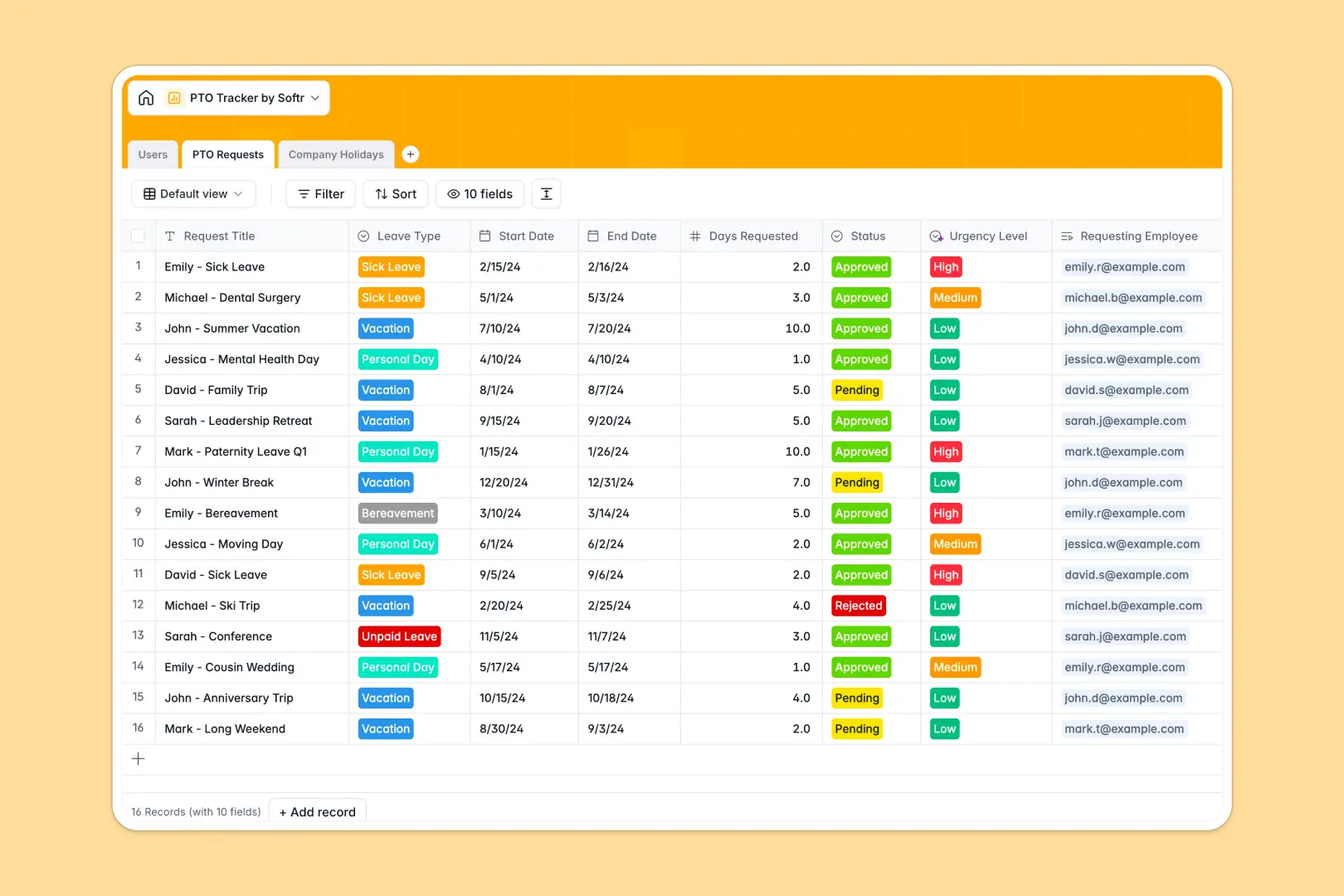
Your PTO Tracker database at a glance
This template gives you an instant, unified way to log leave requests, manage balance checks, and handle team approvals. Your employees can plan their time off, whilst managers can instantly see live balances and request details without manual back-and-forth.
Everything in this database is connected. The Users table links directly to PTO Requests to roll up approved days and automatically calculate remaining balances. Out-of-the-box AI features write summaries of justifications and assess request urgency automatically.
What to check before building your PTO tracker base in Airtable
When setting up a PTO tracker, it's tempting to build it in Airtable thanks to their linked records and formula fields. However, before you commit to Airtable, there are critical limitations to keep in mind regarding collaboration costs and team usage.
What changes with a database built for apps
With Airtable, you are charged per collaborator for any team member who needs editing rights. In a PTO system where every single employee needs to submit requests, this per-seat model quickly turns a simple tracker into an expensive monthly overhead.
This is exactly what Softr Databases solve. It is a structured, relational database that includes unlimited collaborators on all plans. You can have hundreds of employees submitting requests and managers looking up records without ever worrying about per-seat charges.
What you can do with this template
This template lets you log individual time-off transactions, identify vacation types, track approval statuses, and manage company holidays seamlessly. Because it features built-in Database AI agents, the database itself can summarize long justifications for fast review or evaluate the urgency level based on request specifics.
It is ready to use immediately as a data-store, and completely customizable if you want to change select fields, adjust holiday parameters, or add columns.
-
Users
Track employees with roles, allocations and remaining PTO balances
-
PTO Requests
Manage individual requests with AI-generated summaries and urgency levels
-
Company Holidays
Store official holidays with AI-powered background information
Who is this PTO Tracker database for
- HR Managers & Teams: Maintain absolute records of employee allowances, remaining balances, and company-wide public holidays without complex spreadsheets.
- Team Leaders & Managers: Quickly review automatically summarized requests and instantly approve or reject leave with real-time balance visibility.
- Growing Organizations: Scale your leave tracking reliably without facing the steep per-user pricing model of other relational databases.
How to take it further
1. Customize the database
You can easily tailor this database to your organization's exact policies. Modify the status dropdowns, adjust leave type selections, or add new formulas for accrual logic directly inside the visual editor.
2. Import your existing data
Move your team's current history over in minutes. You can perform a bulk CSV upload of employee details and historic time-off records, or use the API to sync structures from your current HR platform.
3. Build a full app around it
When you are ready to make request submissions completely self-serve, you can build an app on top of this database. Use the Softr AI Co-Builder to generate an internal portal where employees only see their own balances and managers have access control to approve team requests, all utilizing users and permissions to keep data secure.
-
1
-
2
-
3
-
4
Frequently asked questions
-
What is a PTO tracker database?
-
Why use a no-code database to build a PTO tracker?
-
How can AI help managing data for your PTO tracker?
-
Can I build an app with this PTO tracker database?
-
Is this PTO Tracker template free?
-
How is this template different from an Airtable template?
Start building today. It's free!
Build and launch your first app in under 30 minutes.