


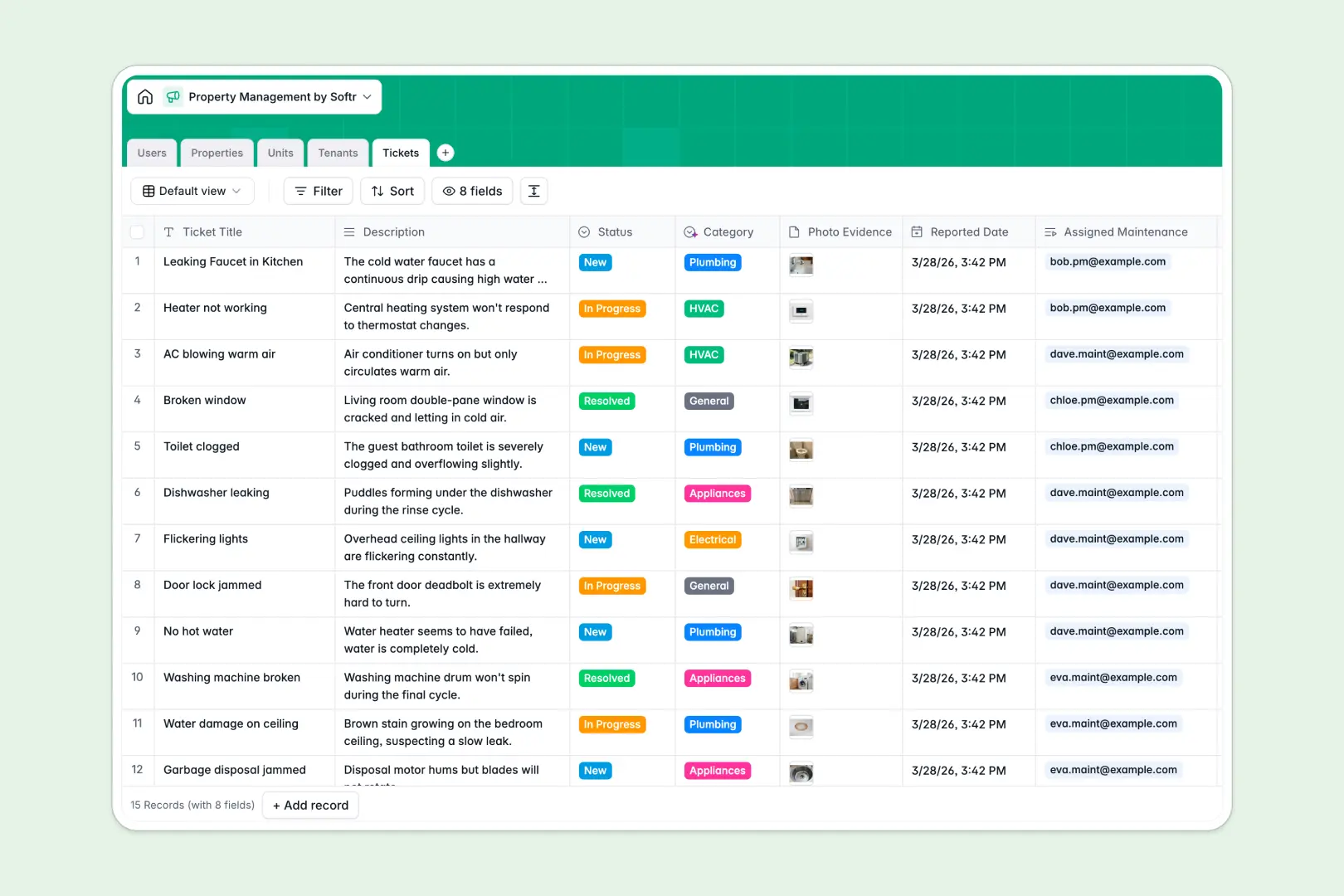
Your Property Management database at a glance
This template gives you a central point of control to organize your real estate assets, streamline communication with renters, and monitor outstanding repairs. By keeping your portfolios organized, you can minimize vacancies and improve response times.
It connects Properties, Units, Tenants, and Tickets together naturally. When a new maintenance request comes in, it immediately links back to the specific unit and tenant, letting your team dispatch help without searching through manual records.
It features built-in automation that categorizes maintenance requests instantly based on their description, helping your repair crews triage and resolve critical issues faster.
What to check before building your property management base in Airtable
When organizing real estate operations with multiple stakeholders, choosing the right platform determines how easily your team and tenants can collaborate.
What changes with a database built for apps
Airtable is a strong relational engine, but its per-seat pricing makes it highly expensive to bring your entire team—and your tenants—into the system. Collaborators need direct access to submit and edit data, which quickly drives up subscription fees.
This is exactly what Softr Databases are designed to solve. You get unlimited database collaborators on all plans, meaning your entire administrative team and regional field managers can update property statuses, record rent payments, and manage tickets without seat-license penalties.
With higher record allowances and a significantly faster API, you have more runway to scale your portfolio across several regions without hitting performance ceilings.
Practical outcomes with this template
With this database, you can automatically generate structured rental summaries and property descriptions straight inside your columns. This ensures your records remain consistent and descriptive with zero additional administrative effort.
Database AI agents can run autonomously on specific triggers, like classifying incoming plumbing or electrical tickets from the moment a tenant highlights a problem. This keeps your entire operation unified and responsive.
-
Users
Manage property managers, administrators, and maintenance staff roles
-
Properties
Track physical assets and generate AI property descriptions automatically
-
Units
Manage individual rental units, occupancy status, and monthly rental rates
-
Tenants
Track rental agreements, contact details, and compile AI tenant profiles
-
Tickets
Track repairs and maintenance requests classified automatically by AI
Who is this Property Management database for
- Property Managers: Centralize portfolio tracking, oversee unit vacancies, and handle day-to-day operations seamlessly.
- Landlords & Asset Owners: Keep accurate financial logs, monitor lease terms, and ensure high tenant satisfaction.
- Maintenance Teams: Receive auto-categorized repair tickets with attached photo evidence directly from units on-site.
How to take it further
Customize the database
You can easily modify field taxonomies, add precise pricing tiers, or adjust drop-down selections to match your property types. Adjusting rent fields or adding unique contract columns takes only a few clicks inside the visual editor.
Import your existing data
Bring in your active customer lists and asset registers in bulk. Simply upload a CSV file or use the API to sync existing portfolio records directly into your tables with no complex data-mapping required.
Build a full app around it
When your team is ready, you can scale this database into an interactive tenant portal or mobile repair dashboard. Direct the AI app generator to turn your database tables into a portal with a single prompt, instantly creating matching interfaces for managers and tenants.
Granular users and permissions ensure tenants only see their own lease documents and tickets, while maintenance crews only view tasks assigned directly to them. Starting with a structured database is the easiest path to launching a secure, ready-to-use business application.
-
1
-
2
-
3
-
4
Frequently asked questions
-
What is a property management database?
-
Why use a no-code database to build a property management system?
-
How can AI help managing data for property management?
-
Can I build an app with this property management database?
-
Is this Property Management template free?
-
How is this template different from a property management Airtable template?
Start building today. It's free!
Build and launch your first app in under 30 minutes.