


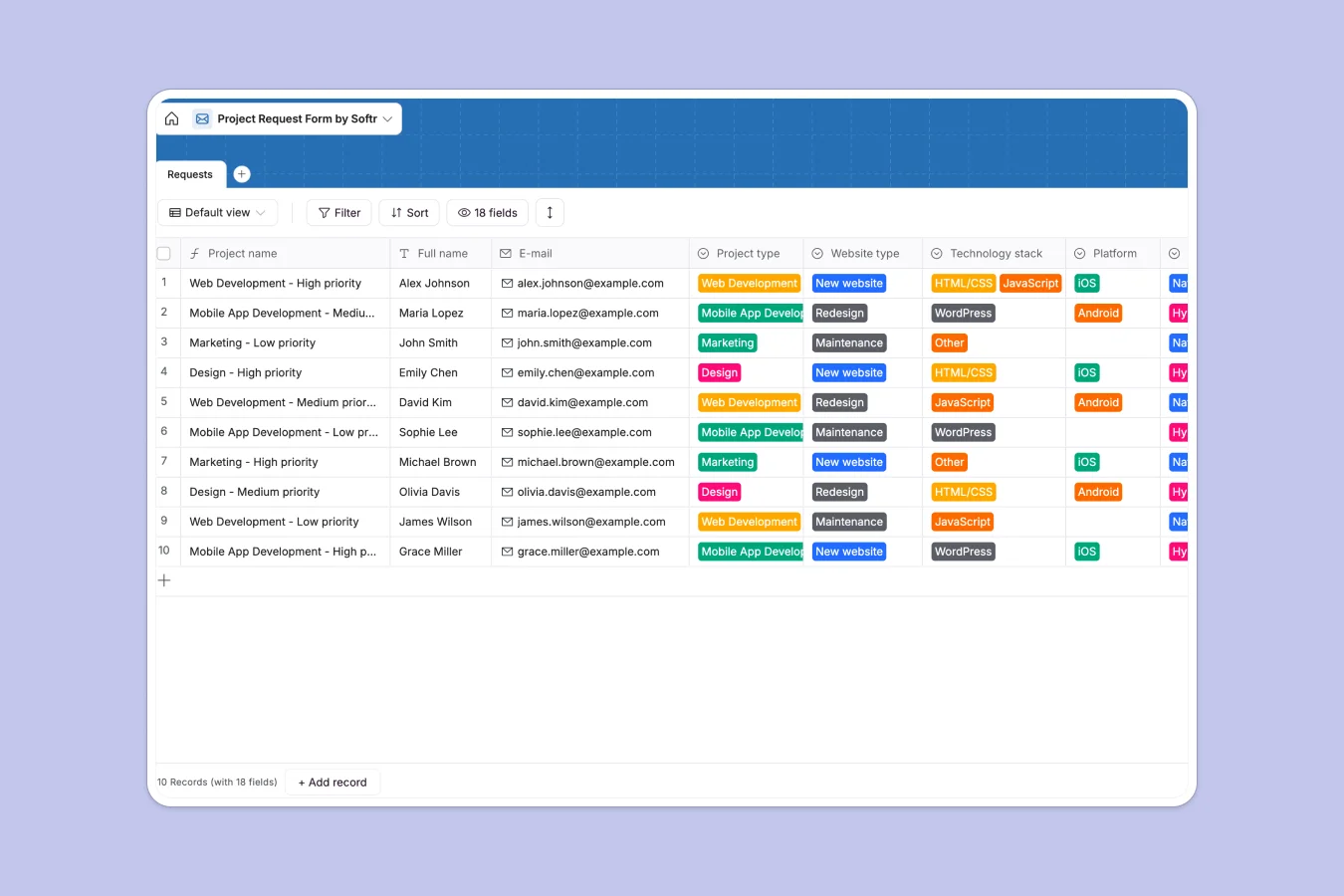
# Your Project Request database at a glance
This template provides a unified system to capture, evaluate, and track incoming project requests from initiation to approval. It organizes crucial details like project types, budget constraints, target audiences, and files in a clean, structured layout.
By categorizing requests by type—such as Web Development, Design, or Marketing—your team can instantly view technical details, asset requirements, and deadlines.
# What to check before building your project request base in Airtable
While using Airtable to manage project requests is a natural choice due to its relational capabilities, sharing that database with a growing team of stakeholders and requestors quickly gets expensive due to per-seat pricing.
What changes with a database built for apps
Instead of paying for every team member who needs to submit, review, or update a project request, you can use a system that offers unlimited collaborators. This is exactly where Softr Databases provide a more scalable foundation for your workflows.
With this setup, you retain all the power of structured databases—like strict field types, formula fields, and attachment columns—without worrying about hitches in scale or sudden price jumps as your department expands.
What you can do with this template
This template allows you to centralize creative, development, and marketing requests into a single screen, eliminating scattered emails and messages. You can automatically calculate project names, check attached assets, and filter items by priority level.
To make things even easier, you can deploy database AI agents directly inside your tables to analyze incoming descriptions, categorize requests, or draft initial project briefs automatically as new records arrive.
-
Requests
Centralize incoming project submissions with requirements, budgets and timelines
# Who is this Project Request database for
- Project Managers: Centralize incoming briefs, assess resource requirements, and set realistic deadlines based on priority.
- Creative Directors & Design Leads: Instantly access required assets, design types, and brand descriptions in one unified queue.
- Development Teams: Filter and review technical specifications like technology stacks, platform needs, and build types easily.
- Department Heads: Maintain high-level visibility over budget allocations and incoming workloads across all departments.
# How to take it further
1. Customize the database
Tailor the template to fit your team's exact workflow in seconds. You can edit the project types, append custom priority tiers, or add new columns for team member assignments.
2. Import your existing data
Migrate your current project requests out of spreadsheets or legacy files. Use our CSV import tool to bring your records over and seamlessly resume work without losing data.
3. Build a full app around it
When you are ready, you can easily turn this database into a secure internal application. Use the AI app generator to create a custom client request portal or an internal dashboard on top of this exact database, complete with granular users and permissions to control who sees and edits each request.
-
1
-
2
-
3
-
4
Frequently asked questions
-
What is a project request database?
-
Why use a no-code database to build a project request system?
-
How can AI help managing data for project requests?
-
Can I build an app with this project request database?
-
Is this project request template free?
-
How is this template different from an Airtable template?
Start building today. It's free!
Build and launch your first app in under 30 minutes.