


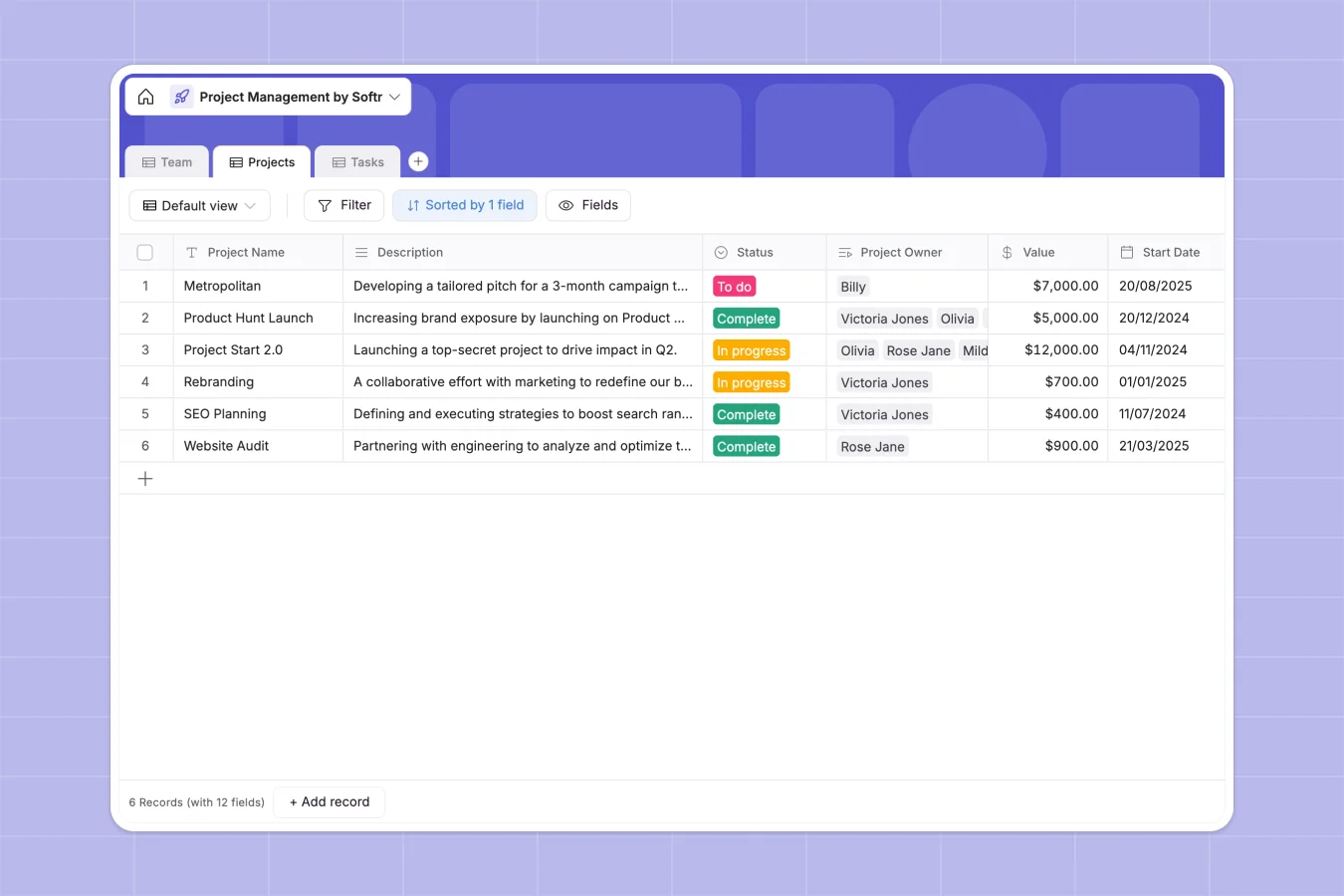
Your Project Management database at a glance
Keep your team directory, project timelines, and individual task ownership aligned in one clean system so nothing slips through the cracks.
This template connects your Team directory directly to Projects and Tasks, meaning adjustments to a project owner or a task assignee instantly update across all tables.
What to check before building your project management base in Airtable
Mapping your project workflows inside a relational database is exactly the right move, but choosing the right platform determines how easily your team can adopt it.
What changes with a database built for apps
Project tracking gets expensive quickly when systems charge you for every single team member who needs edit access. Softr Databases include unlimited collaborators on all plans so your entire team can update tasks without inflating your software bill.
You can also scale your operations without hitting record caps, enjoying generous limits up to 200,000 records per database and high-speed API performance.
Because the app layer is native to the platform, you don't need to stitch external tools together. You can turn your data tables into functional internal portals or client dashboards in the same builder.
What you can do with this template
With this pre-structured workspace, you can easily view project financial values, look up task assignee email addresses, and track real-time task counts with native rollups.
You can also use Database AI agents to automate administrative tasks like writing project summaries, pulling competitor research from the web, or auto-assigning priorities.
-
Team
Track team members with contact details, roles, departments and assigned work
-
Projects
Manage strategic projects with timelines, financial values, owners and task progress
-
Tasks
Organize tactical development tasks with priority, status, deadlines and assignees
Who is this Project Management database for
A structured setup designed for organizations that need clear separation of duties and full visibility of project milestones.
- Agency Pioneers: Assign tasks directly to designers or engineers while keeping budgets, values, and client deadlines visible to the right people.
- Product Managers: Streamline feature launches with connected tables that track status updates, assignees, and prioritized features in real time.
- Operations Directors: Track workloads across multiple departments without relying on messy spreadsheets or introducing overly rigid task software.
How to take it further
Customize the database to match your exact workflow in seconds. You can easily modify status options, add custom priority levels, or add numeric columns to track hours and budgets.
Import your existing data immediately. Drop your current project logs into a CSV file and upload it directly, or connect your existing systems through a secure API to sync information instantly.
Build a full app around it when your team is ready for a cleaner interface. Use the AI app generator to turn this structured database into a secure web portal in one click.
This makes it simple to manage users and permissions, giving contractors access to only their tasks while managers maintain comprehensive access to project values and metrics.
-
1
-
2
-
3
-
4
Frequently asked questions
-
What is a project management database?
-
Why use a no-code database to build a project management system?
-
How can AI help managing data for project management?
-
Can I build an app with this project management database?
-
Is this Project Management database template free?
-
How is this template different from an Airtable template?
Start building today. It's free!
Build and launch your first app in under 30 minutes.