


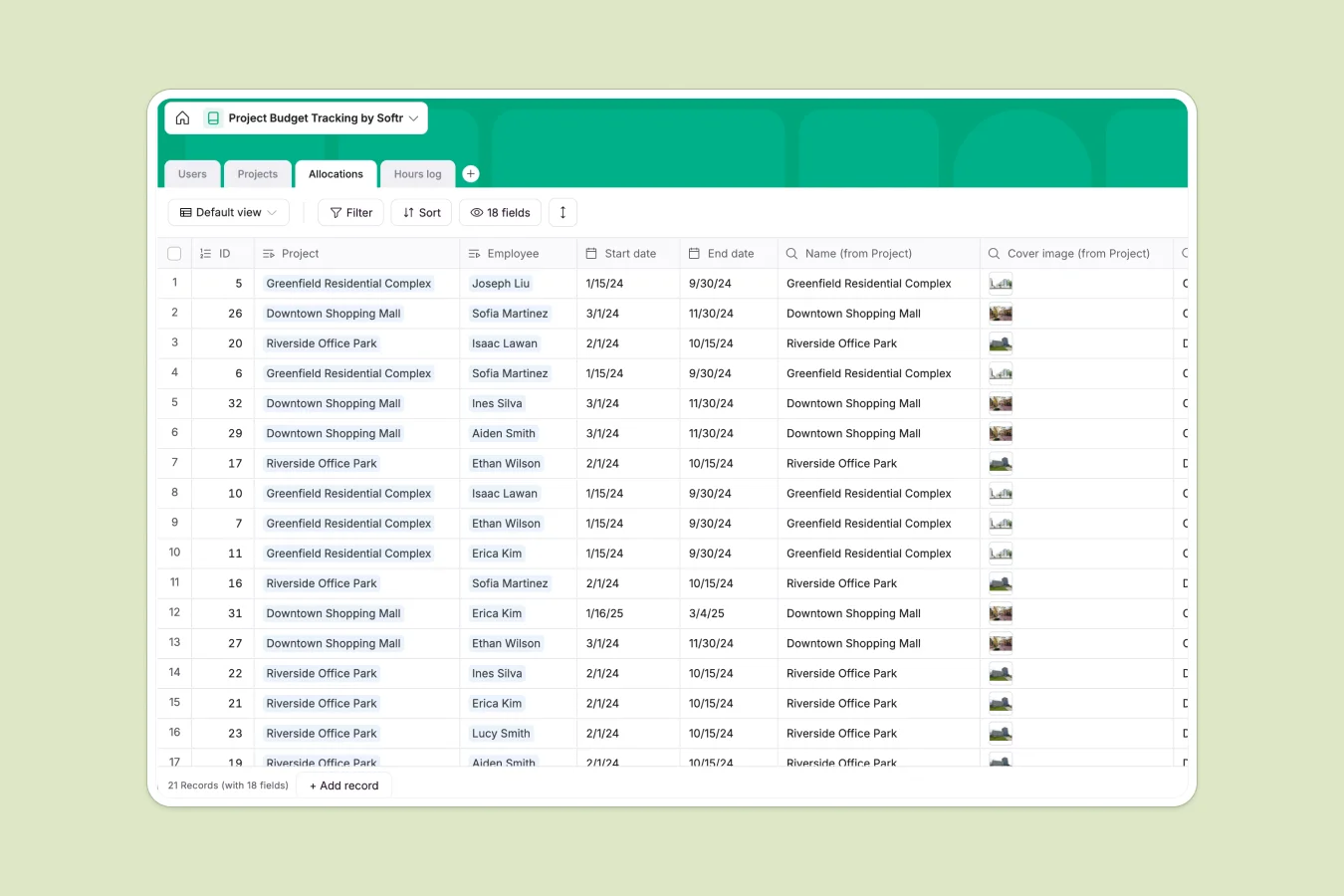
Your Project Budget Tracking database at a glance
Monitor your team's utilization and project financial health in real time. This template keeps your projects, resource allocations, and logged hours connected so you never lose track of your budget.
Everything links together automatically. When team members log their hours against specific projects, your project utilization status updates instantly to keep your budget on track.
What to check before building your project budget base in Airtable
While Airtable is a powerful tool for structuring relational records, managing team budget tracking can quickly get expensive and complex.
What changes with a database built for apps
Sharing your project trackers shouldn't trigger high bills. Airtable's per-seat pricing makes it expensive to let every team member log hours directly into the database.
This is why we built Softr Databases. You enjoy generous database limits, an incredibly fast API, and the ability to share your workspace widely without worrying about seat fees.
Because the database and the app builder are natively unified, you can build custom interfaces directly on top of your budget tracker. This lets team members log their hours without ever seeing your master budget data.
What you can do with this template
Use this template to connect projects directly to specific resource allocations and automatically roll up logged hours. The database tracks allocations against budgets, flagging tasks as "On track," "At risk," or "Off track" using built-in formulas.
If you want to automate this process, you can deploy Database AI agents to analyze task logs, categorize time entries automatically, and extract insights from project descriptions.
-
Users
Manage team members, roles, contact info, and total logged working hours
-
Projects
Track project lifecycles, budgets, timeline schedules, and resource utilization
-
Allocations
Determine staff assignments to projects with dedicated hour budgets and progress metrics
-
Hours log
Record daily hours spent by employees on specific project tasks for precise auditing
Who is this Project Budget Tracking database for
- Project Managers: Keep project utilization and team spending aligned with real-time budgets.
- Operations Leaders: View exact resource allocations and prevent team member burnout across active tasks.
- Engineering Teams: Log daily and weekly hours easily and transparently against active projects.
How to take it further
1. Customize the database
Add your own unique workflow states or expand the user table to include specific engineering titles or billing rates. Customizing field options in Softr is simple and updates across all views instantly.
2. Import your existing data
Copy over your ongoing projects and current team directory via CSV or spreadsheet import. You can run automated syncs to bring in legacy logs in just a few clicks.
3. Build a full app around it
When you are ready to expand, use our interface builder to turn this tracker into a custom client portal or internal team app. Create distinct users and permissions so contractors only see their own logged hours while managers view the entire budget overview. Having a structured database makes launching your custom business application fast and straightforward.
-
1
-
2
-
3
-
4
Frequently asked questions
-
What is a project budget tracking database?
-
Why use a no-code database to build a project budget tracking system?
-
How can AI help managing data for project budget tracking?
-
Can I build an app with this project budget database?
-
Is this project budget tracking template free?
-
How is this template different from an Airtable template?
Start building today. It's free!
Build and launch your first app in under 30 minutes.