


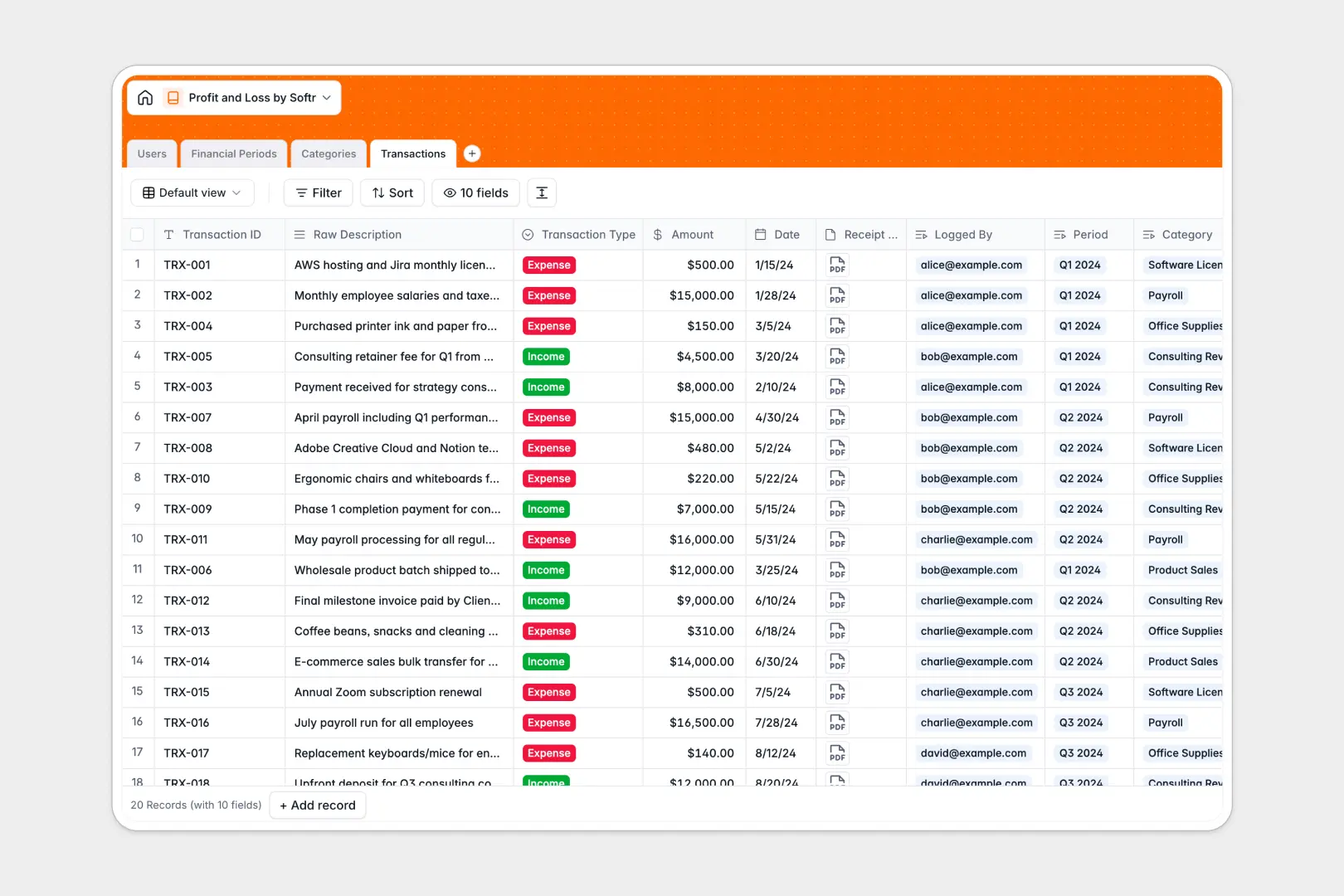
Your Profit and Loss database at a glance
Streamline how your business monitors cash flow, tracks expenses, and categorizes transaction data. Keep your exact financial health organized in one accessible, central location where numbers reconcile smoothly.
The template works seamlessly by connecting your individual transaction records to specific accounts and financial periods. Net profits, total incomes, and expenses calculate automatically using relational links between categories and periods, meaning zero manual formulas for your team.
Built-in AI fields help you draft instant summaries for each financial period and clean up raw credit card transactions into neat titles.
-
Users
Track system users such as admins and accountants handling transactions
-
Financial Periods
Group monthly or quarterly P&L outputs with an AI executive summary
-
Categories
Structure the chart of accounts for distinct income and expense lines
-
Transactions
Log individual incomes or expenses with AI-powered title standardization
Who is this Profit and Loss database for
This template works perfectly for teams wanting to hand off financial logging without losing overall structural control.
- Finance Leads: Track dynamic revenues and net profit performance across financial periods with centralized visibility.
- Accountants: Log verified business transactions, attach invoice receipts, and tag category breakdowns systematically.
- Agency Owners: Monitor exact operational costs, payroll inputs, and project income targets transparently without complex math.
How to take it further
You can easily shape this template to your precise accounting requirements. Add specific tax labels, customize transaction status options, or adjust the default currencies in minutes.
Upload previous ledger files instantly using a simple CSV import, or use our API to pipe in daily transactions from your payment gateways.
When your team is ready, go from a structured backend to an intuitive internal tool. Use the AI Co-Builder to generate an interactive client billing dashboard or internal accounting portal instantly on top of this template. You can refine everything visually using the interface builder and assign distinct data access permissions to control what your external accountants or internal viewers can see.
-
1
-
2
-
3
-
4
Frequently asked questions
-
What is a profit and loss database?
-
Why use a no-code database to build a profit and loss system?
-
How can AI help managing data for profit and loss?
-
Can I build an app with a profit and loss database?
-
Is this profit and loss template free?
-
How is this template different from an Airtable template?
Start building today. It's free!
Build and launch your first app in under 30 minutes.