


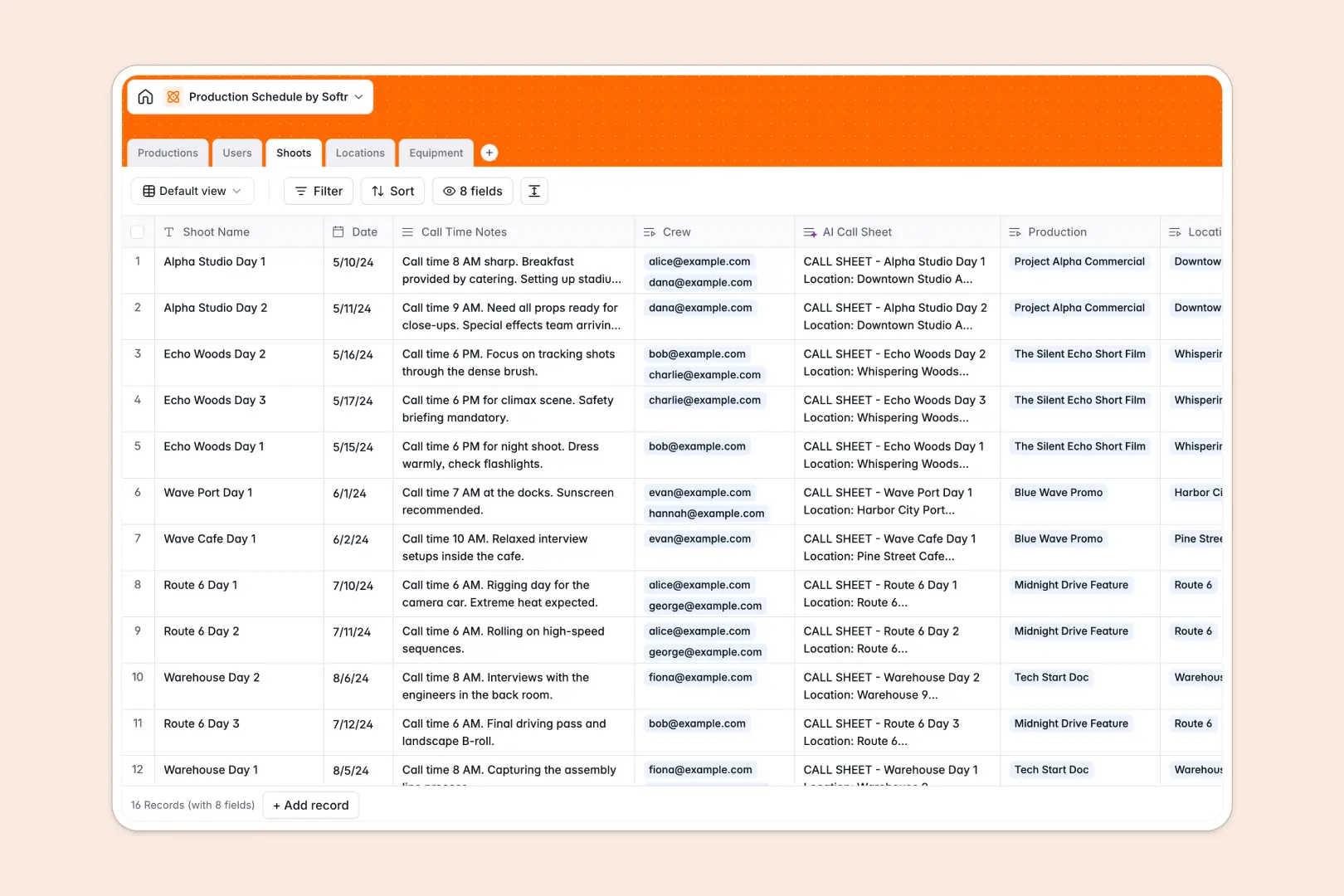
# Your Production Schedule database at a glance
Manage your film, project, or manufacturing timelines end-to-end. This template organizes your productions, crew list, specific shoots, filming locations, and equipment allocations in one connected space.
Everything links together cleanly. Connect shoots to physical locations and required gear, and assign crew members to schedules so everyone knows when and where they need to be.
This template also features native AI capabilities. It automatically drafts professional call sheets for specific shoots and compiles concise summaries of your active production briefs.
What to check before building your production schedule base in Airtable
If you are planning to handle complex media schedules, scheduling crews and reserving expensive equipment on a tight timeline is highly collaborative. While a structured database is the correct approach to prevent scheduling overlaps, choosing your platform determines how easily your crew actually accesses this data.
What changes with a database built for apps
With Softr Databases, you obtain the structure of linked tables without facing strict per-seat billing caps. In standard setups, inviting your entire crew, freelance technicians, and location managers to edit dates or update equipment availability instantly incurs massive per-user licensing fees.
Softr includes unlimited collaborators on all plans. You retain complete database integrity because you can build custom interfaces and access control parameters directly over your tables, restricting visibility so a grip only sees their call times while producers oversee budgets.
What you can do with this template
Keep physical shoots running smoothly with automated logistics. This tracker coordinates your equipment inventories directly with schedule segments so critical gear is never double-booked.
Built-in Database AI agents work natively inside your tables to research location details, summarize creative briefs, and compile call sheets. Your production database becomes a self-maintaining tool that keeps your crew aligned automatically.
-
Productions
Track major projects and films, using AI to generate high-level bullet summaries
-
Users
Manage staff, crew members, and producers with roles and contact information
-
Shoots
Schedule production days and tasks, leveraging AI to draft professional call sheets
-
Locations
Manage venues with AI-powered logistical and helpful environmental descriptions
-
Equipment
Track the inventory, category, and maintenance conditions of production gear
Who is this Production Schedule database for
- Film Directors & Producers: Coordinate shooters, actors, locations, and gear packages without endless messaging chains.
- Production Managers: Access real-time updates on pre-production statuses, call times, and physical shoot logistics.
- Commercial Agencies: Manage rapid turnarounds for multiple clients by centralizing crew contacts and rental equipment tracking.
How to take it further
Customize the database
Add custom select options to categorize your equipment by gear type, or insert specialized crew roles like Director of Photography or Sound Mixer. Every field is instantly editable to match your specific studio requirements.
Import your existing data
If you have a crew list in spreadsheet format or an inventory manifest from your rental house, you can import everything via CSV. This gets your active schedules live in just a few minutes.
Build a full app around it
When you need to distribute schedules to third parties or allow crew to update tasks, you can easily build an app on top of this database. Use the AI app generator to output a custom crew portal or client dashboard in seconds.
With precise users and permissions, crew members can log in on mobile to view their personal schedules and check in to locations, keeping your master schedule secure from accidental edits.
-
1
-
2
-
3
-
4
Frequently asked questions
-
What is a production schedule database?
-
Why use a no-code database to build a production schedule system?
-
How can AI help managing data for my production schedules?
-
Can I build an app with this production schedule database?
-
Is this production schedule template free?
-
How is this template different from an Airtable template?
Start building today. It's free!
Build and launch your first app in under 30 minutes.